
So, you’re ready to set up a new eBay account. It’s a straightforward process that only takes a few minutes, starting with a choice between a personal or business account. But before you jump in, let's talk about what you're really creating.
Your Gateway to a Global Marketplace
Think of your new eBay account as more than just a login. It's your ticket into a massive, bustling marketplace that connects millions of people all over the world. Getting this initial setup right is the foundation for everything that follows, whether you're just planning to offload some clutter or you've got bigger dreams of building an online business.
The sheer scale of eBay is hard to ignore. Once you're signed up, you gain access to a platform with over 134 million active buyers browsing more than 2.3 billion active listings. Many of the most successful sellers I know started out as "accidental entrepreneurs," listing a few things from around the house and realizing they were onto something big.
And there's still plenty of room to grow. In fact, 22% of current sellers joined in just the last year, which tells you it’s as good a time as ever to get started. You can dig deeper into these kinds of powerful eBay statistics and trends over at Zik Analytics.
An eBay account isn't just for selling your old stuff; it's a launchpad for reaching customers in over 190 different markets. Your first listing could genuinely be seen by someone halfway around the world.
This incredible global reach is what really sets eBay apart from many other platforms. If you're still weighing your options, it's smart to understand what makes each marketplace tick. For a head-to-head breakdown, check out our comparison of eBay vs Facebook Marketplace to see which one aligns with your goals.
Approaching your account creation with this global perspective from the get-go is a game-changer. It turns a simple registration form into a strategic first move toward long-term success.
Choosing Between a Personal or Business Account
One of the very first decisions you’ll need to make when signing up for eBay is whether to open a Personal or a Business account. This choice isn't just a box to tick; it fundamentally shapes your selling limits, the fees you'll pay, and even your legal obligations down the line.
Think of a Personal account as your go-to for casual selling. It’s perfect if you're just clearing out your closet, offloading old gadgets, or selling a few collectibles you've had sitting around. The setup is quick and easy because it's designed for individuals, not formal companies.
A Business account, on the other hand, is built for anyone selling with commercial intent. If you're buying items with the specific goal of reselling them for a profit, selling products you've manufactured, or operating as an official business (like an LLC or sole proprietorship), this is the path for you. It lets you register under your company name and unlocks a suite of more powerful selling tools.
When Is It Time to Switch to a Business Account?
Lots of sellers start out with a personal account and simply upgrade when the time is right. The clearest signal that it's time to make the switch? When your selling goes from a once-in-a-while hobby to a consistent, profit-driven operation. Making this transition is key to staying compliant and giving yourself the tools you need to grow.
This flowchart maps out the journey from creating your account to reaching a global customer base.
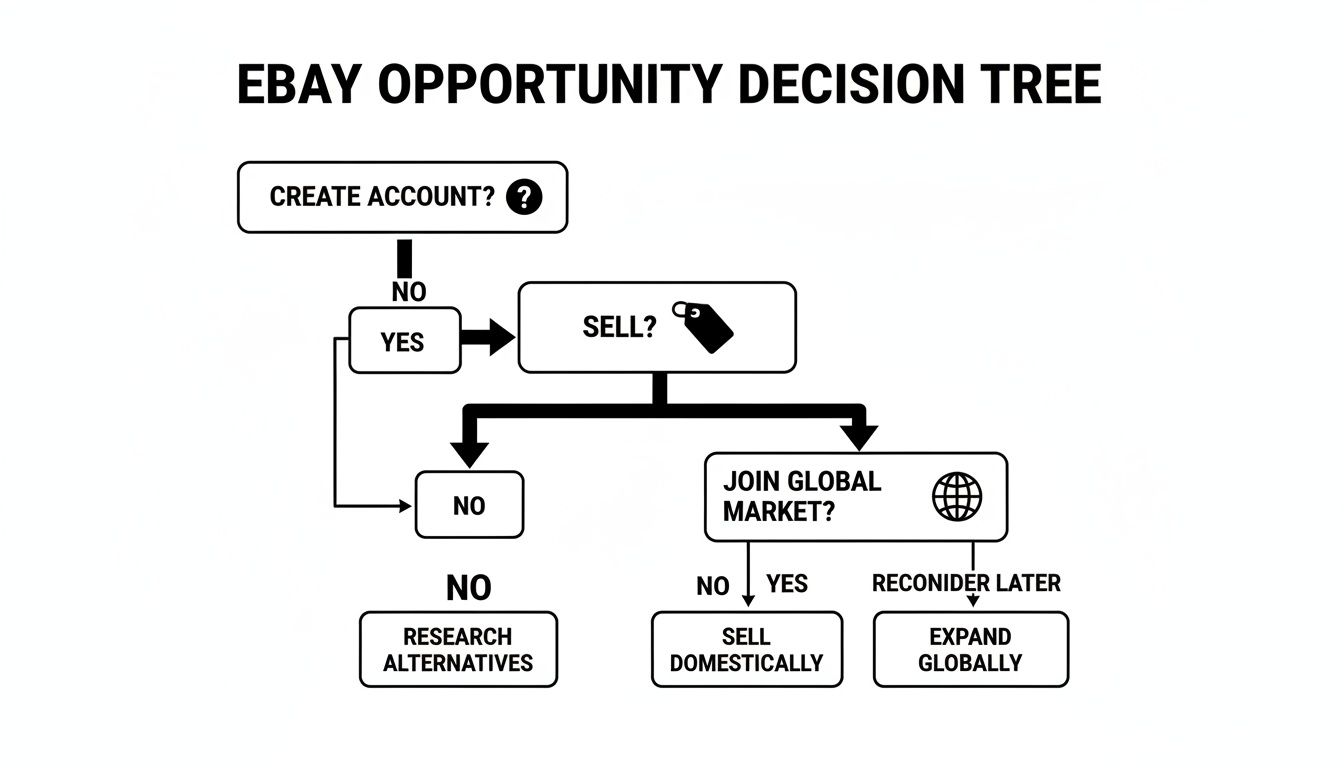
As you can see, picking your account type is the very first step toward tapping into eBay's massive marketplace. It’s a huge ecosystem with 134 million active buyers, and a surprising 80% of sellers are small operations. Many of them are what you might call 'accidental entrepreneurs'—people who turned a simple clear-out into a thriving side hustle. You can dig deeper into these numbers and see what makes the platform so attractive over at Red Stag Fulfillment.
To help you decide, here’s a quick breakdown of the key differences between the two account types.
Personal vs Business eBay Account Comparison
| Feature | Personal Account | Business Account |
|---|---|---|
| Best For | Casual sellers, hobbyists, selling personal items. | Resellers, manufacturers, registered businesses. |
| Registration Name | Your legal name. | Your official business name. |
| Fees | Standard insertion and final value fees. | Can be lower with a store subscription; different fee structure. |
| Selling Limits | Lower initial limits on items and value. | Higher limits, can be increased more easily. |
| Tools & Features | Basic selling tools. | Access to advanced tools like Seller Hub Pro and Promotions Manager. |
| Legal | You're selling as an individual. | You're operating as a business; tax and legal obligations apply. |
Ultimately, the choice comes down to your intentions. There's no harm in starting small and upgrading later. The process to switch from Personal to Business is straightforward and can be done at any time from your account settings.
Walking Through the Account Registration Process
Alright, let's get into the nitty-gritty of how to actually create a new eBay account. The process itself is surprisingly fast, whether you're on a computer or your phone. The real trick is to be mindful of the information you're entering, because this is the foundation for everything you'll do on eBay later on.
First things first, head over to eBay’s registration page. You’ll see a straightforward form asking for the basics: first and last name, email, and a password. A pro tip right from the start: use an email you check all the time. This is where eBay will send every important update—from buyer questions and sale notifications to critical account alerts.
Filling Out Your Details Accurately
When you put in your name, make absolutely sure it's your legal name and matches what's on your bank account. I've seen countless new sellers get tripped up by this. Mismatches here can cause major headaches down the line during identity verification, leading to account holds and, worst of all, delayed payouts.
This is the initial sign-up form where it all begins.
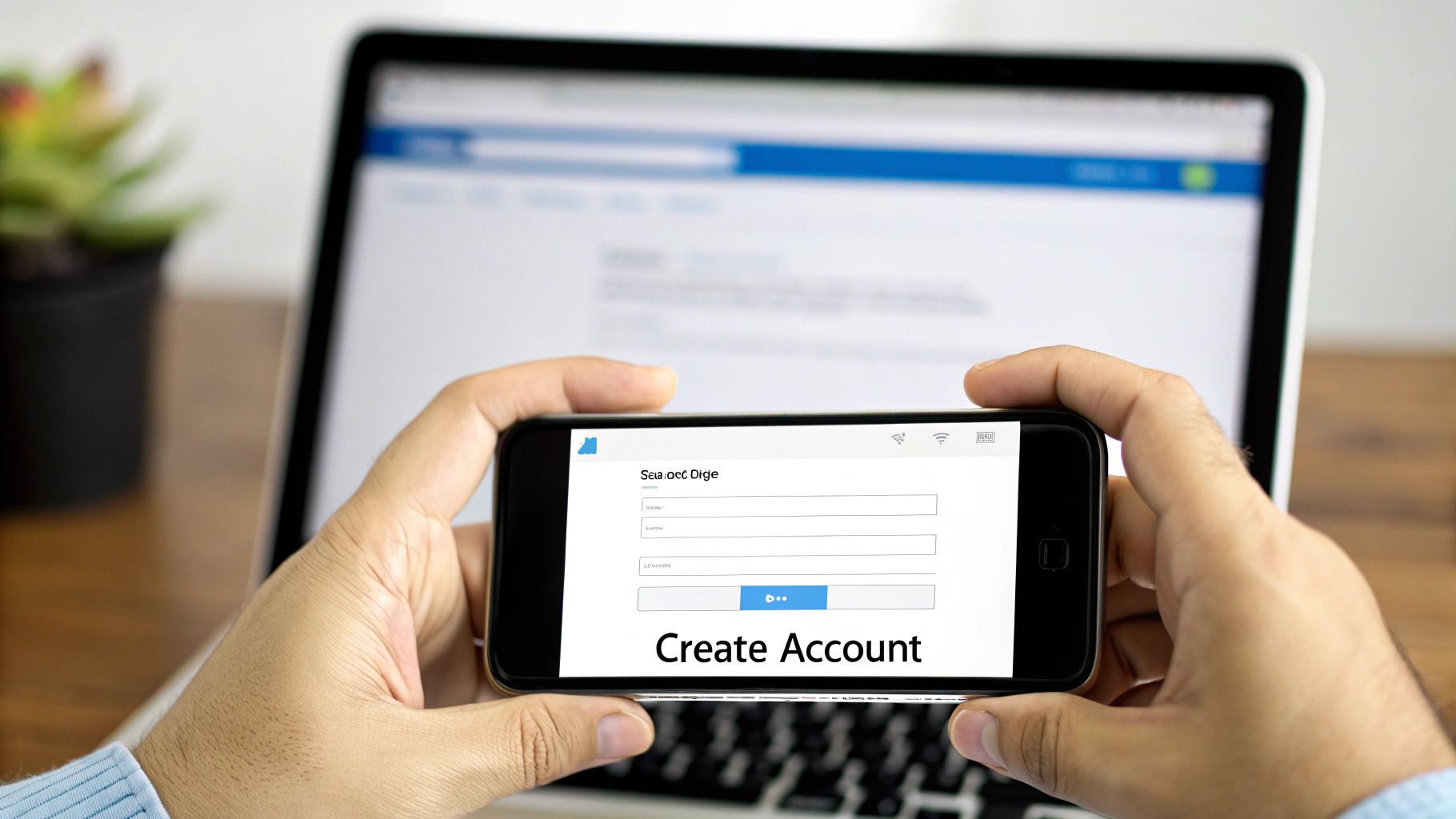
The form might look simple, but getting the details right from the get-go is key for a smooth setup.
Once you’ve submitted those details, eBay will ask for your physical address and phone number. Again, don't rush this part. This info is used to verify your account and, just as importantly, to calculate shipping costs for buyers when you start listing items.
Choosing a User ID That Builds Trust
One of the most underrated parts of the setup process is picking your User ID. Sure, you can change it later, but your first choice sets the tone. Think about what you want to achieve on eBay.
- For Casual Sellers: Something fun and easy to remember works great. Think "JanesVintageFinds" or "TomsToyCollectibles."
- For Aspiring Businesses: Go for a professional name that hints at what you sell. An ID like "ProTechComponents" instantly feels more reliable to someone buying electronics than "CoolDude2024."
Your User ID is your brand name on eBay, even if you're just starting. A thoughtful name can subconsciously build trust with buyers, making them more likely to purchase from a new seller.
Try to steer clear of IDs with a long string of random numbers or confusing characters; they can make your profile look spammy or less credible. A clean, relevant User ID tells buyers you're a serious, organized seller, which is a huge advantage when you’re starting with zero feedback. Spending a few extra minutes brainstorming a good name is time well spent.
How to Verify Your Identity and Set Up Payments
Getting your account created is the first hurdle, but the verification process is what actually unlocks your ability to sell and get paid. Think of it as eBay's way of shaking your hand and confirming you're a real person, which is essential for keeping the marketplace safe for everyone.
This is where you'll link your financial accounts to eBay's managed payments system. You’ll be prompted to connect the bank account where you want to receive your payouts. Make sure you have your account and routing numbers handy for this part.
Navigating the Verification Process
The details you enter here have to be perfect. The name on your eBay account must be an exact match to the name on your bank account. I've seen accounts get flagged for simple mistakes, like using "Jim" on eBay when the bank account is registered under "James." These tiny discrepancies can cause verification to fail and leave your funds in limbo.
You'll also need to verify your phone number with a code sent via SMS. For those who prefer not to use their personal number or need a different option, you can rent virtual phone numbers for SMS verification to get through this step.
Key Takeaway: Don't treat verification like a box-ticking exercise. It's a critical security step that builds trust and is absolutely required before you can receive a single dollar from your sales.
Once all your information is submitted, eBay's system gets to work. Verification can be almost instant, but sometimes it can take a couple of business days. My advice? Hold off on listing any items until you get that "all clear" email. Jumping the gun can sometimes trigger holds or restrictions on a new account, so a little patience now will save you a lot of hassle down the road.
Getting Your New Account Ready to Sell
Alright, your account is live and verified. Now it's time for the fun part: setting yourself up to actually make some sales. Don't just jump into listing items. Taking a few minutes to optimize your profile is one of the smartest things you can do to build trust right from the start.
Think of your profile as your digital storefront. A complete, professional-looking presence goes a long way in reassuring buyers, especially when you have zero feedback. Start by adding a decent profile picture and a short, friendly bio. It’s a small detail, but it makes you seem like a real person, not just another anonymous seller.
Understanding Your First Selling Limits
When you're new, eBay puts some temporary limits on your account. It's nothing personal—they do it for everyone. These restrictions cap how many items you can list and their total value each month (for example, you might start with a limit of 10 items or $500 total). This is eBay's way of making sure new sellers can handle their orders before they scale up.
Think of these limits not as a hurdle, but as training wheels. They give you a chance to nail down your listing process, figure out shipping, and build a solid foundation of positive feedback without getting overwhelmed.
So, how do you get those limits raised? Focus on these three things:
- Make some sales: Start by listing a few low-cost, easy-to-ship items.
- Ship quickly: Get your items out the door on time and always upload the tracking information.
- Get positive feedback: Great customer service is the key here. Happy buyers leave good reviews.
Once you consistently prove you’re a reliable seller, eBay will automatically review and increase your limits. This is a crucial step for anyone who wants to grow after they create a new eBay account.
Knowing what products are actually in demand is a huge advantage. It's worth checking out some tools that show you what sells well on eBay to get a feel for the market. Picking popular items helps you make those first few sales faster, which is exactly what you need to build that all-important feedback score. For more ideas, take a look at our guide on the best items to sell on eBay.
Remember, launching on eBay gives you access to a marketplace with over 134 million active buyers. A huge portion of them are looking for pre-owned goods, and over half of all sales happen on mobile. Keep that in mind as you set up your account and plan your listings.
Got Questions About Your New eBay Account?
Setting up a new account is usually straightforward, but it's totally normal to have a few questions pop up as you get started. Let's tackle some of the most common ones new sellers ask so you can navigate those early days like a pro.
Can I Have More Than One eBay Account?
Absolutely. Many experienced sellers do this. You can have multiple accounts, but you need to play by the rules.
Each account needs its own unique email address and User ID. The big no-no is using a second account to get around any selling limits, restrictions, or suspensions on another account. That’s a fast track to getting them all shut down.
A common strategy is to keep one account for your personal buying and a separate one for your business. It makes bookkeeping a whole lot easier.
Why Does My New eBay Account Have Selling Limits?
Don't be surprised when you see you have selling limits—every new seller starts with them. This is eBay's way of protecting the marketplace and helping you scale your business sustainably.
Think of it as a probationary period. They want to see that you can handle the orders you get before they let you list thousands of items. These initial limits cap both the quantity of items and the total dollar value you can list each month.
The fastest way to raise your limits is to be a great seller from day one. Ship your items on time, handle customer questions professionally, and rack up some positive feedback. eBay rewards reliability.
What If My Account Verification Fails?
First things first, take a breath. It's usually a simple fix. Go back and meticulously check all the information you entered. A tiny typo in your name, address, or bank account number is the most common reason for a failed verification.
Here’s a critical tip: the name on your eBay account must be an exact match to the name on your government ID and the associated bank account. No nicknames or variations.
If you've double-checked everything and it's still not working, it's time to contact eBay's customer support. They can look into the issue from their end and tell you exactly what you need to do to get things sorted. A properly verified account is the foundation for successful selling and solid eBay listing optimization.