
Thinking about changing your Shopify store name? It’s a bigger deal than just flipping a switch in your settings. This is a rebrand, a move that can totally reshape your business. Before we get into the how, it’s critical to nail down the why.
Deciding When to Change Your Shopify Store Name

A name change is a major business pivot, not just a quick admin task. Before you even touch Shopify, it's smart to think through the general considerations for business name changes. This helps ensure your new identity actually lines up with where you want to go.
Common Triggers for a Rebrand
So, what are the tell-tale signs it’s time for a new name? A classic one is when your business has simply outgrown its original niche.
Imagine you started a store called "Keto Snacks Box" but have since expanded to sell all kinds of wellness products. That old name is now holding you back from a much bigger audience. A pivot like that is a perfect reason to rebrand.
Other common reasons I see all the time include:
- Poor Brand Recognition: Maybe your current name is tough to spell, hard to remember, or a nightmare to pronounce. If people can't easily tell their friends about you, you're losing out on valuable word-of-mouth marketing.
- Market Expansion: You might be breaking into new product lines or even international markets where the current name just doesn't connect or, worse, means something strange.
- Negative Associations: Sometimes a name picks up bad vibes over time or gets tied to a trend that’s no longer cool. A fresh start is often the only answer.
Your store's name is the cornerstone of its brand and how you attract customers. With over 5 million Shopify stores out there, a strong, distinct name is non-negotiable if you want to stand out.
This isn't just theory; the numbers back it up. The top 20% of Shopify stores see conversion rates north of 3.2%, and you can bet that memorable branding plays a huge part in that success. For those weighing different platforms, our comparison of Ecwid vs Shopify might also provide some useful context on building a brand.
The Different Names Your Shopify Store Uses
Before you jump into changing your Shopify store's name, it's really important to get one thing straight: your store doesn't just have one name. It actually has a few different ones, and each serves a unique purpose.
I've seen so many store owners get tangled up here, so let's clear up the confusion from the start. Knowing which name does what will save you a massive headache down the road.
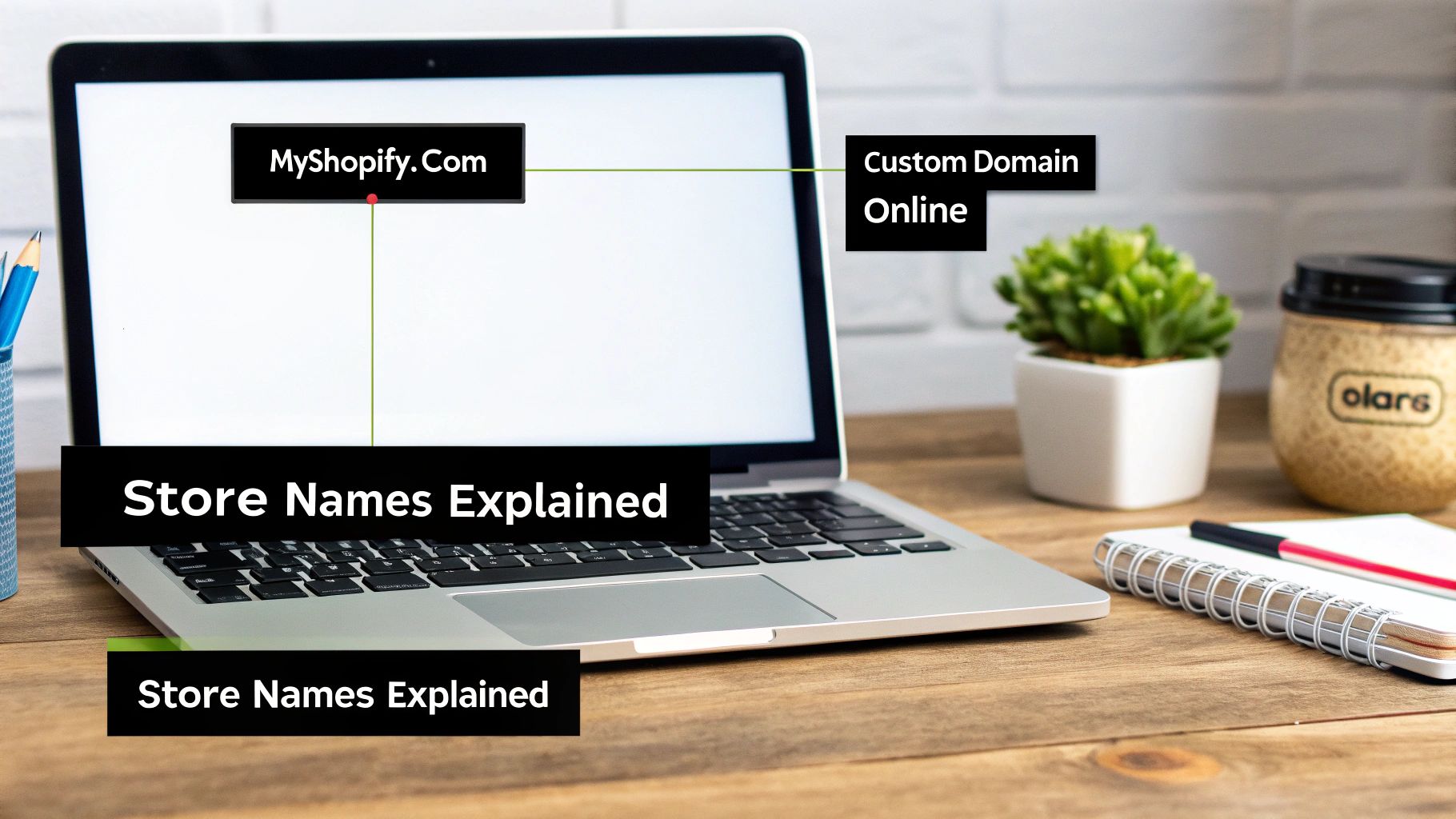
A Guide to Your Shopify Store's Different Names
To make this crystal clear, I've put together a quick comparison table. It breaks down each name, what it controls, and—most importantly—whether you can actually change it.
| Name Type | What It Controls | Where It Is Visible | Is It Changeable? |
|---|---|---|---|
| Online Store Title | The public-facing brand name of your store. | Browser tabs, website header, search engine results. | Yes |
| Shopify Admin Store Name | The internal name for your account in the Shopify backend. | Your Shopify admin dashboard and Shopify invoices. | Yes |
| .myshopify.com Domain | The initial, permanent URL assigned when you created your account. | Only to you when logging in; customers don't see it. | No |
| Custom Domain | Your professional, branded web address (e.g., YourBrand.com). | The main URL customers use to visit your store. | Yes (you can add a new one and make it primary) |
Getting a handle on these four distinct names is the first step to a smooth and successful rebranding process.
So, What Do These Names Actually Do?
Let's look a little closer. The most obvious name is your Online Store Title. Think of this as your brand name—it's what customers see splashed across your homepage and in their browser tab. This is the public face of your ecommerce storefront, and thankfully, it's a breeze to update.
Then you have your Shopify Admin Store Name. This one is purely for you and your team. It's the name you see when you log into the Shopify dashboard and what Shopify uses to identify your account for billing. Changing this helps keep your internal records straight, but it has absolutely no effect on what your customers see.
Now for the part that trips most people up: the domains. Every new Shopify store gets a default URL that ends in .myshopify.com, something like my-original-store-name.myshopify.com.
This is the single most important thing to remember: You can never change your original
.myshopify.comURL. It’s permanently baked into your account from the moment you create it.
Finally, there's your custom domain (like MyNewBrand.com). This is the clean, professional web address you buy and point to your store. While that initial .myshopify.com address is stuck with you forever, you can absolutely buy a new custom domain and set it as your primary one. This is how you make sure your URL matches your new brand identity perfectly.
So, you're ready to change the name your customers see? This is the big one—the name that shows up in browser tabs, Google search results, and right at the top of your homepage. It's your "Online Store Title," and thankfully, it's one of the easiest things to update in Shopify. You can knock this out in just a few minutes.
First things first, let's get you to the right place in your Shopify admin.
Finding the Store Details Page
From your main dashboard, look down at the bottom-left corner. See that little gear icon? That's your Settings menu. Give that a click.
Once you're in the main settings area, you'll see a list of options. The one you want is right at the top: Store details. This is the command center for all your store's foundational info.
This screen holds everything from your business name and address to your contact email. We're interested in the Profile section at the very top.
Making the Change
In the Profile section, you'll spot a field labeled Store name. This is what you're looking for.
Go ahead and type your new brand name into that box. It's always a good idea to give it a quick once-over for typos—what you put here is exactly what your customers will see everywhere.
Now, it’s really important to understand what this change actually does. Modifying the Store name here is purely a display change. It updates your public-facing brand identity but doesn't touch the technical plumbing of your site, like your .myshopify.com URL or your custom domain. For a deeper dive into how all these pieces fit together, Aftersell has a great guide on how your Shopify name and domain interact.
Once you've entered the new name, just scroll up to the top-right and hit that green Save button. The change happens instantly. I always like to pop open the live site in a new tab right away just to see the new name in action.
Pro Tip: While you're on this page, you might as well update your internal Shopify Admin Store Name. This is the name you see inside your admin dashboard. It has zero impact on customers, but if you manage multiple shops, keeping it consistent with your public name will save you from future headaches. Just edit the name here and save.
Aligning Your Domain Name with Your New Brand
So you've updated your public-facing store title, which is a great first step. But to really seal the deal on your rebrand, your domain name needs to match your new identity. A lot of store owners think changing the display name in Shopify automatically changes their website URL. It doesn't. These are two completely different things.
Think of it like this: you've put a new sign above your shop's door, but the street address is still the old one. To get customers to the right place under your new brand, you need a new address. This means buying a new custom domain that perfectly matches your new store name.
This flowchart gives you a quick visual on the basic process for updating the store name inside your Shopify settings.
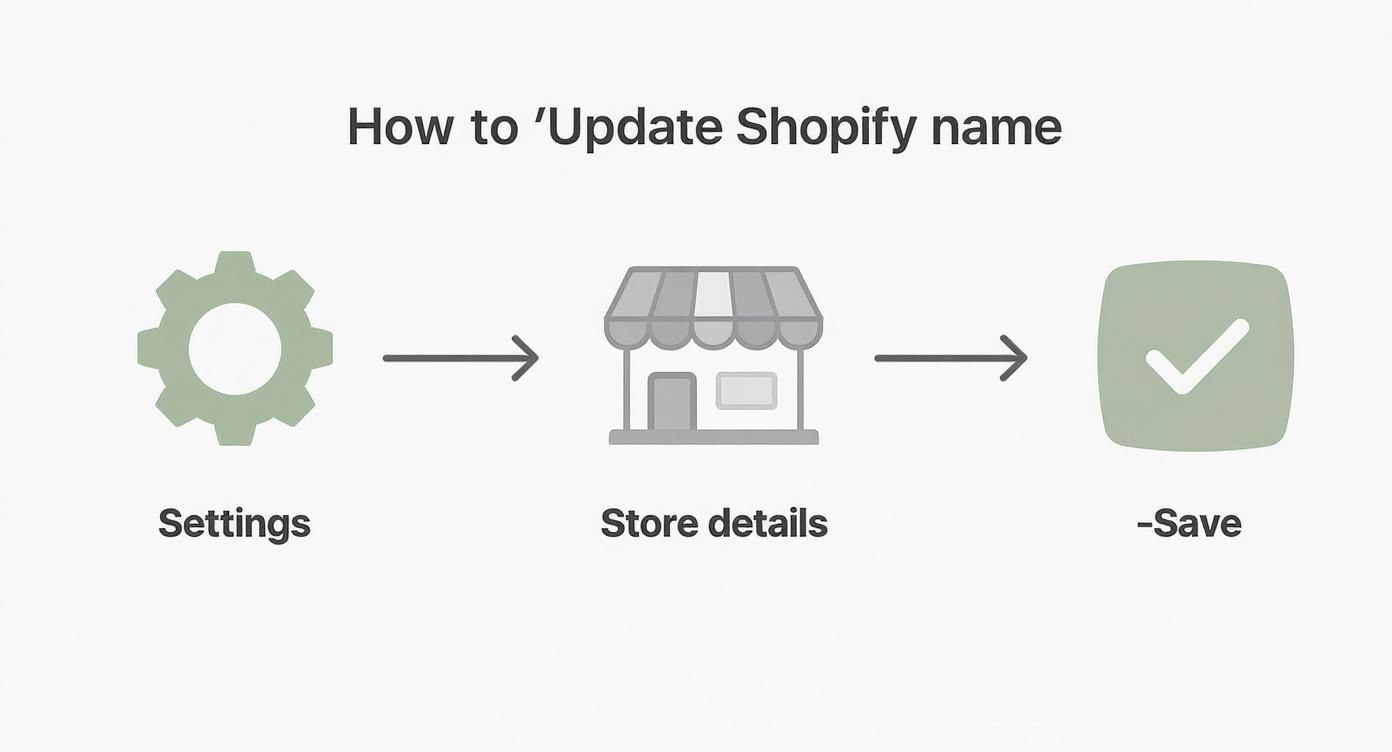
While swapping out the displayed name is a simple three-step fix in your settings, getting your domain aligned is a bit more involved. It’s all about securing your brand's new home on the web.
Securing Your New Domain
You can buy your new domain straight through Shopify, which makes for a pretty seamless setup. Or, you can use a third-party registrar like GoDaddy or Namecheap if you prefer. When picking a name, it's worth taking a moment to understand how to name a brand effectively so it actually connects with your audience and doesn't cause confusion down the road.
Once you’ve bought it, you'll connect it to your Shopify account and set it as the primary domain. This officially makes YourNewBrand.com the main address for your store.
Crucial Tip: Whatever you do, don't delete or let your old domain expire. Keep it active and set up redirects to your new primary domain. This is non-negotiable. It ensures anyone who clicks an old bookmark or link still lands exactly where you want them to—on your new site.
Failing to redirect your old domain can absolutely wreck your search engine rankings. Google and other search engines have spent time building up authority for your old address. Redirects are how you tell them, "Hey, all that good stuff now belongs over here." This preserves your hard-earned visibility and prevents a nasty drop in traffic. It's probably the single most important technical step in this whole process.
What to Do After You've Renamed Your Store
Alright, so you’ve updated your store name in the Shopify admin. Job done, right? Not quite.
Changing your name in Shopify is just the first domino to fall. To make the rebrand stick and avoid confusing customers (and Google), you need to update your new name everywhere it appears. Think of it like moving to a new house—you don't just change the address on your door, you have to tell the post office, the bank, and all your friends.
With over 2.5 million new stores popping up on Shopify between March 2020 and January 2022 alone, consistent branding is no longer a "nice to have." It's essential for cutting through the noise. According to data from ecommercetrix.com, that's a growth of over 200% in a very short time. Your brand's consistency is what will make you memorable.
First, Update Your Branding and Communications
Let's start with all the customer-facing elements. This is all about building trust and making sure your new brand identity is seamless and professional.
- Logo and Favicon: Jump into your Shopify theme editor and swap out your old logo for the new one. And don't forget the favicon! That tiny icon in the browser tab is a small but crucial piece of your brand's real estate.
- Social Media Profiles: Head over to Instagram, Facebook, TikTok, or wherever you hang out online. Update your username, display name, and all your profile pictures to match the new brand.
- Email Marketing: Open up your email platform, whether it's Klaviyo, Mailchimp, or something else. Change your "from" name and sender email. You'll also want to go through your automated flows and campaign templates to update the logo and any mentions of the old name.
- Legal Pages: This is one people often forget. Your 'Terms of Service,' 'Privacy Policy,' and 'About Us' pages are probably littered with your old brand name. Do a quick "find and replace" to make sure they're all up to date.
Once your main digital assets are updated, it's the perfect time to make a public announcement. Draft an email to your subscribers and create a few social media posts to share the exciting news. This helps bring your loyal customers along for the ride.
Next, Handle the SEO and Technical Side
Now for the behind-the-scenes work. These steps are critical for protecting your search engine rankings and making sure everything runs smoothly from a technical standpoint. For a deeper dive, check out our guide on how to outrank competitors with smart SEO.
Make sure you update your business name on your Google Business Profile to match your new store name. It's also a good idea to keep an eye on your site for any broken links that might have popped up during the switch. A quick check can save you a lot of SEO headaches down the road.
Common Questions (and Answers) About Changing Your Store Name
Even with the best plan, a few questions always pop up. It's totally normal. Let's walk through some of the most common things people worry about when they decide it's time for a new name.
What Happens to My Existing Orders and Customer Data?
This is probably the biggest concern I hear, and the answer is a huge relief: all your historical data is completely safe.
Changing the name customers see on your storefront or swapping to a new domain doesn't touch your backend data. All those past orders, customer profiles, product details, and sales reports will be right where you left them in your Shopify admin. Think of it as just changing the sign on the door—the business inside remains the same.
Can I Ever Change My Original .myshopify.com URL?
This is one of those hard-and-fast rules. The original your-store-name.myshopify.com URL you picked when you first signed up is permanent. It's basically your store's internal ID on Shopify's system, so it can't be altered.
But here's the good news: once you connect a custom domain like YourNewBrand.com, your customers will never even see that old .myshopify.com address. It just becomes an admin login tool for you.
Will Changing My Name Hurt My SEO?
It can, but only if you're not careful. Making a major change, especially to your domain, can cause a temporary dip in your search rankings. Google and other search engines need a moment to process the move and connect the dots.
The key is to manage this transition properly. By setting up 301 redirects from your old domain to your new one, you're essentially putting up a "we've moved" sign for search engines. This tells them to pass all the authority and ranking power from your old address to the new one, which helps you recover quickly.
Pro Tip: Don't skip the redirects. Seriously. Setting up proper 301 redirects is the single most important thing you can do to protect your hard-earned search rankings during a rebrand.
What if My New Store Name Is Already Taken?
This happens more often than you'd think. If another Shopify store is already using the name you want for their Online Store title, you'll simply need to get a little creative to find a unique alternative.
The same goes for domains. If YourNewBrand.com is unavailable, you might have to try a different variation. Think about adding a relevant word like YourNewBrandCo.com or ShopYourNewBrand.com. It's a small pivot that lets you keep the core of your new brand identity.
Speaking of getting your store ready, streamlining your product listings is just as crucial as your brand name. AliSave Pro is a lifesaver for this—it lets you download all AliExpress product photos and videos in just one click. You can get your new products up and running so much faster. Check out the free Chrome extension to simplify your workflow.