
Free Shopify themes are professionally designed store templates that Shopify offers completely free of charge. They give new entrepreneurs a solid, secure, and great-looking foundation to launch an online store without spending a dime on design right out of the gate.
Why Free Shopify Themes Are a Smart Starting Point
Getting an online store off the ground can feel overwhelming, especially when you're watching every penny. It’s easy to assume that a "free" theme means you're cutting corners or settling for less. But for a new entrepreneur, a free Shopify theme isn't a limitation—it's a strategic advantage.
Think of it like building a house. A free theme is like getting a professionally engineered, city-approved foundation. It's not the fancy paint job or the custom kitchen, but it's guaranteed to be solid, secure, and built to code. Because these themes come directly from Shopify, you know they're optimized for speed, security, and seamless integration with Shopify’s entire ecosystem. That built-in reliability is something you can't always count on with third-party themes, which might have hidden bugs or zero support when you need it most.
The Strategic Advantage of Zero Cost
The most obvious perk is saving money, but the real benefit runs deeper. By wiping out the cost of a theme, you unlock precious startup capital that can be put to work in areas that actually drive growth right from the start.
- Marketing and Advertising: Put that money toward social media ads or influencer partnerships to bring in your first customers.
- Inventory: A bigger budget lets you stock more products or offer a wider variety of items from day one.
- High-Quality Product Media: Invest in professional photography or better tools to create visuals that make people want to buy.
Choosing a free theme lets you get your store live quickly and focus your resources on building momentum. It’s a savvy move that prioritizes business growth over cosmetic bells and whistles when you're just starting. For a deeper look at how the platform itself operates, our guide on how does Shopify work will help you build a strong foundation.
Built for Performance and Trust
Shopify’s reputation hinges on the performance of its stores, so you can bet their free themes are built to be lightweight and fast. That’s a huge deal for keeping visitors on your site and climbing the search engine rankings. This in-depth guide to the best ecommerce platforms for small business explains why Shopify's powerful infrastructure is a top pick for new merchants.
Did you know the official Shopify Theme Store has 13 fantastic free themes? Options like Dawn and Horizon are professionally designed with responsive layouts that look just as good as many paid themes. This built-in stability makes them a favorite for dropshippers and entrepreneurs who want to get going without a big upfront investment. Let’s dive into what makes these free themes so powerful for your new online store.
Understanding the Pros and Cons of Free Themes
Picking a theme for your Shopify store is a lot like choosing the blueprint for a new house. A free theme gives you a solid, professionally designed foundation at no cost, but you need to understand its strengths and limitations before you start building your brand on top of it.
While the zero-dollar price tag is the most obvious perk, the real value of free Shopify themes comes from their reliability, speed, and guaranteed support. On the flip side, you'll be making some trade-offs when it comes to unique features and deep customization.
This is why I often tell new store owners that a free theme is a "start smart" strategy—it lets you launch quickly, save cash, and pour your resources into growth.
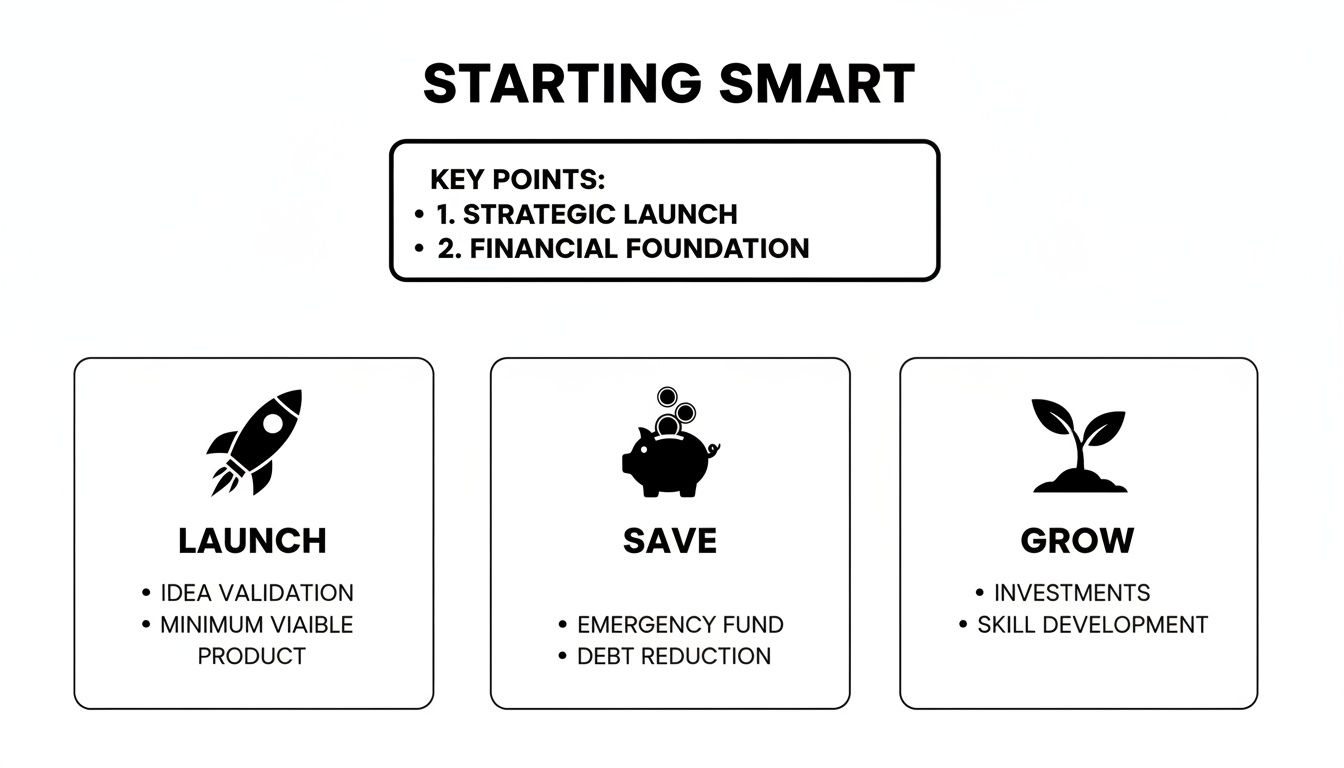
By wiping out upfront design costs, you can immediately invest that money into what really matters at the beginning: great products and smart marketing.
The Clear Advantages of Free Themes
Beyond saving money, the biggest benefit of using a free theme is peace of mind. Since these themes are built and maintained by Shopify itself, they come with a few guarantees you won’t always get with third-party options.
- Guaranteed Shopify Support: If something breaks or you hit a technical snag, Shopify's own support team is there to help. That direct line for assistance is a lifesaver when you're just starting out and don't have a developer on speed dial.
- Automatic Updates and Security: Shopify handles all the updates for its free themes automatically. This means your store stays compatible with the newest platform features and secure from vulnerabilities, all without you having to do a thing.
- Optimized for Performance: Speed is everything in ecommerce. A slow site kills conversions and hurts your search rankings. Free themes are built with clean, lightweight code to ensure your pages load fast. Given that a one-second delay can slash conversions by 7%, starting with a speedy theme is a massive advantage.
"A key benefit of using a Shopify-developed theme is knowing it adheres to the latest performance and SEO best practices right out of the box. You're starting on solid ground, which lets you focus on your products and marketing, not on technical troubleshooting."
This rock-solid foundation of speed and reliability lets you launch with confidence, knowing the technical nuts and bolts are already tightened for you.
The Realistic Limitations to Consider
As great as they are for getting started, free themes do have their limits. Understanding these trade-offs is key, as they are often the very reasons a growing business eventually decides to upgrade to a paid theme.
For starters, you get fewer built-in features. A free theme probably won’t come with things like a mega menu, countdown timers, or sophisticated product filtering. If you want those, you’ll likely need to add third-party apps, which can slow down your site and add monthly fees to your budget.
Your design flexibility is also more constrained. You can absolutely change colors, fonts, and basic layouts, but you won’t find the granular design controls or unique, eye-catching sections that many premium themes offer. This can make it a little tougher to carve out a truly distinct visual identity for your brand.
Finally, since these themes are popular, your store might end up looking a bit like someone else's. When you're using a template that thousands of other merchants are also using, you have to work harder with your branding, product photography, and copy to really stand out.
To make the choice clearer, let’s break down the core differences in a simple table.
Free vs Paid Shopify Themes A Quick Comparison
This table gives you a side-by-side look at how free and paid themes stack up across the most important areas.
| Feature | Free Shopify Themes | Paid Shopify Themes |
|---|---|---|
| Upfront Cost | $0 | Typically $180 – $350 (one-time fee) |
| Feature Set | Basic, essential e-commerce features | Advanced built-in features (e.g., mega menus, upsells) |
| Design Flexibility | Limited customization options | Extensive design controls and unique layouts |
| Official Support | Direct support from Shopify | Support from the third-party theme developer |
| Updates | Automatic and managed by Shopify | Developer-managed; may require manual updates |
| Best For | New stores, small inventories, tight budgets | Growing businesses, large catalogs, brands wanting a unique look |
Ultimately, the right theme depends entirely on where your business is today and where you plan to take it tomorrow.
How to Choose the Right Free Theme for Your Brand
Think of your Shopify theme as more than just the digital paint on your store's walls. It's the very architecture of your customer's entire shopping experience. Choosing the right one means looking past the pretty colors and fonts to find a foundation that actually supports the way you do business. This guide will walk you through picking a free Shopify theme that clicks with your brand, your products, and your future plans.

Let's use a real-world analogy. A high-end jewelry boutique has a completely different layout and vibe than a sprawling hardware store. Your theme needs to do the same job online—create the perfect environment for what you sell and who you sell it to. We'll show you exactly how to evaluate themes based on these crucial business factors.
Align Your Theme with Your Industry and Catalog Size
Before you even start window shopping for themes, you need to get crystal clear on your store’s needs. The perfect theme for a brand selling a single, innovative gadget will be a total nightmare for a store juggling hundreds of different items.
For stores with large inventories—think a dropshipping business with tons of categories—navigation is everything. Your customers need to find what they're looking for without getting lost. Look for themes that support:
- Multi-level menus: These are non-negotiable for organizing products into clean, easy-to-follow categories and subcategories.
- Advanced filtering and sorting: This lets shoppers quickly narrow down their options by size, color, price, or brand. It's a must-have for a good user experience.
- Mega menus: These big, dropdown-style menus can show off a ton of links, images, and even promotions all at once. They're fantastic for showcasing a wide range of products without overwhelming your visitors.
On the flip side, if you're selling just a handful of high-end items, your focus shifts to visual storytelling. You'll want a theme that puts big, beautiful images front and center and gives you space for long-form text on product pages to build value. For instance, a theme like Dawn is practically built for brands that rely on powerful imagery to communicate quality.
Evaluate Key Pages for Conversion Potential
Every page on your site has a job, but a few are the real heavy lifters. How a theme lays out your homepage, product pages, and collection pages will directly affect your ability to turn browsers into buyers.
When you're checking out a theme, zoom in on the product page layout. This is where the magic happens—where the final purchase decision is made. Does the theme put the "Add to Cart" button in a prominent spot, right where people can see it without scrolling? Is there dedicated space for customer reviews, detailed descriptions, and trust badges? A layout that makes customers hunt for essential info is a conversion killer. Simple as that.
Your homepage is your digital storefront window; it has to tell your brand's story in a split second. Look for themes that give you flexible, customizable sections to work with, like:
- Image galleries
- Featured product carousels
- Customer testimonials
- Video sections
These building blocks help you build instant trust and guide visitors straight to your most important products the moment they land on your site.
Use Shopify's "View demo" feature to click through a theme's live preview. Put yourself in your customer's shoes and ask: "Is it easy to find products? Is the checkout process smooth? Does this layout feel professional and trustworthy?"
Test Drive Themes with Your Own Content
Honestly, the single best way to pick the right free theme is to take it for a spin with your actual products and branding. Shopify’s preview function is your best friend here. It lets you add a theme to your admin and play around with it—uploading your logo, changing colors, adding products—all without messing with your live store.
This real-world test drive shows you things a generic demo never will. You'll see exactly how your product photos fit into the theme's pre-defined spaces and whether your brand colors look great or just… weird.
Here’s a quick checklist to run through during your preview:
- Upload Your Logo: Does it fit cleanly in the header, or does it get awkwardly stretched or squished?
- Set Your Brand Colors: Apply your primary and secondary colors. How do they look on buttons, links, and backgrounds?
- Add Your Products: Create a few product pages using your own images and descriptions. Are they displayed in a way that makes them look appealing?
- Build a Homepage: Use the available sections to mock up your ideal homepage. Can you tell your brand story the way you want to?
- Check Mobile View: With over 50% of online sales happening on mobile, this is critical. Use the mobile preview to make sure the theme is fully responsive and dead simple to use on a small screen.
This hands-on process takes you from just guessing to truly knowing, ensuring the theme you choose doesn't just look good, but works brilliantly for your specific business.
A Step-by-Step Guide to Customizing Your Theme
Alright, you've picked out a promising free Shopify theme. Now for the fun part: making it yours. This is where you take a standard template and infuse it with your brand's unique personality. It might sound a little intimidating, but Shopify’s theme editor is built for everyone, not just developers. You can achieve a polished, professional look without touching a single line of code.
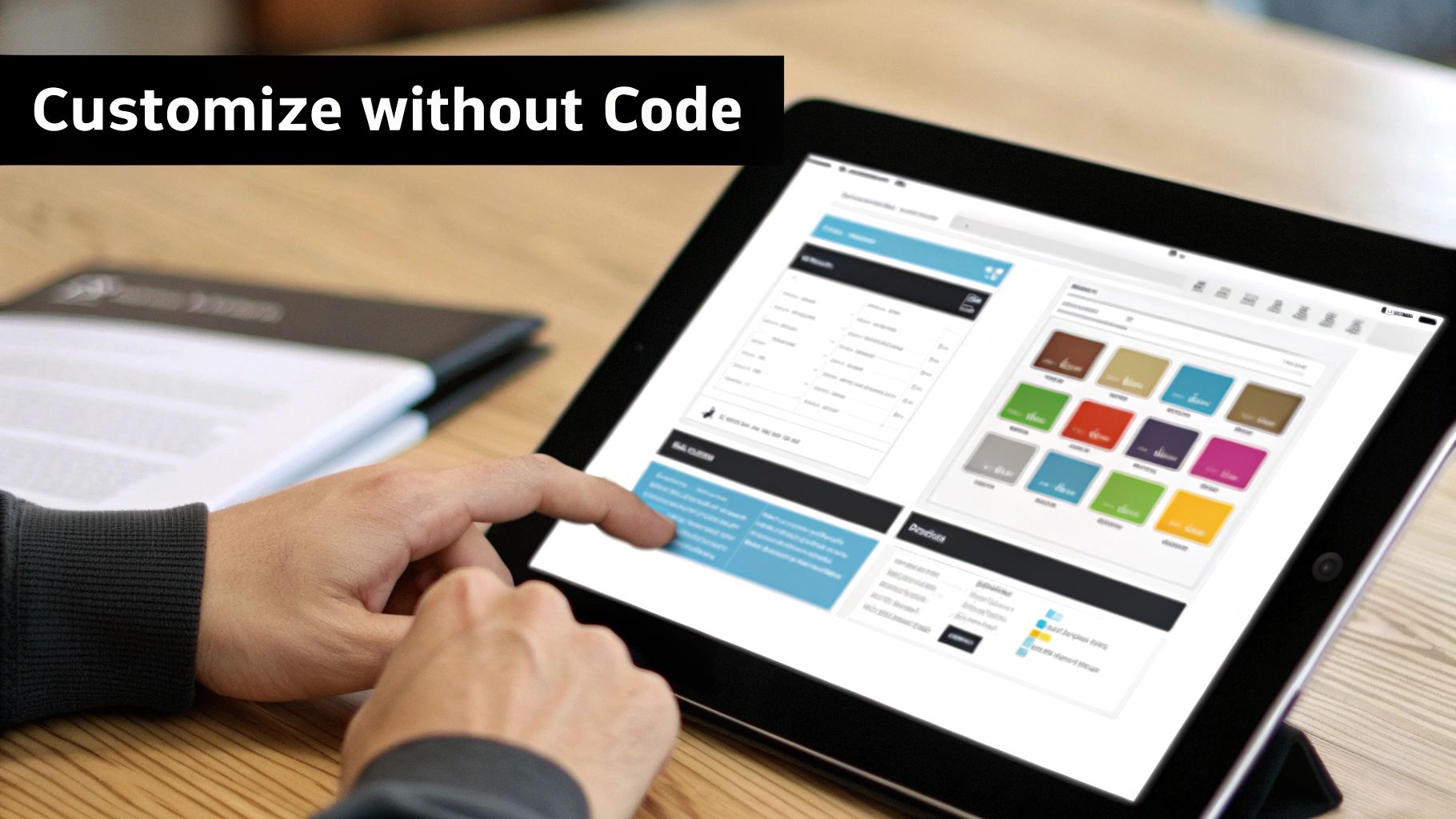
Think of your new theme like an empty apartment. The walls and windows are in place, but it's the paint, furniture, and decor that turn it into a home. The theme editor is your toolkit for decorating that space, and you don’t need an interior design degree to use it. Let’s walk through the first few essential steps.
Navigating the Shopify Theme Editor
First things first, let's get you to the command center. From your Shopify admin, go to Online Store > Themes. Find the theme you want to work on—it could be your live store or one you're just prepping—and click the Customize button. Welcome to the theme editor.
This screen is split into three key areas:
- The Sections Panel (Left): This is your list of building blocks for the page you're currently viewing. You can add, remove, and re-order them here.
- The Live Preview (Center): This is the big window showing your store in real-time. Any change you make on the left side shows up here instantly.
- The Settings Panel (Inside the left panel): Click on any section, and its specific options will pop up here. This is where the magic happens—uploading images, changing text, and adjusting layouts.
Take a minute to just click around. Select different sections on the left and see how they're highlighted in the preview. Getting a feel for this layout is the best way to build your confidence.
Establishing Your Core Brand Identity
Before you start rearranging your homepage, let’s lock in your brand's core look. These are the global settings that will apply across your entire site, making sure everything feels consistent. In the left-hand panel, click the paintbrush icon for Theme settings.
This is where you define your store's visual DNA.
- Logo: Get your logo uploaded. Pay close attention to the recommended dimensions to make sure it looks sharp and not stretched or pixelated.
- Colors: Set up your primary and secondary brand colors. It's a great idea to assign your main brand color to buttons and links to create a cohesive feel.
- Typography: Pick the fonts for your headings and body text. You want a pair that's easy to read and matches your brand’s vibe, whether it's clean and modern or classic and elegant.
Setting these core elements first is a massive time-saver. It prevents you from having to manually change colors and fonts on every single page, creating a unified brand identity from the start.
Building Your Homepage with Sections
Your homepage is your digital storefront window. It has to grab attention and point people in the right direction. Modern Shopify themes are built with a "sections" system, which is basically like playing with digital LEGOs. You can stack, remove, and reorder pre-made blocks to build a custom layout.
To get started, click the Sections tab in the left panel. You’ll see the default sections for your homepage. Want to move your featured products above your brand story? Just click and drag it into place. Simple as that.
Click Add section to open up a library of other blocks you can use. Most free Shopify themes give you plenty of great options, like:
- Image banner: A big, bold image to make a strong first impression.
- Featured collection: A great way to show off your best-sellers or a new product line.
- Testimonials: Let your happy customers do the selling for you.
- Email signup: A must-have for building your marketing list.
Play around by adding a few different sections and dropping in your own content and images. You’ll be surprised how quickly you can build a unique homepage that tells your brand’s story. For a deeper dive, there are some fantastic guides on how to customize Shopify themes that cover the editor's more advanced features. Taking it one step at a time is the key to creating a store that’s not just working, but is truly yours.
Optimizing Your Free Theme for Speed and SEO
Picking one of the best free Shopify themes gives you an incredible head start. Think of it like being handed the keys to a well-built, lightweight race car. It’s already designed for performance right out of the box, with clean, efficient code straight from Shopify’s own engineers. But even the best car needs the right fuel and a skilled driver to win. A beautiful store is useless if it’s slow to load or invisible to search engines.
This is where your job begins. The theme provides a solid foundation, but your content, images, and app choices will ultimately dictate your store's speed and search engine visibility. Let’s break down how to fine-tune your free theme to attract more customers and give them an experience that keeps them coming back.
Mastering Site Speed for Better Conversions
In ecommerce, every millisecond truly counts. A slow-loading site doesn't just frustrate visitors; it actively costs you sales. The good news is that free themes are built to be fast, but a few common mistakes can bog down even the most streamlined code.
Your biggest speed killers are almost always massive, uncompressed images and an overabundance of apps. Every app you install adds extra code (JavaScript and CSS) that has to be loaded, slowing things down. Be ruthless with your app list—if you’re not using it or its value is minimal, get rid of it.
For images, compression is completely non-negotiable.
- Compress Before Uploading: Use tools like TinyPNG or Squoosh to drastically reduce image file sizes without a noticeable drop in quality. A good target is to keep product images under 200KB.
- Use the Right Format: Stick with JPEG for product photos and PNG for graphics that need a transparent background. Modern formats like WebP offer even better compression and are now widely supported.
- Leverage Shopify's CDN: Shopify automatically serves your images from a global Content Delivery Network (CDN), meaning they load faster for customers no matter where they are in the world.
A fast website is a profitable website. Studies show that a mere one-second delay in page load time can lead to a 7% reduction in conversions. Keeping your theme lean and your images light is one of the highest-impact things you can do for your store.
Free Shopify themes are not just budget-friendly—they are genuine performance powerhouses. Take a theme like Ride, for example. It's live on over 10,800 active stores and boasts a mobile speed score of 94 with a lightning-fast 1.5-second Largest Contentful Paint (LCP). This kind of speed is crucial for slashing bounce rates, which Google notes can spike by 32% once load times pass the three-second mark. You can learn more about how theme performance impacts user engagement by exploring the detailed speed test findings on Enstacked.
Boosting Your SEO to Get Found on Google
Search Engine Optimization (SEO) is how you make sure customers find your store when they're searching for products like yours. Your theme handles a lot of the technical heavy lifting, but your on-page efforts are what really make the difference.
Structure Your Content for Success
Search engines need structure to understand what your pages are about. Using header tags (H1, H2, H3) correctly is the bedrock of good on-page SEO.
- H1 Tag: This is your page title. There should only be one H1 per page.
- H2 Tags: Use these for the main section headings on a page.
- H3 Tags: Use these for subheadings within your main sections.
This hierarchy creates a logical, easy-to-follow outline of your content for both your customers and the search engine crawlers.
Perfect Your On-Page SEO Elements
Inside your Shopify admin, you have direct control over the most important SEO signals for every single product and page. Focus on these three.
- Meta Titles: This is the clickable headline that shows up in search results. Make it compelling and include your main keyword. A simple, effective formula for products is
Product Name | Brand Name. - Meta Descriptions: This is the short summary that appears under the title in search results. While it doesn't directly impact your rankings, a well-written description convinces people to click on your link instead of a competitor's.
- Image Alt Text: This text describes your image for visually impaired users and for search engines. Be descriptive and use relevant keywords, like "front view of red running shoe with white sole."
By consistently applying these practices, you can turn your fast, free theme into a powerful customer acquisition engine that works for you 24/7.
Spotlight on the Top Free Shopify Themes
Theory is great, but let's see how this plays out in the real world by putting a few of the best free Shopify themes under the microscope. These templates are all developed and supported directly by Shopify, so you know you're getting a solid foundation. Think of them as professionally designed canvases just waiting for you to add your unique brand identity.
At the top of the list is Dawn, the undisputed king of free themes. Its whole vibe is built around a minimal, clean aesthetic that makes high-quality product photography the hero of the page. It’s a natural fit for visual storytelling, which is why it’s so popular with apparel, home goods, and beauty brands where the images have to do the heavy lifting.
Dawn: The Versatile Powerhouse
It's hard to overstate Dawn's popularity—it’s currently installed on a staggering 16.65% of stores. That makes it a go-to choice for countless merchants, including dropshippers who need a reliable and fast-loading storefront.
A big reason for its success is its incredible speed. With a desktop LCP of just 0.7 seconds and a speed score of 89, Dawn is built for performance. That’s not just a vanity metric; a site that loads even one second faster can boost conversions by up to 20%. You can dig into more stats on Shopify's most popular themes at Omnisend.com.
Niche-Specific Options: Ride and Sense
Beyond the all-rounder that is Dawn, Shopify also offers free themes crafted for specific brand aesthetics.
Ride: If you're looking to make a statement, Ride is your theme. It uses a bold, dark design with unique typography and asymmetrical layouts to grab attention immediately. It’s perfect for energetic, unconventional brands in sports, electronics, or any niche that wants to feel dynamic and exciting.
Sense: On the complete opposite end of the spectrum, Sense is all about creating a calm, trustworthy atmosphere. With its soft gradients, curved elements, and detailed product views, it’s tailor-made for health, wellness, and beauty brands that want to highlight ingredients and benefits in a soothing environment.
Choosing a theme isn't just about what looks good; it's about matching the user experience to your brand's promise. A theme like Sense builds trust with gentle design, while Ride creates excitement with dynamic layouts.
As you explore these options, it's also smart to see which design elements are proven to drive sales. Take a look at some of the best converting Shopify themes to get a feel for what works.
And if you ever come across a store with a design you love but can't figure out what theme they're using, we've got you covered. Our guide on using a https://alisavepro.com/theme-detector-shopify/ will show you how to find out in just a few clicks.
Common Questions About Free Shopify Themes
Once you've picked a theme, you'll inevitably run into a few more questions as you get your store up and running. Let's tackle some of the most common ones so you can feel confident moving forward.
Think of this as a quick-reference guide to those "what if" scenarios that pop up.
Can I Switch to a Different Free Shopify Theme Later?
You absolutely can. One of the best things about Shopify is that it's built for flexibility. You can add several themes to your store's library, letting you tinker with a new design behind the scenes without your live store missing a beat.
This setup is perfect for experimenting. You can build out a completely new look, test it, and then publish it with a single click when you're ready. It’s a great way to handle a rebrand or even just try out a new layout for a big holiday sale, completely risk-free.
Are Free Shopify Themes Good for SEO?
Yes, they are. Because these themes are built by Shopify’s own team, they come with a solid SEO foundation right out of the box. The code is clean and lightweight, they’re designed to be fully mobile-responsive, and they load fast—all things Google and other search engines love to see.
Just remember, the theme is only the starting point. It gives you the technical advantage, but great SEO still depends on your efforts. Things like smart keyword research, creating quality content, and writing good image alt text will always be the most important factors in how you rank.
When Should I Consider Upgrading to a Paid Theme?
The time to upgrade is when your free theme starts holding you back. If you find yourself needing highly specific features, complex design elements, or a unique layout that you can’t achieve without hiring a developer, a paid theme is likely your next step.
A big red flag is what I call "app bloat." If you're piling on third-party apps just to patch holes in your theme's functionality, take a step back. When your monthly app subscriptions start costing more than a one-time theme purchase, upgrading is not just a smart move for your site's performance—it's a better financial decision.
Getting your product photos and videos just right is crucial, but gathering them can be a grind. AliSave Pro is a handy tool that lets you download high-resolution images and videos from AliExpress in a click, neatly organized and ready for your store. Download AliSave Pro for free from the Chrome Web Store and streamline your workflow today.