
If you're looking to sell on eBay, the first question on your mind is probably, "What's this going to cost me?" The answer boils down to two main fees: a small fee to list your item (the insertion fee) and a larger commission once it sells (the final value fee).
While eBay gives you a generous 250 free listings every month, the real cost you need to watch is that final value fee. For most product categories, this fee is 13.25% of the total amount the buyer pays.
Understanding the Core Costs to Sell on eBay

The best way to think about eBay's fee structure is like a consignment shop. You don't pay much, if anything, just to put your item on the shelf. But once it sells, the platform takes its cut. That "cut" is where your costs to sell on eBay really add up.
Every single seller, from a casual hobbyist to a PowerSeller, deals with these two fundamental fees:
Insertion Fees: This is simply the cost to create a listing. You get a bunch for free each month, but if you're a high-volume seller, you'll eventually have to pay a small fee for each additional listing.
Final Value Fees (FVF): This is the big one. It's the percentage eBay takes from the total amount the buyer pays you—and yes, that includes the item's price, shipping, and any other handling charges.
A Snapshot of Core eBay Selling Fees
To make it simple, let's break down the two main charges you'll encounter. Understanding these is the first step to pricing your items for real profitability.
| Fee Type | What It Covers | How It's Calculated |
|---|---|---|
| Insertion Fee | The cost to list your item on the marketplace. | A flat fee per listing after you've used your monthly free allowance. |
| Final Value Fee | eBay's commission for the sale and payment processing. | A percentage of the total sale amount, plus a small fixed fee per order. |
These two fees form the foundation of eBay's cost structure. While other optional fees exist for things like listing upgrades, mastering the insertion and final value fees is crucial for any seller.
How Final Value Fees Work in Practice
That final value fee can be a real bite out of your profits, often landing between 13.25% and 15% of the total sale amount. The good news is that this percentage already includes the payment processing fee, so you don't have to worry about a separate charge from PayPal or a credit card company. It's all bundled into one.
For a deeper dive into how these fees can impact different product categories, check out this 2025 eBay fee guide on closo.co.
Key Takeaway: The Final Value Fee is calculated on the total amount the buyer pays, not just the item price. This is a critical detail that new sellers often overlook when calculating their potential profits.
Breaking Down eBay's Core Seller Fees
Think of selling on eBay like running a small shop. You have two basic costs: a tiny fee to put your item on the shelf, and a commission that eBay takes once it sells. These are the two mandatory fees every single seller pays, so getting a handle on them is the first step to figuring out your real profits.
Let's start with the fee for "placing an item on the shelf"—the Insertion Fee. The good news? eBay gives every seller 250 free listings every single month. For most people just starting out or clearing out their closet, this means listing your stuff is totally free.
This is a huge reason eBay is so accessible. You can get hundreds of items up for sale without paying a dime upfront. But what happens if you're a power seller and blow past that limit?
Understanding Insertion Fees
Once you’ve used up your 250 freebies for the month, eBay charges a small, non-refundable $0.35 Insertion Fee for each new listing in most categories.
It’s important to know how eBay counts these:
- One Listing, Two Categories? If you list a vintage band t-shirt in both "Collectibles" and "Men's Clothing" to get more eyes on it, that uses up two of your free listings.
- Automatic Renewals Count: If you use the "Good 'Til Cancelled" option, your listing automatically renews every month. Each time it renews, it counts as a new listing and eats up one of your 250 free slots.
For most sellers, the Insertion Fee is barely a blip on the radar. But if you’re managing hundreds or thousands of listings, those $0.35 charges can add up fast. As your store grows, you might want to look at different account types to manage these costs. You can learn more about the differences in our guide on setting up a business vs personal eBay account.
The Final Value Fee Explained
Alright, now for the big one: the Final Value Fee (FVF). This is eBay’s commission, and it's where the vast majority of your selling costs will come from. Unlike the flat Insertion Fee, the FVF is a percentage of the total amount the buyer pays you.
Here’s a critical detail that trips up a lot of new sellers: The Final Value Fee is calculated on the total sale amount—that means the item price, whatever the buyer paid for shipping, and any sales tax.
This is huge. If you charge a high shipping fee, your Final Value Fee goes up right along with it. It’s eBay’s way of encouraging sellers to keep shipping costs reasonable and transparent.
The FVF has two simple parts:
- A percentage that changes based on your product category.
- A fixed fee of $0.30 per order.
That $0.30 is charged per order, not per item. So, if a customer buys three T-shirts from you in one single checkout, you only pay that 30-cent fee once.
How Final Value Fees Vary by Category
That percentage part of the FVF is not one-size-fits-all. It varies wildly depending on what you're selling, which can make or break your profit margin on certain products.
For most of the popular categories—think Clothing, Shoes & Accessories, or Home & Garden—the FVF is 13.25% on the total sale amount up to $7,500.
But other categories are completely different. Just look at the difference here:
- Women's Bags & Handbags: A higher 15% fee for sales up to $2,000.
- Jewelry & Watches: Also 15%, but on sales up to $5,000.
- Guitars & Basses: A much friendlier 6.35% on sales up to $7,500.
- Athletic Shoes: This one is tiered. If a pair of sneakers sells for over $150, the fee is just 8%. Under that, it’s the standard 13.25%.
This is why some sellers stick to specific niches. Selling a $500 guitar is far more profitable from a fee perspective than selling a $500 handbag. Before you list anything, it's always smart to double-check eBay's official fee page for your specific category.
The New Regulatory Operating Fee
A relatively new fee you might see is the Regulatory Operating Fee. This fee pops up for sellers in certain countries (like the UK and parts of the EU) when they sell to buyers in those same regions.
It's a small percentage tacked on top of the Final Value Fee, designed to help eBay cover the costs of navigating new and complex digital laws. While it’s usually just a fraction of a percent, it's another small cost to be aware of, especially if you're selling internationally.
Calculating Your True eBay Profit with Real-World Scenarios
Knowing the individual fees is a good start, but the lightbulb moment really happens when you see how they all add up to affect your final payout. Let's get practical and walk through three common seller journeys. These examples will show you exactly what to expect when that "You've made a sale!" notification pops up.
We’ll follow three different sellers, each with unique products and goals. By breaking down their fees from listing to sale, you’ll get a crystal-clear picture of how different prices, categories, and shipping charges impact your take-home cash.
Scenario 1: The Casual Declutterer
First up is Sarah. She’s clearing out her closet and decides to list a designer handbag she no longer uses. She doesn't have an eBay Store subscription, so she’s just using one of her 250 free monthly listings.
The handbag falls into the "Women's Bags & Handbags" category, which is important because this category has a higher final value fee.
- Selling Price: $200.00
- Buyer Pays for Shipping: $15.00
- Sales Tax (collected by eBay): $12.00
- Total Amount Collected from Buyer: $227.00
Now, let's crunch the numbers on Sarah's fees:
- Insertion Fee: $0 (She's well within her free listing allowance)
- Final Value Fee Percentage (Handbags): 15% on sales up to $2,000
- Final Value Fee Calculation: $227.00 x 15% = $34.05
- Per-Order Fee: + $0.30
- Total eBay Fees: $34.35
After the sale, Sarah's net payout is what's left after eBay takes its cut from the item price and the shipping cost she receives.
Final Payout Calculation:
($200.00 + $15.00) – $34.35 = $180.65
Even with a great $200 sale, over $34 went straight to eBay because of that specific category fee. This is a perfect example of why you absolutely have to know the fee rate for your product before you set your price.
The image below gives a simple visual breakdown of the two main fees every seller needs to know.
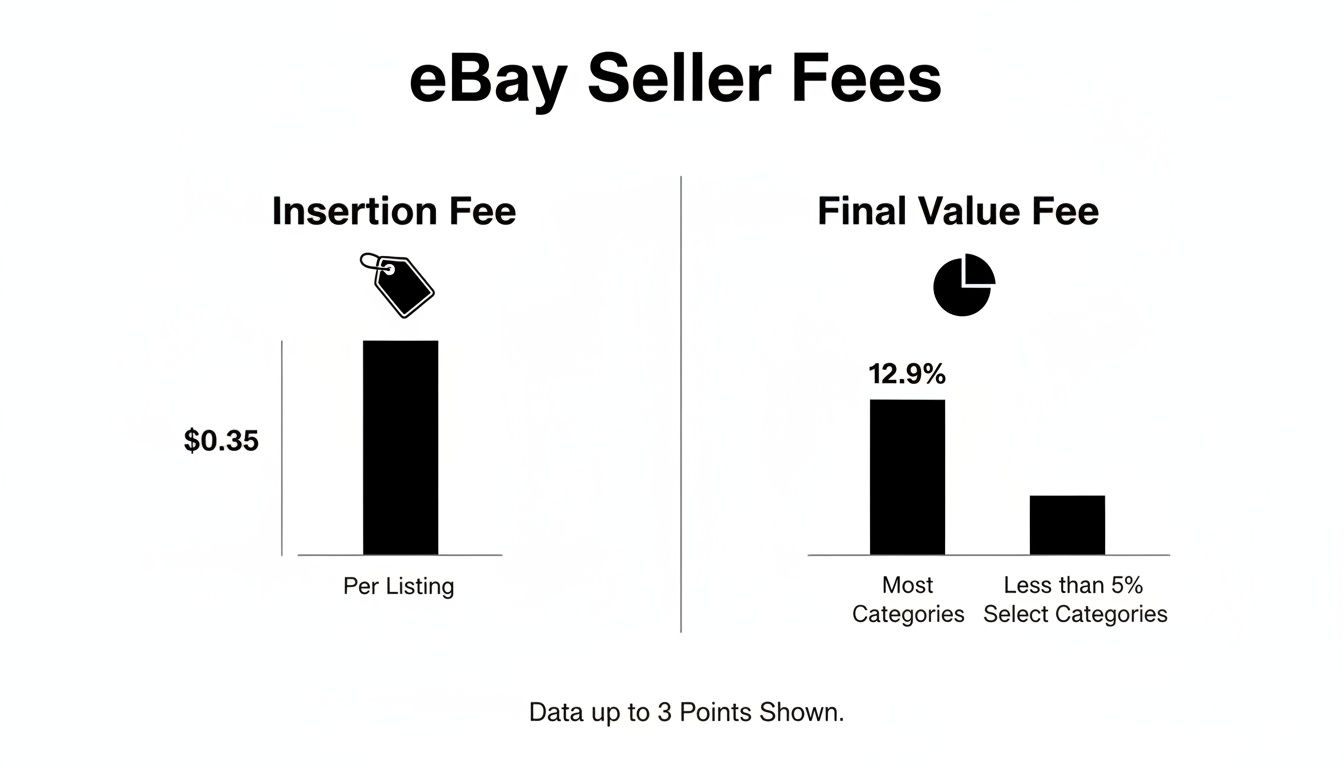
As you can see, the insertion fee is a small, fixed cost, but the Final Value Fee is the big one—it’s the largest chunk of a seller's expenses and is tied directly to the final sale amount.
Scenario 2: The Niche Reseller
Next, let's meet Alex. He’s a hobbyist who loves flipping vintage electronics. He found a classic portable cassette player and is listing it under "Consumer Electronics." Just like Sarah, he's using a free listing.
The good news for Alex is that electronics often have a different, more favorable fee structure than fashion items.
- Selling Price: $80.00
- Buyer Pays for Shipping: $10.00
- Sales Tax (collected by eBay): $5.40
- Total Amount Collected from Buyer: $95.40
Let's break down Alex's costs:
- Insertion Fee: $0
- Final Value Fee Percentage (Most Electronics): 13.25%
- Final Value Fee Calculation: $95.40 x 13.25% = $12.64
- Per-Order Fee: + $0.30
- Total eBay Fees: $12.94
Notice how Alex's take-home pay is much less affected by fees compared to Sarah's handbag sale.
Final Payout Calculation:
($80.00 + $10.00) – $12.94 = $77.06
This just goes to show how a lower category fee can protect more of your profit margin. It’s not just what you sell, but where you list it.
Scenario 3: The Small Business Owner
Finally, let's look at Maria. She runs a small business selling new craft supplies and pays for a Basic eBay Store subscription. This plan gives her way more free listings and slightly lower Final Value Fees in some categories. She's selling a bulk pack of specialty yarn.
Her item falls under the "Crafts" category.
- Selling Price: $50.00
- Buyer Pays for Shipping: $8.00
- Sales Tax (collected by eBay): $3.48
- Total Amount Collected from Buyer: $61.48
Here’s how Maria's fees shake out, including the perks from her store subscription:
- Insertion Fee: $0 (Her store subscription gives her 1,000+ free listings)
- Final Value Fee Percentage (Crafts, with Basic Store): 12.35%
- Final Value Fee Calculation: $61.48 x 12.35% = $7.59
- Per-Order Fee: + $0.30
- Total eBay Fees: $7.89
Of course, to find your real profit, you have to account for what the inventory cost you in the first place. When you're managing a lot of products, knowing your numbers is non-negotiable. For a deeper dive, check out our guide on how to calculate your cost per unit—it’s a fundamental step for pricing anything profitably.
Let's assume the yarn cost Maria $25 to source. Now we can figure out her actual profit.
Final Profit Calculation:
($50.00 + $8.00) – $7.89 (eBay Fees) – $25.00 (Cost of Goods) = $25.11 Profit
This example makes it clear: while fees are a key expense, the biggest factor in your final profit is the margin between your cost and sale price. Maria's store subscription helped her shave nearly a full percentage point off her fee, which really starts to add up when you're making hundreds of sales.
Using Optional Fees to Boost Your Sales
The fees we've covered so far are just part of doing business on eBay—the cost to get your items on the shelf, so to speak. But eBay also offers a whole suite of optional upgrades to help your listings get noticed.
Think of these not as extra costs, but as strategic investments. These are pay-to-play features that can buy your listing a front-row seat in a very crowded theater. While you won't need them for every single item, they can be a game-changer for competitive products or when you're aiming for a quick sale. The trick is knowing when the potential reward is worth the cost.
Drive Traffic with Promoted Listings
Without a doubt, the most powerful optional tool in your arsenal is Promoted Listings. This is eBay’s in-house advertising platform, designed to get your items more prominent placement in search results. It's a direct line to more motivated buyers, and eBay gives you two different ways to use it.
Promoted Listings Standard
This is the go-to option for most sellers because it’s so straightforward and low-risk. It’s based on a cost-per-sale (CPS) model, meaning you only pay the ad fee if someone clicks your promoted ad and actually buys the item within 30 days.
Here’s the breakdown:
- You set an ad rate, which is a percentage of the item's total sale price (from 2% all the way up to 100%).
- eBay helps you out by suggesting a rate based on what other sellers are bidding for similar items.
- The higher your ad rate, the better your chances of snagging those prime advertising spots.
The beauty of the Standard model is its predictability. You’re never gambling on clicks that go nowhere. You know exactly what the ad will cost as a percentage of your final sale, making it super easy to factor into your pricing.
Promoted Listings Advanced
This option is for sellers who are comfortable with more traditional online advertising. It runs on a pay-per-click (PPC) model. Here, you bid on specific keywords and pay a small fee every single time a shopper clicks your ad, whether they buy anything or not.
This approach demands a more hands-on strategy. You have to manage a daily budget and keep a close eye on your campaign's performance. It's really best for seasoned sellers with proven products who want to get aggressive and target very specific customer searches.
Other Listing Upgrades to Consider
Beyond big ad campaigns, eBay has a few smaller, one-off upgrades you can add to any listing. Their impact might not be as dramatic, but in the right situation, they can give you that subtle edge you need.
A few common ones include:
- Add a Subtitle: For around $2.00-$3.00, you can add an extra line of text under your title. This is prime real estate for calling out key details like "Brand New in Box" or "Free Expedited Shipping."
- Bold Title: For a similar fee of $2.00-$4.00, you can make your title bold. It's a simple visual trick to make your listing pop as a buyer scrolls through a sea of text.
- Schedule Listing: This handy feature lets you choose exactly when your listing goes live. It’s perfect for timing an auction to end during peak shopping hours, like a Sunday evening.
Strategic Insight: Not all upgrades are created equal. A subtitle that clearly communicates a key selling point often delivers a much better return than simply making your title bold. Always ask yourself: "Does this extra cost give the buyer a compelling reason to click my listing over others?"
Deciding which of these tools to use—if any—all comes down to your profit margins and your goals for that specific item. For a high-margin, competitive product, a 5% Promoted Listings Standard rate could be a brilliant move to lock in a faster sale. But for a rare, one-of-a-kind collectible, you might not need any help at all. And when exploring other tools to streamline your strategy, remember they have their own costs; for instance, understanding Copycat247's pricing structure is key before committing. The goal is always to use these optional costs to sell on eBay intelligently, turning your expenses into profitable sales.
Actionable Strategies to Reduce Your eBay Selling Fees

Knowing the fee structure is one thing, but actively chipping away at those costs is how you actually boost your profits. It’s a lot like managing your household budget—every small saving you find adds up to something substantial over time. The good news is that eBay has built-in ways for you to lower your expenses without hurting your sales.
The goal here isn't just selling more, it's about selling smarter. This means taking full advantage of the programs eBay offers to sellers who are consistent and take care of their customers. Adopting a few of these operational cost reduction strategies will shrink the slice eBay takes from each sale, leaving more money in your pocket.
Consider an eBay Store Subscription
If you're consistently listing more than the 250 free items eBay gives you each month, signing up for an eBay Store is probably the single best move you can make to cut costs. You get more free listings, sure, but the real prize is the lower Final Value Fees (FVF). That's where the serious savings kick in.
Think of it this way: selling without a Store is like having a pop-up stall on a random street corner. A Store subscription is like paying a small, fixed rent for a premium booth at a bustling farmer's market. You get way more foot traffic (listings) and a better deal from the market owner (lower fees).
eBay has a few subscription levels, but for most growing sellers, the "Basic" Store is the sweet spot. It dramatically increases your free listing allowance and, more importantly, trims the FVF in a ton of popular categories. For instance, in the "Crafts" category, a seller with a Basic Store pays a 12.35% FVF. A standard seller pays 13.25%. That 0.9% might not sound like much, but it makes a huge difference when you're processing hundreds of sales.
Is an eBay Store Subscription Worth It for You?
So, when does it make sense to pull the trigger? A subscription becomes a no-brainer the second its monthly cost is less than what you’d pay in insertion fees without it. Let's break down the math.
| Feature | Standard Seller Account | Basic eBay Store | The Tipping Point |
|---|---|---|---|
| Monthly Cost | $0 | $21.95 (with annual plan) | The cost of 63 extra listings ($0.35 each) as a standard seller. |
| Free Fixed-Price Listings | 250 per month | 1,000 per month | Once you list your 251st item, you start paying insertion fees. |
| Final Value Fee (FVF) | Standard rates (e.g., 13.25% for most categories) | Reduced rates (e.g., 12.35% for many of the same categories) | The FVF savings become significant as sales volume grows, compounding the value of the subscription. |
| Overage Insertion Fee | $0.35 per listing | $0.25 per listing | You not only get more free listings but also pay less for any listings that go over your higher 1,000 allowance. |
The bottom line? If you plan on listing more than 313 items a month (250 free + 63 paid), the Basic Store already pays for itself just on insertion fees alone. That's before you even factor in the savings from the lower Final Value Fees.
Become a Top Rated Seller
Earning Top Rated Seller status is like getting a VIP pass from eBay. It signals to buyers that you’re reliable and trustworthy, but it also comes with a fantastic financial perk: a 10% discount on your Final Value Fees.
To get there, you need to hit certain benchmarks for your transaction defect rate, late shipments, and cases closed without your resolution. In plain English, you have to ship on time, describe your items accurately, and handle customer service issues like a pro.
This 10% discount is a direct reward for great service. If your Final Value Fee on an item was $15, being a Top Rated Seller knocks it down to $13.50. It may not sound like a life-changing amount on one sale, but for a business with steady volume, this discount can easily add up to hundreds or even thousands of dollars in savings each year.
More Smart Ways to Lower Your Costs
Beyond store subscriptions and seller status, a few other tactical moves can help keep your eBay costs in check.
- Optimize Your Shipping Charges: Remember, the Final Value Fee is calculated on the total amount the buyer pays—and that includes shipping. Overcharging for shipping not only scares away potential buyers but also needlessly inflates your fees. Find the most cost-effective shipping carriers to keep that total sale amount down, which in turn lowers your FVF. For more on this, check out our guide on the best shipping for small business.
- Avoid Non-Essential Listing Upgrades: It’s easy to get tempted by the add-ons like a bold title or a subtitle. While they might have a place in extremely competitive niches, they're often just an extra cost that nibbles away at your profit margin. Only use them when you have a clear, data-driven reason to believe the investment will pay off.
- Leverage Fee Promotions: eBay frequently runs promotions that offer thousands of extra free listings or discounted FVF weekends. Keep a close eye on your Seller Hub and your email for these offers. Timing your big listing pushes to line up with these promotions is a simple, foolproof way to slash your insertion fees.
Common Questions About eBay Selling Costs
Let's wrap up by tackling some of the most common questions sellers have about eBay's fees. Getting these details right is crucial for understanding how your profits are really calculated.
We’ll clear up a few points that often trip people up, from what happens if your item doesn't sell to the extra costs of shipping overseas.
Do I Still Pay a Fee if My Item Doesn’t Sell?
For the most part, no. The biggest fee—the Final Value Fee—is basically eBay’s commission. If you don't make a sale, you don't pay it. Simple as that. You can just relist your item and try again.
However, there are two small, non-refundable costs to keep in mind. If you go over your monthly free listing allowance (usually 250 listings for most sellers), you’ll have paid an Insertion Fee for that listing, which you don't get back. The same goes for any optional upgrades you paid for, like a subtitle or a bold title.
The bottom line: The main fee only applies when you make a sale. But any small upfront costs for listing (if you've used your free ones) or for special features are non-refundable.
How Do Shipping Costs Affect My Fees?
This is a big one that catches a lot of new sellers by surprise. eBay calculates your Final Value Fee on the total amount the buyer pays. That includes the item price, the shipping and handling charges, and even any sales tax.
So, if you sell a shirt for $20 and charge $5 for shipping, your fee is calculated on the full $25, not just the $20. This is eBay's way of encouraging fair shipping prices and stopping sellers from gaming the system by listing an item for $1 and charging $24 for shipping. It's a huge reason to dial in your shipping strategy.
Are There Extra Fees for International Sales?
Yes, there are. When your buyer is in another country, eBay tacks on an International Fee. It's an extra percentage added on top of your standard Final Value Fee.
If you’re a US-based seller, this fee is 1.65% of the total sale amount. This helps cover the extra processing and risk involved in cross-border payments. If you’re planning to sell globally, make sure you build this extra percentage into your pricing so your profit margins don't take an unexpected hit on international orders.
Ready to create stunning, professional-looking listings that convert? AliSave Pro is the ultimate tool for downloading high-resolution AliExpress product photos, videos, and review images in a single click. Speed up your workflow and make your products shine. Download AliSave Pro for free from the Chrome Web Store and start building better listings today.