
When you see an order with the status pending fulfillment, it means the order is officially in the system and paid for, but the warehouse team hasn't started picking and packing it yet.
Think of it like ordering a coffee at a busy cafe. You've paid, and your name is on a cup in the queue, but the barista hasn't started making your drink. It's a normal, temporary holding pattern before the real action begins.
What "Pending Fulfillment" Means in the Order Journey
This status is the very first stop after a customer clicks "buy." The payment has cleared, the order details have been zapped over to the warehouse management system, and it's now officially waiting its turn. At this point, no one has physically touched the products. They're still sitting on the shelf, waiting to be picked, scanned, and placed into a box.
The 'pending fulfillment' phase is a crucial checkpoint. It's the moment between the digital transaction and the physical work of getting a package ready. This step is key for managing customer expectations and keeping warehouse operations running smoothly, as it sets the pace for the entire delivery timeline. You can dig deeper into why this distinction matters for any e-commerce brand.
So, when an order is in this state, it confirms a few things have gone right:
- Payment Cleared: The customer's transaction was successful.
- Order Confirmed: Your store has acknowledged and accepted the purchase.
- In the Queue: The order is now logged in the fulfillment center's system, waiting for an employee to start the picking process.
This status is usually short-lived. It quickly changes to "Processing" or "Awaiting Shipment" once a warehouse associate grabs a scanner and starts preparing the package. For dropshippers, knowing exactly what this pause means is essential for giving customers accurate timelines and spotting potential fulfillment bottlenecks before they turn into real delays. It’s the starting line of the race to get the product to the customer's doorstep.
The Order Status Journey At a Glance
To see the bigger picture, it helps to map out the entire lifecycle of an order. This table breaks down what each status means for you and your customer, showing exactly where 'pending fulfillment' fits in.
| Order Status | What It Means for the Customer | What It Means for the Seller |
|---|---|---|
| Pending Payment | "My payment hasn't gone through yet." | The order is on hold until payment is confirmed. |
| Pending Fulfillment | "My order is confirmed and waiting to be packed." | The order is in the warehouse queue, ready for picking. |
| Processing | "They're getting my stuff ready to ship!" | The warehouse team is actively picking and packing the order. |
| Shipped | "It's on its way! I can track it now." | The package has left the warehouse and is with the carrier. |
| Delivered | "My package arrived!" | The order is complete. Time to ask for a review. |
| Canceled/Refunded | "My order was canceled or I'm getting my money back." | The order has been stopped and any necessary refunds are processed. |
This journey shows that 'pending fulfillment' is a healthy, normal step—the quiet before the storm of activity that gets a package out the door.
Why Orders Get Stuck in Pending Fulfillment
If you've ever watched an order status and seen it stuck on "pending fulfillment," you know the feeling. But it's rarely just sitting there doing nothing. Think of this status as a necessary pause—a staging area where critical checks happen before anyone touches a box.
One of the most frequent reasons for this brief hold is payment verification. It's the system's way of making sure the transaction is legitimate before your supplier commits their inventory. For dropshippers, getting familiar with the different https://alisavepro.com/aliexpress-payment-methods/ is smart, as processing times can vary quite a bit. A short pause here is far better than dealing with the headache of a fraudulent chargeback later.
Common Operational Delays
Once the payment is cleared, other things happening behind the scenes at the warehouse can extend the pending stage. These aren't red flags, but standard parts of an efficient workflow.
- Inventory Checks: Is the product really on the shelf? For popular items, the system might do a last-minute stock check to avoid the dreaded oversell.
- Order Batching: To work smarter, not harder, warehouses often group similar orders. Your order might be waiting for a few others going to the same area to create a more efficient picking route for the staff.
- System Communication Lags: Sometimes, the delay is just a digital traffic jam. During a big sale, the connection between your store and the warehouse system can get bottlenecked, causing a temporary lag.
Essentially, 'pending fulfillment' means your supplier has received and accepted the order, but the physical work of picking and packing hasn't started. It's a normal part of the process—industry data suggests 30-40% of e-commerce orders sit in this phase for anywhere from a few hours to a couple of days.
Inventory and Supply Chain Issues
Of course, sometimes the delay points to a real hiccup. One of the classic culprits is an inventory discrepancy. The system thinks an item is in stock, but it isn't. This is why solid best practices for inventory management are so important.
An incorrect stock count can freeze an order in its tracks until the supplier either finds the item or has to update you (and your customer).
Ultimately, this status is a crucial control point. It ensures that when the fulfillment process finally kicks off, it's set up to be smooth, accurate, and free of expensive mistakes.
Decoding Different Order Statuses
The world of e-commerce has its own language, and terms like "pending fulfillment," "processing," and "awaiting shipment" can sound confusingly similar. But each one signals a very specific and crucial step in getting an order from your store to a customer's doorstep.
Getting a handle on these terms is essential for managing your operations and keeping your customers in the loop.
Think of it like a relay race. "Pending fulfillment" is the runner at the starting block. The race has been confirmed, the runner is in position, but the starting pistol hasn't fired yet. Your system has received and logged the order, but the warehouse team hasn't started working on it.
Processing vs. Awaiting Shipment
When the status flips to "Processing," the race is on. This is when the warehouse team springs into action. They're grabbing items off the shelves, scanning barcodes, and carefully packing everything into a box. It's the most hands-on stage of the entire fulfillment journey.
Next, you'll see the status change to "Awaiting Shipment." This means your package has crossed the finish line—at least, the warehouse's finish line. It’s all packed up, sealed, and has a shipping label slapped on it. Now, it's just sitting on the loading dock, waiting for a carrier like USPS or FedEx to pick it up and start the final leg of its journey.
For dropshippers, this is where tracking becomes critical. Understanding how things like AliExpress tracking numbers are generated and what they mean can give you much-needed visibility once the package leaves your supplier.
The transition from 'Pending Fulfillment' to 'Awaiting Shipment' maps the entire internal journey of an order—from a digital entry in a queue to a physical box ready for the mail truck.
To really nail down the differences, it helps to see them side-by-side.
Comparing Key Order Statuses
This quick breakdown clearly shows what's happening at each stage and what you should be telling your customers.
| Status | Key Action | Warehouse Activity | Customer Communication |
|---|---|---|---|
| Pending Fulfillment | The order is waiting in the digital queue. | No physical action has been taken on the order. | "We've received your order and will prepare it soon." |
| Processing | The order is actively being prepared. | Items are being picked from shelves and packed into a box. | "Good news! We are currently preparing your order for shipment." |
| Awaiting Shipment | The order is packed and ready for pickup. | The labeled package is waiting for the mail carrier. | "Your order is packed and will be on its way to you shortly." |
By understanding this flow, you can pinpoint exactly where any order is at a glance, giving you the power to solve problems faster and communicate with confidence.
The Challenge of Pending Remote Fulfillment
As your business grows and you start selling internationally, you'll run into a trickier version of the standard "pending" status: pending remote fulfillment. This usually pops up when you're working with third-party logistics (3PL) partners or using international warehouses to get products closer to your customers.
Basically, instead of your own team grabbing an item off a shelf, the order gets routed to a partner facility that you don't directly control. It’s the difference between yelling an order across your own warehouse and sending a detailed message to a partner on another continent. A little more room for error, right?
Navigating Global Logistics Hurdles
When you bring remote partners into the mix, a few things can really stretch out that "pending" time. Communication is probably the biggest one.
- Time Zone Differences: An order you push through in New York at 4 PM is just hitting the desk of your European partner the next morning. That’s an instant delay.
- System Syncing: Your Shopify or WooCommerce store needs to talk flawlessly with your 3PL's warehouse software. If there's any lag or glitch in that digital handshake, orders can get stuck in limbo.
- Communication Gaps: If you don't have crystal-clear rules for how to handle issues, a simple question about an order can devolve into a multi-day email back-and-forth. All while your customer is waiting.
This infographic breaks down the typical order journey, highlighting exactly where the "pending" status sits—right before the real action begins.
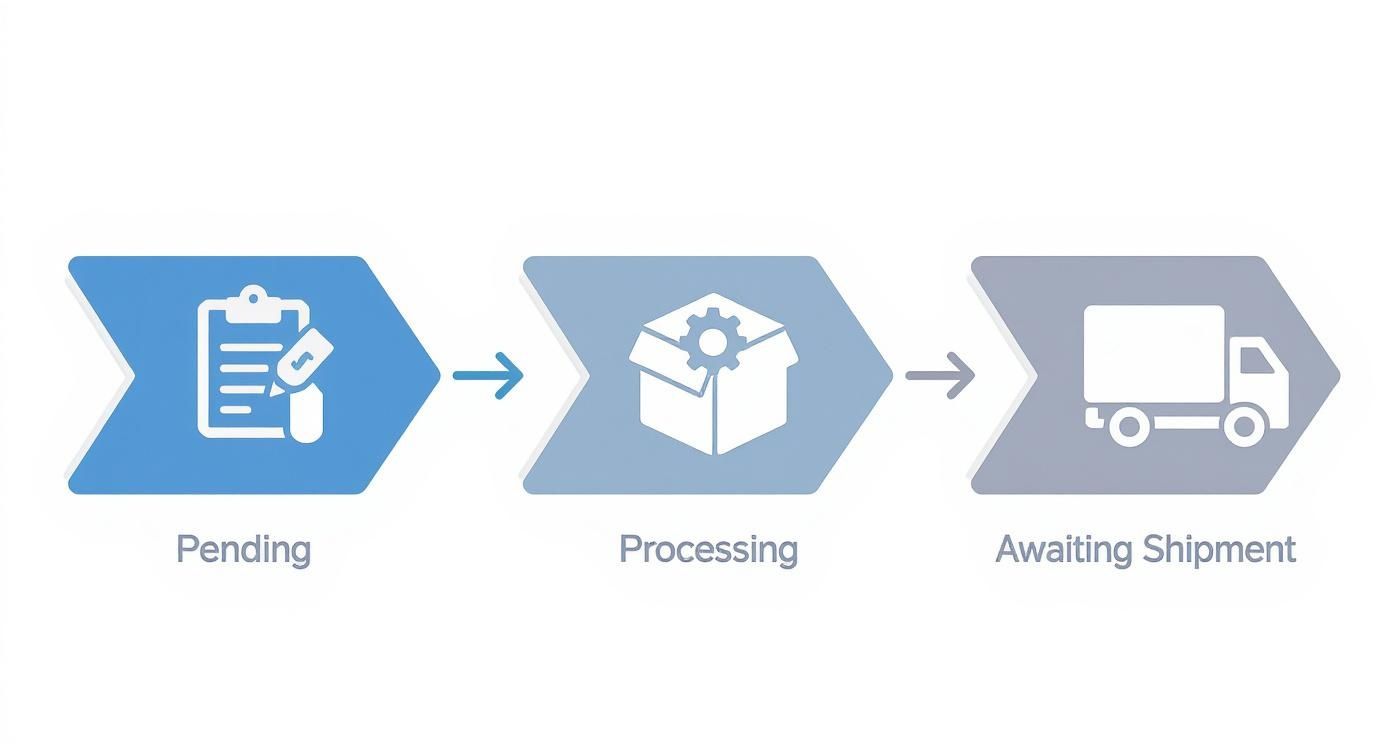
With a remote partner, there's an extra step. The handoff between your system and theirs adds another potential snag before the order can even move to 'processing.'
In fact, research into 3PL operations reveals that this extra layer of coordination can easily add over 24 hours to the pending fulfillment window. Getting a handle on this requires a solid game plan and even better communication. If you want to dive deeper, you can explore detailed findings on remote fulfillment to see what the data says.
I once worked with a U.S. brand that started using a fulfillment center in Germany. They quickly learned that setting strict service-level agreements (SLAs)—like a rule that all orders must be moved from 'pending' to 'processing' within 12 hours—was the key to making it work. It forced both teams to get their communication and system checks down to a science.
How to Reduce Pending Fulfillment Time
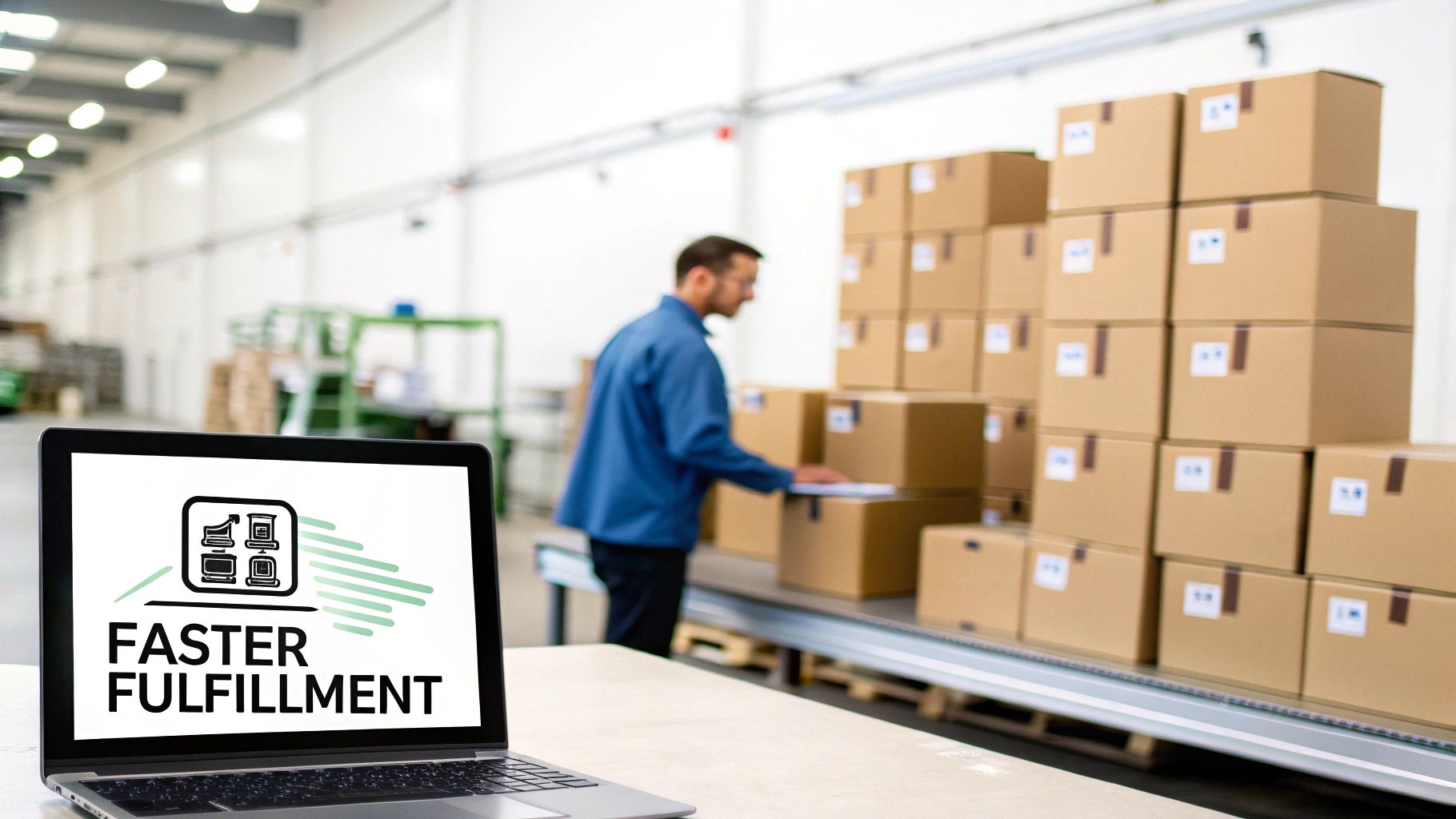
While a short "pending fulfillment" window is a normal part of business, you don't have to just sit back and wait. You can actually take steps to shrink this waiting period and create a much smoother, faster experience for your customers.
The biggest culprit behind long pending times? Manual tasks. Simple things like verifying payments and checking addresses can create bottlenecks that hold up the entire process. Automating these routine checks gets orders into the fulfillment queue almost instantly.
This is a game-changer for dropshippers. When you have the right systems in place, your supplier gets clean, verified order information without any manual intervention on your part. If you're looking to tighten up your workflow, exploring dropshipping automation tools can be a real eye-opener.
Streamlining Warehouse Communication and Operations
Once you've automated the initial checks, the next place to look for improvements is the connection between your storefront and your warehouse or fulfillment partner. This link needs to be seamless for speed and accuracy.
Integrating your e-commerce platform directly with a warehouse management system (WMS) gives you real-time inventory visibility. This simple connection gets rid of manual stock checks, which are one of the most common reasons for fulfillment delays.
To really dial things in, focus on these strategies:
- Establish Clear Protocols: Set firm service-level agreements (SLAs) with your fulfillment team or 3PL. Define exactly how long an order can sit in the pending stage—aim for a max of 12 to 24 hours.
- Implement Smart Order Batching: Create rules that automatically group similar orders together. This makes the picking and packing process way more efficient, but keep the batching window short so you're not adding new delays.
- Use Integrated Software: When your store and warehouse systems talk to each other instantly, a new order becomes visible and actionable for the fulfillment team the second it’s placed.
Taking these steps isn't just about shipping faster; it's about building trust. When customers see their order status change quickly from "pending" to "processing," it shows them you're on top of your game and makes them more likely to come back.
Your Questions About Pending Fulfillment Answered
Let's tackle some of the most common questions that pop up around the "pending fulfillment" status. It can seem a bit mysterious, but once you break it down, it's usually pretty simple. Getting these details straight helps you set the right expectations for your customers and communicate with confidence.
So, how long is too long for an order to sit in this stage? Generally, 24-48 hours is the sweet spot. After a big sale or a long weekend, you might see that stretch to 72 hours. But if an order is still stuck on pending after three business days, it’s probably time to do a little digging. That could be a red flag for a payment problem or a stock issue.
Navigating Cancellations and Stock Levels
A question I get all the time is, "Can I cancel an order while it's pending fulfillment?" The short answer is yes—in fact, this is the best time to do it.
Because no one has started picking products off shelves or boxing things up, a cancellation is typically just a quick click in your dashboard. Once that status flips to "Processing," hitting the brakes becomes much trickier.
And what about inventory? Does "pending fulfillment" mean the item is out of stock? Not necessarily, but it's a possibility. Sometimes, the system is just double-checking inventory counts, especially if stock is running low. Other times, it's just part of the standard process, like waiting for a payment to clear or grouping orders together for efficiency.
If an item really is out of stock, the order status should ideally update to 'On Hold' or 'Backordered.' A good supplier will also send a direct notification so you can get ahead of the problem and manage your customer's expectations.
One of the best ways to handle these kinds of routine questions is by giving customers instant answers. For a solid primer on how to set this up, an FAQ chatbot guide is a great place to start. It can automate those common "Where's my order?" queries and keep your customers happy.
When you're prepping product media for your store, you can’t afford to waste time. AliSave Pro is a lifesaver—it lets you download all AliExpress product images and videos with just one click. Grab the free Chrome extension and make your workflow so much smoother at https://alisavepro.com.