
Your 80-character title is the single most important piece of real estate on your entire eBay listing. It's the first thing a shopper sees and the main driver behind where you rank in search. Getting your title right isn’t about creative writing; it’s about surgically implanting the exact words your ideal buyer is typing into the search bar.
Mastering Your eBay Titles and Keywords
Think of your title as your listing’s headline, handshake, and sales pitch all wrapped into one. It’s what separates you from the noise of eBay’s other 2.4 billion listings. You're writing for two completely different audiences here: a human who is scanning quickly for the right item, and eBay’s search algorithm, Cassini, which needs clean data to know where to place you.
A classic rookie mistake is stuffing titles with fluff like "Great Deal!" or "L@@K!" Real buyers don’t search for those terms. Someone hunting for a specific pair of running shoes isn’t typing "cool sneakers"; they’re searching for "Nike Air Zoom Pegasus 40 Men's Size 11." Nailing this is the absolute foundation of your eBay SEO.

Uncovering What Buyers Actually Search For
Good keyword research doesn't mean you need to invest in expensive tools. The best, most relevant data is right there on eBay, waiting for you. The goal is to get inside your customer's head and speak their language.
Start with the eBay search bar. As you begin typing a product, pay close attention to the autocomplete suggestions. This isn't random; it's eBay telling you, "Hey, these are the most popular phrases people are actually searching for right now." This is a goldmine for high-intent keywords.
Next, do a little competitive recon. Find the top-performing listings for the item you're selling—the ones with a long sales history. What words do they all have in common? How do they structure their titles? I'm not saying you should copy them outright, but you need to recognize the patterns that the market has already validated.
Building Titles That Rank and Convert
Once you have a solid list of keywords, it's time to assemble your title. A proven formula works wonders because it gives both the algorithm and the human eye the structure they need to make sense of your listing fast.
A well-structured title makes it easy for a buyer to quickly confirm your item is what they're looking for. That immediate recognition builds trust and dramatically increases the chances they'll click.
Here’s a title structure I’ve used for years that just plain works:
- Brand Name: Always lead with the brand. It’s the first thing most people look for (e.g., "Apple," "Sony," "Nike").
- Model Name/Number: Get specific. Not just "iPhone," but "iPhone 15 Pro Max."
- Key Features or Product Type: What makes it what it is? Think "256GB," "Unlocked," or "Wireless."
- Condition: This is a non-negotiable. "New in Box," "Used," or "Open Box" must be in there.
- Essential Identifiers: Finish with critical details like "Size 11" or "Deep Purple."
Let's look at a real-world example of how this plays out.
- Weak Title: Awesome Deal! Sony Headphones Noise Cancelling L@@K!
- Strong Title: Sony WH-1000XM5 Wireless Noise Cancelling Headphones – Black – New Sealed
See the difference? The second title is packed with searchable terms but is still perfectly easy to read. It gives Cassini everything it needs to rank the listing properly, and it gives a human buyer every reason to click. Don't leave any of your 80 characters on the table if you can add more valuable, relevant detail. This is your most valuable digital real estate—use every inch.
Creating Visuals That Sell and Build Trust
Once you’ve nailed your title, your photos have to do the heavy lifting. Online, your visuals are everything. They're the first impression, the product demonstration, and the trust-builder all rolled into one. Great photos don't just show an item; they answer a buyer's silent questions and give them the confidence to hit "Buy It Now."
Think beyond that one sterile shot on a white background. Sure, you need that main image for search results, but your other photos should tell a story. Show the product being used, get up close to highlight the texture, and capture it from every single angle. By the time a buyer is done scrolling through your gallery, they should feel like they’ve already held the item in their hands.
Moving Beyond Standard Supplier Photos
If you're dropshipping, this is your chance to pull way ahead of the competition. Most sellers just reuse the same generic, and frankly, often low-quality images from their AliExpress supplier. This instantly makes your listing look identical to hundreds of others, forcing you to compete on price alone—and that's a race to the bottom you don't want to be in.
This is where having a smarter workflow makes all the difference. Instead of spending time right-clicking and saving a few blurry images one by one, you need a way to grab the entire library of high-quality visuals quickly. This lets you build a unique visual story that makes your listing pop.
A top reason for returns is "item not as described." High-quality, honest photos set accurate expectations right away, which drastically cuts down your return rate and protects your seller metrics.
A tool like AliSave Pro was built for exactly this. It lets you download all the media from an AliExpress page in a single click—we’re talking high-resolution main photos, every single variant image, and even the customer review photos. You end up with a treasure trove of authentic content to pick from.
This screenshot shows just how simple a tool like AliSave Pro is, turning a tedious job into a one-click action.
The real benefit here is efficiency. It turns a manual chore into an instant download, freeing you up to focus on what really matters: choosing the best visuals for your listing.
A Practical Workflow for Authentic Visuals
Getting your hands on all those images is just the first part. The next step is using them strategically to build trust and create a killer listing. I've found that customer review photos are absolute gold because they provide social proof and show the product in a real-world setting, not some sterile photo studio.
Here’s a practical way to structure your photo gallery:
- Your Main Image: Use the cleanest, highest-resolution supplier photo you can find, preferably on a white or neutral background. This is what grabs a buyer's eye in a crowded search page.
- The Detail Shots: Pick a few images that zoom right in on key features, materials, and build quality. Show the stitching on that wallet or the texture of the fabric.
- Scale and Context: You have to show how big the item is. Including photos that show the product next to a common object or in its natural environment helps a ton. A picture of a backpack on a person is way more helpful than one just floating in space.
- Authentic User Photos: This is my secret weapon. I always sprinkle in 2-3 of the best customer-submitted photos I’ve downloaded. These unfiltered images are incredibly powerful for building trust and showing potential buyers what the product really looks like.
You can learn more about getting these images ready for your listing by reading our guide on how to optimize images for the web.
And don't stop with static photos. Video is a game-changer. Learning about creating compelling product videos with AI that sell can give your listings a massive boost. A short video can show off features and functionality in a way a picture never could, closing the gap between shopping online and seeing it in person.
By combining crisp supplier shots with authentic user photos and a quick video, you create a visual experience that doesn’t just sell—it builds the kind of trust that keeps customers coming back.
Use Item Specifics to Supercharge Your Ranking
If a great title gets you the click, it’s the item specifics that do the heavy lifting behind the scenes. Think of them as direct inputs for eBay’s search algorithm, Cassini. This is the structured data Cassini uses to filter, sort, and ultimately rank your products. Skipping over these fields is like telling eBay to hide your listing.
Ever notice the filters on the left side of a search results page? When a buyer clicks "Brand," "Size," or "Color," eBay isn't trying to guess from your title. It's pulling that information directly from your item specifics. If you left those fields blank, your product is completely invisible in that filtered search, no matter how perfect it is for the buyer.
Every Detail You Add Is a Win
Look, I get it. Filling out every single item specific can feel like a chore, but it’s absolutely non-negotiable for serious sellers. Each detail you add is another signal to Cassini, painting a crystal-clear picture of what you're selling and who should see it. This is how you get in front of those high-intent buyers who already know exactly what they're looking for.
And it’s not just about getting found on eBay. This structured data is what eBay uses to push your products onto external platforms like Google Shopping. The platform's own data makes this connection undeniable.
eBay has shown that listings with 100% completion of recommended item specifics see a significant sales lift, largely because they become eligible for Google Shopping feeds. This pulls in a stream of new customers from outside the eBay ecosystem.
That's a massive audience that many sellers are leaving on the table. When you fill out everything, you’re not just optimizing for eBay’s internal search; you're creating an asset that can attract buyers from all over the internet. You can find more data on how SEO impacts eBay sales at Frooition.com.
The data below shows a clear trend: the more you fill out, the better your listing performs. It’s a direct correlation.
Impact of Item Specifics Completion on Listing Performance
| Item Specifics Completion Level | Potential Increase in Visibility | Potential Increase in Sales |
|---|---|---|
| 25% Complete | Minimal boost | Negligible |
| 50% Complete | Up to 15% | Up to 10% |
| 75% Complete | Up to 40% | Up to 30% |
| 100% Complete | Up to 65% or more | Up to 50% or more |
As you can see, crossing that 75% threshold is where you start to see major returns. Hitting 100% puts you in the best possible position to maximize both traffic and conversions.
The Most Powerful Specifics to Focus on First
While you should aim for 100% completion, some fields have more impact than others. Nail these first for the biggest immediate boost.
- Product Identifiers (UPC, MPN, ISBN): These are the holy grail for Cassini. Unique Product Codes (UPCs), Manufacturer Part Numbers (MPNs), and ISBNs for books are universal. They leave no doubt about what your item is, confirming its authenticity and allowing eBay to match it with its product catalog—a huge trust signal.
- Brand and Model: Just like in your title, these need to be in their designated fields. Shoppers filter by brand and model constantly, especially in categories like electronics and fashion.
- Physical Attributes: Think Size, Color, and Material. These are some of the most frequently used filters across nearly every category on the site. If you're selling apparel, accessories, or home goods, these are must-haves.
If you’re selling something with multiple options—like a T-shirt in different sizes and colors—you need to set up variations correctly. It's a critical part of item specifics. We have a complete walkthrough on how to create an eBay listing with variations to get you started.
Write Your Description for a Human, Not a Robot
Once a buyer is on your page, your description's job is to seal the deal. But here’s the thing: nobody reads long blocks of text anymore. With over half of eBay's traffic now coming from mobile devices, your description has to be designed for a quick scan on a small screen.
Your goal should be "information at a glance." A shopper should be able to pull out the key features and benefits in seconds.
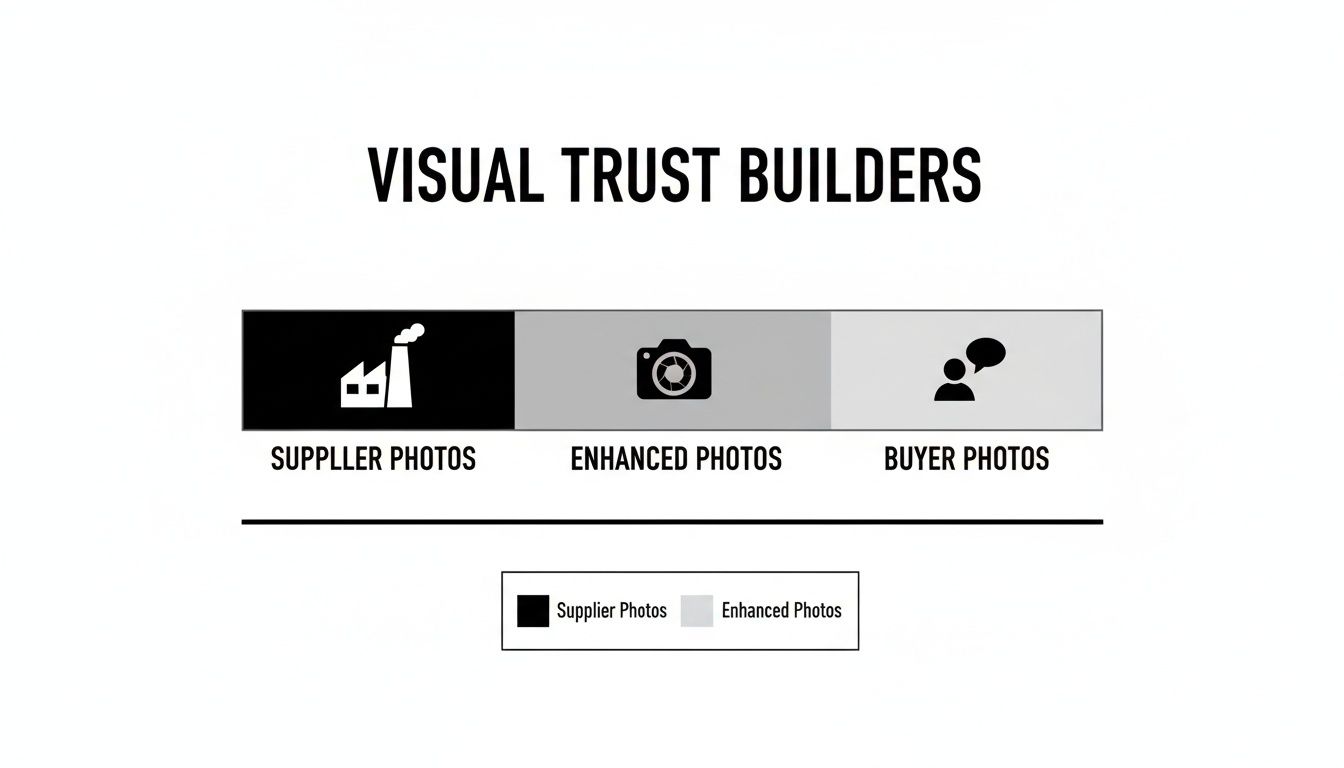
The infographic below shows how you can build trust visually. While your own photos are essential, seeing photos from other happy buyers can be the final nudge someone needs to click "Buy It Now."
A Simple Template for Scannable Descriptions
A great description doesn't just rehash the item specifics; it reinforces them with a human touch. Use clean formatting to make it easy to digest.
- Lead with a Hook: Kick things off with one strong sentence that states what the product is and its main benefit. For instance: "This Anker PowerCore portable charger keeps all your devices running during a full weekend away from an outlet."
- Use Bullet Points: This is the best way to present details on mobile. Break down the key features, specs, and what’s included into a simple, scannable list. Keep each point short and sweet.
- Add Practical Info: Have another small section for the "housekeeping" details like your shipping speed, return policy, and any notes on the item's condition. Being upfront builds confidence.
Let's look at a real-world example for an "AeroPress Coffee Maker":
| The Wrong Way (Wall of Text) | The Right Way (Scannable) |
|---|---|
| This AeroPress Coffee Maker is a great way to make coffee. It's brand new and still in the box. It makes a rich, smooth cup of coffee without bitterness in about a minute. It's also easy to clean. You can make 1-3 cups per pressing. It comes with the AeroPress, a funnel, scoop, stirrer, and 350 microfilters. We ship within one business day via USPS Priority Mail and offer 30-day returns. | AeroPress Coffee & Espresso Maker – New in Box Enjoy rich, smooth, and grit-free coffee in about a minute. Key Features: – Brews 1-3 cups per pressing – Patented rapid, total immersion process – Easy to clean in seconds What's Included: – AeroPress Plunger & Chamber – Funnel, Scoop & Stirrer – 350 Micro-Filters Shipping: – Ships within 1 business day (USPS Priority) – 30-Day Free Returns |
The scannable version on the right is not only easier to read on any device, but it also looks far more professional and trustworthy. When you combine perfectly completed item specifics with a clean, mobile-first description, you create a listing that appeals to both the eBay algorithm and actual shoppers.
Using Price and Promotions to Seal the Deal
So you've crafted the perfect title and your photos are looking sharp. That gets buyers to your listing, but what pushes them over the finish line? More often than not, it comes down to price and trust. A smart pricing strategy isn't just about being the cheapest guy on the block; it's about making your offer feel valuable, fair, and most importantly, safe.
Getting your price right is a tricky balancing act. If you go too high, you’ll send shoppers running. But price too low, and you're not just leaving money on the table—you might even make buyers suspicious. "What's wrong with it?" they'll wonder. This is exactly why a little market research is your best friend.
Before you even think about a price, you need to know what similar items have actually sold for, not just what other sellers are asking. For a full breakdown on how to do this, our guide on how to find sold listings on eBay is a lifesaver. This sales data gives you a real-world price range and shows you what people are truly willing to pay.
Strategic Pricing Models That Actually Work
Once you've done your homework, you can pick a pricing model. Don't just pull a number out of thin air. Anchor it in a solid strategy that matches your goals.
- Competitive Pricing: This is the go-to for most sellers. You simply price your item in line with, or just a hair below, your direct competitors. It’s a must in crowded markets where a dollar or two can make all the difference.
- Value-Based Pricing: This one’s for the special stuff. Instead of peeking at competitors, you price based on the item's perceived value. It's perfect for rare, unique, or high-quality goods where your stellar photos, detailed description, and glowing feedback justify a premium.
- Cost-Plus Pricing: The straightforward approach. You calculate all your costs—the item itself, fees, shipping—and add a markup for profit. It guarantees you make money on every sale, but watch out. If your costs are high, you could price yourself right out of the market.
Boosting Sales with Smart Promotions
Your price doesn't have to be set in stone. Think of it as a dynamic tool you can use to nudge buyers into action. eBay’s built-in promotional tools are fantastic for increasing your average order value (AOV) and creating a little bit of urgency.
A well-timed promotion does more than just make a quick sale. It sends a signal to eBay's algorithm that your listing is active and engaging, which can give you a nice little visibility boost.
Here are a few promotions I've seen work wonders:
- Volume Discounts: Try offering deals like "Buy 2, get 10% off" or "Buy 3, get 15% off." This is a brilliant way to move more inventory, especially for things people buy in multiples, like collectibles or craft supplies.
- Order Discounts: A classic is "Save $10 on orders over $100." This encourages shoppers to browse your store and add just one more thing to their cart to hit that magic number.
- Promoted Listings Standard: This is eBay’s ad tool. You essentially "bid" a percentage of the final sale price to get your listing featured more prominently. The best part? You only pay if someone clicks your ad and actually buys the item within 30 days. It's a low-risk way to get more eyeballs on your stuff, but remember to factor that ad fee into your pricing so it doesn't eat your profit.
Shipping and Returns are More Than Just Logistics
These days, your shipping and return policies aren't just fine print—they're massive trust signals. Buyers are looking for a risk-free purchase, and eBay’s algorithm rewards sellers who deliver that peace of mind.
Offering free shipping and 30-day free returns are two of the most powerful moves you can make. It’s a fact that many buyers filter their searches to only show items with free shipping. If you don't offer it, a huge chunk of your potential customers will never even see your listing.
Stop thinking of these as costs and start seeing them as an investment in conversions. A buyer is far more likely to click "Buy It Now" if they know they can send it back, on your dime, if it isn't quite right. That confidence leads to more sales, and eBay rewards those sales with better search placement. It's a fantastic cycle to be in.
Your Essential eBay Optimization Checklist
Okay, we've covered a ton of ground. Now, let's pull it all together into a repeatable system that turns these strategies into second nature. You want to move from just knowing what to do to actually doing it for every single listing.
Think of this checklist as your final quality check before a new listing goes live, or as your go-to guide for waking up those stale, underperforming items. This isn't just about ticking boxes; it's about building a solid foundation for every product you sell.

Running through these steps methodically is how you create a powerful feedback loop. You'll launch better listings from day one, which means you'll get cleaner data back, allowing you to make even smarter decisions down the road. That’s the real secret to consistently optimizing your eBay listings for growth.
To make this super practical, I've broken down the entire process into a single, comprehensive table. Use it before you launch a new product and when you're breathing new life into an old one.
eBay Listing Optimization Checklist
This table is your pre-flight inspection and your tune-up guide all in one. Following it ensures you're not leaving any opportunities on the table.
| Optimization Area | Key Action | Why It Matters |
|---|---|---|
| Title Keywords | Structure your 80-character title with the most important keywords first (Brand, Model, Core Feature). Fill every character. | This is the #1 factor for showing up in search. The first few words carry the most weight with eBay's Cassini search engine. |
| Photography | Upload 8-12 high-resolution, well-lit photos. Include all angles, detail shots, and context-of-use images. | Buyers can't touch the item, so your photos do the selling. More quality images build trust and reduce returns. |
| Item Specifics | Fill out 100% of the Recommended and Required item specifics. Don't skip UPCs, MPNs, or Style codes. | These are the filters buyers use. If they're blank, your listing is invisible to a huge chunk of potential customers. |
| Description | Write a clean, scannable description. Use short paragraphs, bullet points for features, and clearly state your policies. | Most buyers are on mobile. A wall of text is a deal-breaker. Make it easy for them to find the info they need. |
| Pricing | Research Sold listings to set a competitive price. Consider using "Best Offer" to create engagement. | Pricing based on active listings is a guess. Pricing based on sold listings is data-driven and far more effective. |
| Shipping & Returns | Offer free shipping whenever possible and a 30-day or 60-day free return policy. | These are massive trust signals and search filter criteria. "Free Shipping" and "Free Returns" can significantly boost your rank. |
| Category Selection | Double-check that you've chosen the most specific and relevant category and sub-category for your item. | Placing your item in the wrong category is like hiding it in the wrong aisle of a store. Buyers will never find it. |
| Promotions | For new listings, consider "Promoted Listings Standard." For older ones, send "Offers to Watchers." | Promotions create activity and engagement, signaling to eBay that your listing is relevant and deserves more visibility. |
This systematic approach is what separates casual sellers from the pros. It removes the guesswork and makes sure every listing is primed for visibility, clicks, and ultimately, sales. It’s not about doing one thing perfectly; it's about doing all of these things consistently well.
Got Questions About Optimizing Your Listings?
Even with a great plan, you're bound to hit a few snags when you start digging into your eBay listings. It happens to everyone. Let's walk through some of the most common questions I hear from sellers to get you past those roadblocks.
So, what do you do with that one stubborn listing? You know the one—you’ve rewritten the title, taken new photos, and filled in every last item specific, but it’s just collecting digital dust. When a listing stalls out like this, the market is usually sending a clear signal about your price.
But don't just rush to slash it. A great first move is enabling the "Best Offer" feature. It opens the door to negotiation and gets buyers interacting with your listing, which is a great signal to eBay's algorithm. If you still don't get any bites, a small, calculated price drop of 5-10% is often just enough to spark new interest without giving away your profit.
How Often Should I Actually Refresh My Listings?
This is a big one, and there's no single magic number. For anything new, you've got to give it time. Let it sit for at least 30 days before you start making major changes. If you're constantly messing with it right out of the gate, you're not giving eBay's search algorithm enough time to figure out what your listing is and who to show it to.
On the other hand, for those older listings that have been sitting for 60+ days with barely any views and zero sales, it's definitely time for an overhaul. Don't just end and relist it. Treat it like a brand new launch.
- Rework the title: Are there new keywords people are searching for?
- Change the main photo: A different primary image can make a huge difference in getting that initial click.
- Check the item specifics: Sometimes eBay adds new, important fields for your category that you might have missed.
- Re-evaluate the price: Look at recently sold comparable items. Is your price still competitive today?
Think of it less as a "refresh" and more as a total "relaunch." You want the algorithm to see your listing as something new, exciting, and highly relevant again.
What's More Important: The Title or the Item Specifics?
That’s like asking what’s more important on a car, the engine or the wheels. You obviously need both to get anywhere. Your title is your billboard—it’s what grabs a buyer’s attention in a crowded search result and earns you that crucial first click.
But the item specifics? That's how the serious buyers find you. These are the shoppers who know exactly what they want and use the filters to narrow things down. If someone is filtering for "Brand: Nike," "Size: 11," and "Color: Black," they are ready to buy. If your item specifics are missing, you're completely invisible to that perfect customer.
It's best to think of them as a one-two punch:
- Your title captures the broad audience.
- Your item specifics close the deal with the laser-focused buyer.
If you skimp on either one, you're just leaving money on the table. Both are absolutely critical for getting the most visibility and sales out of your eBay listings.
Ready to create stunning, trust-building visuals for your listings in a fraction of the time? AliSave Pro is the free Chrome extension that lets you download all of an AliExpress product's high-resolution photos, variant images, and customer review pictures in a single click. Stop wasting time saving images one-by-one and start building better listings faster. Get AliSave Pro for free on the Chrome Web Store.