
Setting up an eBay Shop isn't just about listing a few items; it's about plugging your business directly into a massive, global audience that's already eager to buy. It all comes down to a few key steps: creating your account, picking the right subscription for your sales goals, branding your storefront, and, most importantly, crafting product listings that actually convert.
This guide will walk you through everything you need to know to build a professional, profitable eBay presence, right from scratch.
Why An EBay Shop Is a Smart Move for Sellers

Before we get into the nitty-gritty of setting up your shop, let's talk about why this is such a savvy move. eBay is more than just another marketplace. Think of it as a launchpad that hands you an immediate audience—something that can take months, or even years, to build on your own website. The platform has spent decades building a trusted reputation, and that credibility instantly rubs off on new sellers.
Tap Into a Global Customer Base Instantly
The biggest draw for any seller is eBay's sheer scale. You're not starting from zero. From day one, you get access to a massive, built-in audience of people who are actively searching for products to buy. This is a total game-changer, especially for dropshippers who need to test products without burning through a huge ad budget.
The numbers don't lie. With around 134 million active buyers across more than 190 countries, setting up shop on eBay puts you on a truly global stage. You'll be joining an ecosystem of about 18 million active sellers, making it a dynamic marketplace bursting with opportunity.
Opening an eBay Shop is like setting up a boutique in one of the world's busiest shopping malls. Millions of potential customers will walk past your window from the moment you open, which is a massive head start compared to building a standalone store from the ground up.
The Low Barrier to Entry for New Sellers
Another huge plus is how easy it is to get started. You don’t need to be a tech wizard or have deep pockets. eBay gives you all the basic tools you need to list products, manage your orders, and talk to customers, making it the perfect place to test a new business idea or product line.
For dropshippers, the advantages are even clearer. The old headaches of sourcing and presenting products have been made so much simpler with the right tools. For instance:
- Time-Saving Automation: Instead of manually saving dozens of product photos and videos from supplier sites like AliExpress, you can use a browser extension to download all the media in a single click. A tedious task that used to take hours can now be done in two minutes.
- Professional Listings: High-quality images and videos are non-negotiable. They build trust and drive sales. By sourcing professional-grade media quickly, you can create listings that look polished and credible, helping you compete with established sellers from your very first day.
This streamlined approach frees you up to focus on what really matters: figuring out what's selling well on eBay and fine-tuning your strategy for growth. By taking advantage of these efficiencies, you can get a professional-looking store up and running—and start making sales—way faster than you could on other platforms.
Choosing Your EBay Account and Shop Subscription
Before you even think about your first listing, you've got a critical decision to make: picking the right account type and Shop subscription. This isn't just a box-ticking exercise; it's a choice that directly shapes your fee structure, the tools you get, and how fast you can grow. Nailing this from the get-go saves you money and sets your store up for success.
First things first, you need to choose between a Personal and a Business account. If you're just offloading old stuff from your garage, a Personal account is all you need. But if you’re here to build a real business—reselling, dropshipping, or selling products you’ve made—you absolutely need a Business account. It tells eBay you're serious and unlocks the professional features you'll need to scale.
To dig deeper into this, we've got a full breakdown on the differences between a business eBay account vs a personal one.
Understanding EBay Account Types
So, what’s the big deal with a Business account? For starters, it lets you register your official business name, which immediately builds trust with buyers. You also get access to much better sales reports and promotional tools that simply aren't available on a personal plan.
Think of it this way: a Personal account is a garage sale. A Business account is a proper retail storefront. One is for casual selling, the other is for serious commerce.
Once you’re set up with a Business account, the next question is whether to get an eBay Shop subscription. While you can technically sell without one, it's a no-brainer for anyone planning to list more than a few dozen items a month.
The single biggest win with an eBay Shop subscription is the massive cost savings on insertion fees. Without a subscription, you pay for every single listing. With one, you get a huge bundle of free listings every month, which is a game-changer for anyone with a decent-sized inventory.
Breaking Down the Shop Subscription Tiers
eBay offers a few different subscription levels, and the right one for you really boils down to your sales volume. It’s all about how many products you plan on listing.
Let’s take a look at the most common choices for sellers just starting out.
The Basic Shop is the perfect launchpad. For a pretty reasonable monthly fee, you get a generous number of Zero Insertion Fee listings—usually hundreds per month for fixed-price items. This is the ideal starting point if you're beginning with a few hundred products. It's a low-risk way to get your foot in the door without getting hammered by listing fees.
As your business takes off, you'll eventually hit the limits of the Basic Shop. That’s a good problem to have, and it’s the signal to upgrade.
The higher tiers, like the Premium and Anchor Shops, are built for serious volume. We're talking thousands, and even tens of thousands, of free listings. These are designed for established businesses and high-volume dropshippers who are managing massive catalogs. The monthly cost is higher, of course, but your cost-per-listing plummets, which is essential for maximizing profit at scale.
Comparing EBay Shop Subscription Tiers
Picking the right plan is crucial for managing your costs effectively. This table breaks down what you get at each of the main levels, helping you see where you fit in.
| Feature | Basic Shop | Premium Shop | Anchor Shop |
|---|---|---|---|
| Ideal For | New sellers, small inventories | Growing businesses, larger catalogs | High-volume sellers, enterprises |
| Free Listings | Hundreds per month | Thousands per month | Tens of thousands per month |
| Final Value Fees | Standard discounted rates | Lower discounted rates | Lowest discounted rates |
| Strategic Value | Low-risk entry, cost-effective for starting out. | Supports rapid inventory expansion and growth. | Maximizes profit margins for large-scale operations. |
At the end of the day, a subscription should save you money, not cost you more. By aligning your choice with your listing volume, you ensure your fees stay manageable while you grow.
Making the Right Financial Choice
This is really just a simple math problem. Figure out how many items you expect to list each month. Then, compare what you'd pay in individual insertion fees against the flat monthly subscription cost.
For instance, if you plan to list 500 products and the Basic Shop gives you 1,000 free listings for one monthly fee, the decision is easy. The subscription pays for itself many times over.
My advice? Start with the tier that fits your business right now. Don’t overcommit. You can always upgrade your subscription with a few clicks as your sales grow. The goal is to keep your operation lean and profitable from day one.
Building Your Brand and Store Policies
Alright, your account is set up and you've picked a subscription. Now comes the fun part: turning that blank slate into a real, professional-looking storefront. A great eBay Shop isn’t just a random list of products; it’s a branded experience that makes buyers feel confident they’re dealing with a pro. This is where we build that trust, starting with your brand identity and crystal-clear policies.
Your branding is your first impression. It’s what tells a buyer, "This person is a serious seller," before they even look at a single item. The good news? You don't need a degree in graphic design to pull this off.
Crafting Your Storefront Identity
Think of your shop's visuals as your digital handshake. A sharp logo and a well-designed banner are the first things a visitor sees, and they instantly signal credibility.
Your logo needs to be clean, memorable, and recognizable even when it's tiny. What's your niche? If you're selling vintage comics, something with a retro, pop-art feel makes sense. If you're selling high-tech gadgets, you'll want a sleek, modern design.
The shop banner is your most valuable piece of digital real estate. Don't waste it! Use this space to feature your best-selling items, shout out a current promotion, or highlight a key selling point like "Free Shipping On All Orders." A good banner tells people exactly what you're about the second they land on your page.
Remember, branding goes beyond a nice logo. It’s about the entire customer journey. As you set things up, it's a perfect time to think about how you can improve ecommerce customer experience to keep buyers coming back.
Don't forget to fill out your "About Us" section. This is your chance to tell your story and connect with people. Are you a lifelong collector who turned a passion into a business? A dropshipper dedicated to sourcing the coolest new gadgets? A little bit of personality goes a long way in humanizing your store and building a connection with your customers.
Organizing Your Inventory for Easy Shopping
Ever walked into a store where everything was just dumped in messy piles? You probably turned around and walked out. The same principle applies to your eBay Shop. Smart, logical categories are non-negotiable for a good user experience.
Group your products in a way that just makes sense. For instance, an apparel seller would want to break things down logically:
- Men's T-Shirts
- Women's Dresses
- Kids' Outerwear
- Accessories
This simple organization does more than just help a buyer find a specific item. It encourages them to browse, making it easier for them to discover other things they might want. It makes your shop feel tidy and professional, which directly translates to more trust and, often, bigger orders.
Demystifying Your Business Policies
Clear, fair policies are the bedrock of any trustworthy business. They protect you, manage your buyers' expectations, and cut down on potential headaches and disputes later. eBay has you set up three core policies: payment, shipping, and returns. Take the time to think these through.
Payment Policy: This one's pretty simple these days with eBay Managed Payments handling the heavy lifting. Just be clear about any specific requirements, like expecting immediate payment on "Buy It Now" listings to avoid non-paying bidders.
Shipping Policy: Precision is key here. Be upfront about your handling time (how many days it takes you to get an item in the mail after it's paid for). List the specific shipping services you use (e.g., standard, expedited) and what they cost. Seriously consider offering a free shipping option—it’s one of the most effective ways to boost your sales.
Return Policy: A generous return policy is one of the biggest trust signals you can send. Decide if you'll accept returns, set a clear window (a 30-day policy is standard and inspires confidence), and specify who foots the bill for return shipping. Offering free returns can feel like a cost, but it removes a huge barrier for buyers and can dramatically increase your conversion rate.
Nailing these policies from day one isn't just busywork. They are your first line of defense if a problem arises and are absolutely essential for building the professional, trustworthy brand you want for your eBay Shop.
Creating Product Listings That Actually Sell
Alright, you've got your store's branding and policies sorted. Now comes the most critical part: your product listings. This is where the magic happens, turning a casual browser into a paying customer. A great listing is more than just a description; it's your round-the-clock salesperson, blending killer copy, eye-catching visuals, and smart SEO to get that "Buy It Now" click.
But first, what should you even sell? Understanding what’s hot on eBay gives you a massive advantage. Electronics is the undisputed king, making up 16.4% of all items on the platform. Apparel and accessories aren't far behind, claiming 13.8% of listings, while auto parts and accessories pull a solid 10.5% market share. Tapping into these high-demand categories can give your shop an immediate boost.
Writing Titles That Capture Clicks
Think of your product title as a headline. Its only job is to get someone to click. You have very little space, so every single word has to earn its spot. The best titles are a smart mix of keywords that real buyers are searching for, plus the most essential product details.
A lazy title like "Men's T-Shirt" will get lost in the noise. A powerful, search-friendly title looks more like this: "Brand New Men's Graphic Tee Vintage Style Cotton T-Shirt Black Size Large." See the difference? The second one instantly tells you the condition, style, material, color, and size. It answers questions before the shopper even asks them.
To get this right, you have to think like your customer. What would they type into the search bar?
- Start with the basics: What is the product? (e.g., "Wireless Bluetooth Headphones")
- Add key details: Include the brand, model, color, and size.
- State the condition: Always specify if it's "New," "Used," or "Refurbished."
This process is the natural next step after establishing your store's foundation.
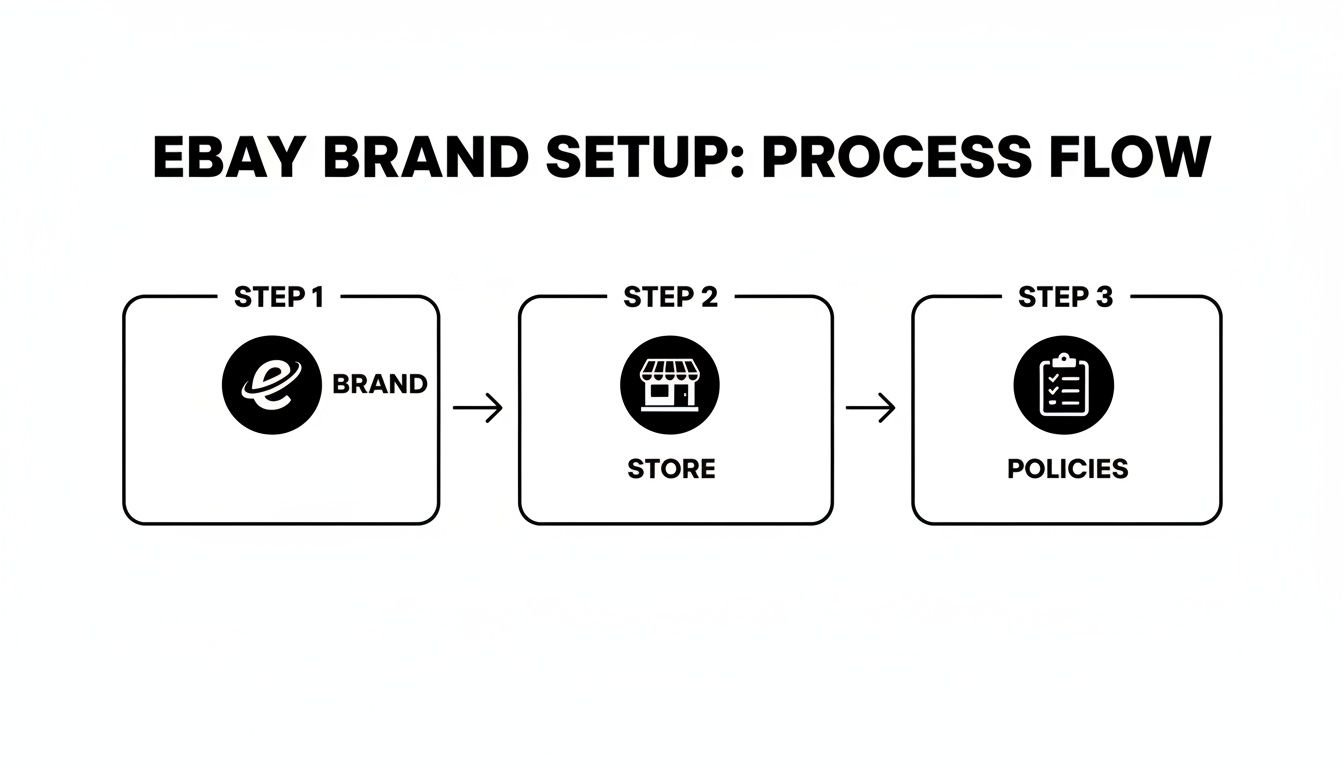
Moving from brand identity to clear policies builds the trust you need for these high-quality listings to truly shine.
Crafting Descriptions That Convert
You got the click! Now, your product description needs to seal the deal. This is your chance to answer every possible question and erase any doubt a buyer might have. A well-written description builds confidence and pushes them over the finish line.
Forget long walls of text. Nobody reads them. Use short sentences and bullet points to make the information scannable. Lead with the most exciting benefits, then follow up with the nitty-gritty features.
For example, don't just state a feature like, "This drone has a 4K camera." Frame it as a benefit:
Capture Breathtaking Aerial Shots: With its crystal-clear 4K camera, this drone lets you shoot professional-quality video and photos from incredible new perspectives.
The Power of High-Quality Photos and Videos
Let's be blunt: in e-commerce, your media is the product. Since buyers can't hold the item, your photos and videos have to do all the heavy lifting. Listings with sharp, professional images always outperform those with blurry, amateur shots. It's one of the biggest factors in building buyer trust.
For dropshippers sourcing from sites like AliExpress, this used to be a nightmare. Manually saving dozens of images for every single product was a mind-numbing task that killed momentum.
This is where a good tool changes everything. A browser extension like AliSave Pro lets you download every product photo, variant image, and even video from an AliExpress page with just one click. It's a massive time-saver, turning what used to be an hour-long chore into a two-minute task. That means you can create stunning, media-rich listings in a fraction of the time. For a deeper dive, check out our complete guide on https://alisavepro.com/ebay-listing-optimization/.
Here’s why great media isn't optional:
- It screams professionalism. Crisp photos tell buyers you're a serious seller.
- It answers questions visually. Shots from multiple angles and close-ups show quality, texture, and condition.
- It drives engagement. Videos are a game-changer for showing a product in action and can seriously boost your conversion rate.
Leveraging Item Specifics for Better Search Ranking
Item specifics are all those structured data fields—brand, size, color, material, etc. If you want to succeed on eBay, filling these out is non-negotiable. eBay’s search algorithm, Cassini, leans heavily on this data to connect your listing with the right buyer.
The more item specifics you complete, the more visible you become. When a shopper uses the filters on the search results page (like "Brand: Nike" or "Size: 10"), your product will only show up if you’ve filled out those fields.
Think of item specifics as free, high-value keywords that eBay's algorithm absolutely loves. Leaving them blank is like actively hiding your product from people who are ready to buy.
Of course, to keep your listings accurate, you need to know what you have in stock. This is where good inventory management comes in. Finding the right asset tracking software for small business can help you stay organized and prevent overselling. Being thorough here pays off big time with better visibility, more traffic, and ultimately, more sales.
Nailing Your Pricing, Promotions, and Shipping
Getting your first listings live is a fantastic milestone, but the real work of winning consistent sales happens now. Let's dive into the commercial side of your eBay shop: pricing, promotions, and shipping. These are the three pillars that will turn casual browsers into paying customers and, hopefully, repeat buyers.
Your pricing strategy isn't just about picking a number out of thin air. It’s about understanding where your product fits in a very crowded market. Before you price anything, do your homework. Search for items just like yours on eBay and—this is the crucial part—filter the results by "Sold Items." This shows you what people are actually paying, not just what other sellers are asking. That data gives you a real-world baseline to work from.
Choosing the Right Sales Format
eBay gives you a few different ways to sell, and each one has its own strategic perks. Picking the right one can make a huge difference.
- Fixed-Price (Buy It Now): This is the go-to for most sellers, especially if you have multiple units of the same item. It’s clean, simple, and exactly what buyers who want a quick purchase are looking for.
- Auction-Style: Got something rare, unique, or in high demand? Auctions can be your best friend. They create a buzz and a sense of urgency, and you might just end up with a final sale price that’s higher than you expected.
- Best Offer: Adding this to your fixed-price listings is one of the smartest things you can do. It opens the door to negotiation, making buyers feel like they snagged a deal while helping you move inventory that might otherwise sit.
Seriously, enabling Best Offer can be a game-changer. It gets more eyeballs on your listings and starts conversations with people who are on the fence about buying.
Driving More Sales with EBay Promotions
Okay, your prices are set. Now, how do you convince buyers to click "add to cart" in your shop? This is where eBay’s promotional tools come in handy. You can find them all in the Seller Hub, and they’re designed to boost your visibility without you having to manually discount every single item.
A simple sale event can work wonders. Try creating promotions like "Save 15% when you buy 2 or more" or "Free shipping on orders over $50." These kinds of order-level discounts are brilliant for bumping up your average order value. Shoppers are often happy to add one more thing to their cart if it means unlocking a deal.
Promoted Listings Standard is another tool you absolutely need to be using. It’s virtually risk-free—you only pay the ad fee if a buyer clicks your promoted listing and buys it within 30 days. This is how you get your products in front of more eyes and into those premium spots in the search results.
Getting Your Shipping Logistics Right
Let's be blunt: shipping can make or break a sale. Unexpectedly high shipping costs are one of the top reasons shoppers abandon their carts. Your goal is to offer fast, clear, and competitive shipping options without destroying your profit margin.
First, lock in your handling time—that's the time it takes you to get an order packed and in the mail after the customer pays. A one-day handling time is a massive trust signal for buyers and a key step toward earning a Top Rated Seller badge. Be honest with yourself about what you can manage, but the faster, the better.
Next, you'll need to set up your actual shipping rates. You've got a few choices:
- Flat Rate Shipping: One price for everyone, no matter where they live. It’s simple and predictable.
- Calculated Shipping: eBay does the math for you based on the buyer's location and your package details. This is often the fairest method for both you and the customer.
- Free Shipping: This is pure marketing gold. Of course, you have to bake the shipping cost into your item price, but that little "Free Shipping" tag is a powerful magnet for buyers.
If you’re thinking about selling internationally, check out eBay’s global shipping programs. They take care of the complicated customs and logistics stuff for you, opening up a whole world of new customers with very little extra hassle on your part. Get a good scale, weigh your packages accurately, and communicate clearly. A smooth shipping experience is the easiest way to earn that coveted positive feedback.
Answering Your Top Questions About Setting Up an eBay Shop
Getting your eBay Shop off the ground is exciting, but it's natural to have a few questions buzzing around your head. Once you've handled the basic account setup, you start thinking about the real-world stuff. Let's tackle some of the most common questions I hear from new sellers so you can set realistic expectations and start on the right foot.
What's the Real Cost to Start an eBay Shop?
The good news? You don't need a huge pile of cash to get started. The main fixed cost you'll have is your Shop subscription itself. For most people dipping their toes in, the Basic Shop is the way to go. It usually runs about $22 a month if you pay for the year upfront, and that fee is easily covered by the free listings you get.
Beyond that, your costs are mostly tied to your success. You'll only see insertion fees if you list more items than your monthly allowance, and of course, there's the final value fee—a small percentage of the final sale price—when something actually sells. For dropshippers, the lack of inventory costs is a massive advantage that keeps startup expenses incredibly low.
That said, you should budget for a few smart tools to make your life easier. While some apps have a price tag, many of the most powerful ones are actually free.
One of the most critical parts of building a professional-looking eBay Shop is having great product photos and videos. Tools designed to download this media directly from your supplier's page can save you a ridiculous amount of time, and many are free. This lets you build a top-tier store even on a tiny budget.
How Long Until I Make My First Sale?
Ah, the million-dollar question. The honest answer is: it depends. But, I've seen plenty of new sellers with well-made listings land their first sale within the first week or two. Sometimes, if everything clicks, it can even happen in a couple of days.
What makes the difference? A few key things directly impact how fast you'll hear that first "cha-ching" notification:
- Product Demand: Are you actually selling something people are looking for?
- Smart Pricing: Did you check what similar items have actually sold for to set a competitive price?
- Listing Quality: Is your title loaded with keywords? Are your photos crisp, clear, and compelling?
Using high-quality product photos and videos right from the start can seriously speed things up. Professional media builds trust the second a buyer lands on your page and helps you stand out from a sea of mediocre listings. For an extra kick, consider turning on eBay's Promoted Listings Standard. It's a low-risk way to get your products in front of way more eyeballs and accelerate that all-important first sale.
What Tools Does a New Dropshipper Actually Need?
For a new eBay dropshipper, your toolkit is all about efficiency. The goal is to automate the boring, repetitive stuff so you can focus on finding great products and making sales. There are a million apps out there, but you really only need a few essentials to build a solid foundation.
If you focus on these core tools, you'll be setting yourself up for a business that can actually grow:
- Product Research Tool: This is where it all begins. A good tool helps you spot profitable products with real demand, so you're not just guessing what to sell.
- Product Media Downloader: This is a total non-negotiable. Manually saving dozens of images for every product is a mind-numbing time-waster. A dedicated tool can grab every high-res photo and video for a listing in one click. We're talking hours saved every single week.
- Order Automation Software: Once you start getting sales, you'll want something that syncs your inventory and automatically pushes orders to your supplier. It's the key to preventing overselling and saving yourself from endless copy-pasting.
- Customer Service Platform: Answering buyer questions quickly is crucial for keeping your seller rating high. Even a simple helpdesk or messaging app can keep all your communications in one place.
When you prioritize great media and smart automation from day one, you build a strong business that lets you focus on growth instead of getting buried in daily chores.
Ready to create stunning, professional eBay listings in a fraction of the time? AliSave Pro is a free Chrome extension that lets you download all AliExpress product photos and videos in a single click. Join over 20,000 sellers who are saving hours and building better stores. Get AliSave Pro for free today!