
Posting on Pinterest is incredibly straightforward. From your profile, you just hit the 'Create' button, upload your image or video, write a solid title and description, and drop in the link to your product page. That's it. This simple process is the engine that turns visual discovery into actual sales for your e-commerce store.
Why Pinterest Is a Goldmine for E-commerce Sellers
It’s a huge mistake to lump Pinterest in with other social media apps. Think of it more like a visual search engine, where millions of people are actively planning what they’re going to buy next. Users come to Pinterest to find ideas and inspiration, and that discovery process is directly tied to purchasing things for their home, their closet, or their lifestyle. This high purchase intent is exactly what makes it such a powerful tool for online sellers.
Unlike a tweet or an Instagram story that vanishes in a day, a single, well-made Pin can bring you consistent, hands-off traffic for months—sometimes even years. Picture this: you post a Pin today for a trending "ergonomic office chair." Six months from now, someone planning their home office refresh will find that same Pin, click through, and buy it from your store. It's a long-term asset.
The Power of Visual Discovery
On Pinterest, looks are everything. I can't stress this enough: high-quality, compelling images and videos aren't just a good idea; they're the price of entry. People are scrolling through an endless feed of gorgeous content, and your product has to grab their attention in a split second. This is where having a deep well of media to pull from becomes absolutely critical.
For e-commerce sellers, especially if you're dropshipping, this creates a real challenge. How do you find enough top-notch photos and videos to keep creating fresh, interesting Pins day after day?
The trick is to think beyond a single product photo. By showing different angles, colors, and lifestyle shots, you give yourself multiple chances to catch someone's eye. Every unique image can become a brand-new Pin, letting you expand your reach without needing more products.
Nailing Down Your Content Workflow
To keep up, you need a smart system. Manually saving dozens of images for just one product is a massive time-sink and frankly, not a good use of your energy. This is where tools built specifically for sellers can be a lifesaver.
Take an extension like AliSave Pro, for instance. It was designed to solve this exact problem. With one click, it lets you download every single product photo, variant image, and even video from an AliExpress page. Suddenly, you have a whole library of assets ready to go for your Pinterest strategy.
This lets you do a few key things really well:
- Create Multiple Pins: You can easily turn one product listing into ten or more unique Pins by using all the different images and videos available.
- Showcase Variations: Got a product that comes in five colors? Great. Make a separate, targeted Pin for each one without any extra digging for photos.
- Maintain Quality: You’re downloading high-resolution media, which means your Pins will always look crisp, professional, and trustworthy.
By automating the media collection part of the job, you free yourself up to focus on what actually drives results: creating Pins that inspire people to act.
Your Guide to Creating Pins on Desktop and Mobile
Alright, let's get down to the nitty-gritty of actually posting on Pinterest. Whether you’re glued to your laptop or creating content on the fly with your phone, the process is pretty seamless.
To make this super practical, we'll walk through creating a Pin from scratch. Let's pretend we're a dropshipper selling a 'bohemian wall tapestry'—it's a perfect example of a visual product that thrives on Pinterest.
How to Post on Pinterest Using Your Desktop
I often prefer using the desktop site because the larger screen makes it easier to get all the little details just right. Once you're logged into your Pinterest account, find the 'Create' button, which usually hangs out in the top-left corner. Click it, and from the dropdown, choose 'Create Pin'.
This takes you to the Pin builder. Think of this as your command center.
Here, you'll drag and drop your image or video. For our tapestry, this is where you’d upload a gorgeous, high-quality lifestyle photo you sourced. After that, it's all about filling in the blanks: the title, description, alt text, and—most importantly—the destination link that sends people straight to the product page on your store.
Here's the basic workflow I follow:
- Upload Your Visual: Drag and drop your image or video. Remember, a vertical, 2:3 aspect ratio is your best friend on Pinterest.
- Choose Your Board: Pick the most relevant board from the dropdown. Something like "Boho Home Decor" or "Living Room Ideas" makes perfect sense.
- Craft Your Title: Write a compelling, keyword-rich title. Instead of just "Tapestry," go for something like "Handmade Bohemian Macrame Wall Tapestry."
- Write the Description: This is your chance to add more detail and keywords. Talk about the materials, the craftsmanship, or how it transforms a room.
- Add Your Link: Copy and paste the direct URL to your product page. This is the crucial step for turning a browser into a buyer.
- Publish: You can either hit publish right away or use the scheduling feature to post it at a time when your audience is most active.
How to Post on Pinterest from the Mobile App
Posting from your phone is just as simple and is a lifesaver for when you're not at your desk. The Pinterest app is built for speed and convenience.
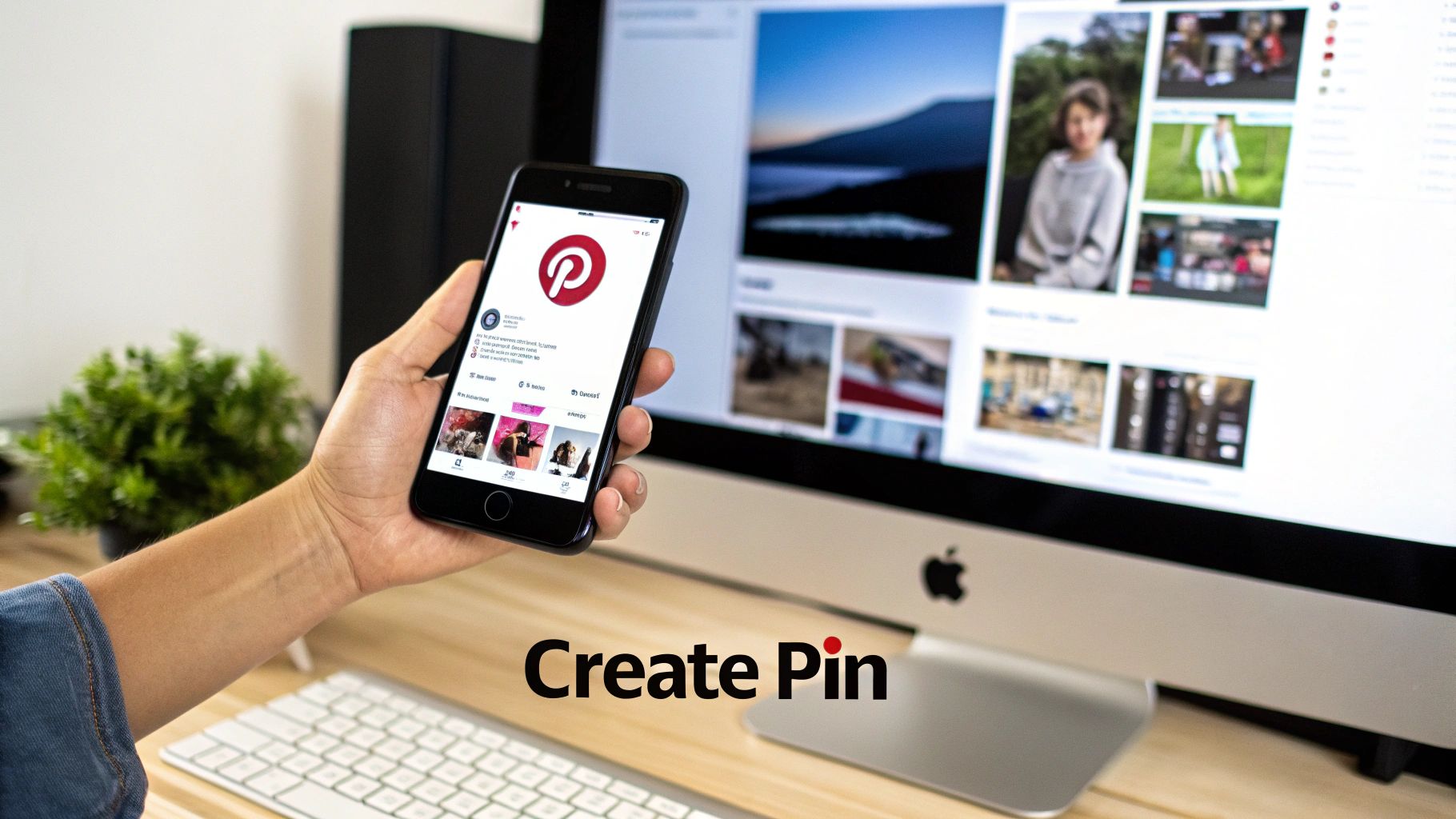
Just open the app and tap the big plus sign (+) at the bottom of the screen. A menu will pop up—select 'Pin'. From there, you can grab an image or video straight from your phone’s camera roll.
For our tapestry example, this would be a great time to use a short video you downloaded that shows off the texture and flow of the macrame. As you can see from the interface, all the key fields—Title, Description, and Link—are right there, making the whole process quick and intuitive.
Exploring Different Pin Formats
While a standard image Pin is your workhorse, don't sleep on the other formats. They can seriously boost your engagement.
- Video Pins: These are absolute gold for showing a product in action. Imagine a quick, looping video of our tapestry hanging in a beautifully decorated room, maybe with a little breeze making it move. That's way more captivating than a static photo.
- Idea Pins: These are multi-page Pins that feel like a mini-story or a quick tutorial. You could create an Idea Pin titled "3 Ways to Style a Wall Tapestry," showcasing the product in different rooms or with different color palettes.
Beyond standard pins, exploring different visual formats such as Pinterest Carousel Pins can significantly enhance your content strategy. This format allows you to show multiple images in a single Pin, perfect for highlighting different product colors or features.
By mixing up your formats, you give people more reasons to stop scrolling and engage with your content. Each Pin type is a new opportunity to tell your product's story and drive those valuable clicks. If you're looking for more advanced strategies, our guide on https://alisavepro.com/how-to-upload-pictures-on-pinterest/ has some great tips.
Nailing the Details: How to Optimize Every Part of Your Pinterest Pin
A great visual makes someone stop scrolling, but it's the details that turn that pause into a purchase. If you really want to master Pinterest for e-commerce, you have to optimize every single element—the title, the description, the link, and even the often-ignored alt text. This is how you transform a pretty picture into a real sales driver.
Think of each Pin as a miniature storefront. The image catches their eye, but the words you use are what convinces them to step inside. Every field you fill out gives Pinterest more context, helping its algorithm understand what your Pin is about and who needs to see it. Skipping these steps is like setting up a beautiful shop but forgetting to put a sign on the door.
Writing Titles and Descriptions That Actually Convert
Your Pin title is your first, best shot at grabbing someone's attention with words. It needs to be descriptive, but more importantly, it needs to be packed with the keywords your ideal customer is already searching for.
For instance, instead of a bland title like "Blue Dress," try something like, "Light Blue Floral Midi Dress for Summer Weddings." See the difference? One is just a label; the other is a complete solution to a problem.
The description is where you build on that initial promise.
- Weave in Keywords Naturally: This is your chance to include related search terms. Think like your customer: "wedding guest outfit," "flowy sundress," or "bohemian style dress" are all great additions.
- Highlight the Good Stuff: What makes your product special? Mention the soft, breathable fabric, the flattering A-line cut, or the fact that you offer free shipping. Give them a reason to want it now.
- Add a Clear Call to Action (CTA): A simple "Shop the look" or "Find your perfect summer dress on our site" can make a huge difference in click-through rates.
Don't forget, Pinterest isn't just a digital scrapbook; it's a massive purchase engine. A staggering 85% of its weekly active users have made a buy inspired by Pins. This stat proves that people are here with intent to shop. Unlike passive scrolling on other platforms, Pinterest users are actively planning and curating, saving 1.5 billion Pins weekly.
This is huge for dropshippers. When you use a tool like AliSave Pro to grab high-quality media from AliExpress, you're directly tapping into this powerful consumer behavior for your Shopify or eBay listings.
The Overlooked Power of Alt Text and Hashtags
Alt text is easily one of the most underutilized features on Pinterest, but it's a secret weapon for visibility. Its primary job is to describe the image for visually impaired users via screen readers, making your content accessible. But as a bonus, it gives the Pinterest algorithm another powerful signal about your content.
Pro Tip: Your alt text should be a literal, straightforward description of what’s in the image. For our dress example, something like "Woman wearing a light blue floral midi dress while standing in a sunny garden" is perfect. It’s descriptive, fantastic for accessibility, and reinforces your keywords for SEO.
Hashtags, on the other hand, help categorize your Pin and get it discovered in broader topic feeds. But this isn't Instagram. On Pinterest, less is more.
- Be Specific: Use a mix of broad and niche tags to cover your bases. For example: #summerdresses #weddinggueststyle #floraldress #mididress.
- Keep it Brief: Stick to just 2-5 highly relevant hashtags at the end of your description. Piling on dozens of tags looks spammy and can actually hurt your reach.
The All-Important Destination Link and Tracking
For an e-commerce Pin, the destination link is the whole point—it’s how you get paid. Always, always link directly to the specific product page. Making a potential customer click from your homepage to a category page and then to the product is a surefire way to kill a sale.
But how do you know what's actually working? That's where tracking comes in. By adding UTM parameters to your links, you can see exactly how much traffic and revenue your Pins are generating right inside Google Analytics. This data is gold. It tells you which products, images, and descriptions are resonating with your audience, so you can stop guessing and start doubling down on what truly drives sales.
And if you want to make sure your visuals are top-notch before you even upload them, check out our guide on how to optimize images for web performance.
A Smart Workflow for Sourcing and Posting Product Pins
Knowing the theory is one thing, but having a fast, repeatable system is what really drives results when you're a busy e-commerce seller. Let's walk through a practical workflow that takes you from a product idea to a perfectly optimized Pin in just a few minutes. The whole game is about blending speed with quality, so you can keep a consistent posting schedule without burning yourself out.
This is especially true for dropshippers who are constantly creating tons of unique content from supplier listings. Honestly, manually saving images one by one is a massive time-sink and a major bottleneck to growth.
Streamlining Your Media Collection
First things first: you need to gather your visual assets. Instead of right-clicking and saving dozens of individual photos and videos, you need a specialized tool. A Chrome extension like AliSave Pro is built for exactly this. You just go to an AliExpress product page, click once, and it downloads all the high-res photos, variant images, and even promo videos into a single, neat ZIP file.
Just like that, you have an entire library of content for one product. No more hunting for media. This one small tweak to your process can easily save you hours every single week.
At its core, every effective Pin is built on three key pillars, which form the foundation of our workflow.
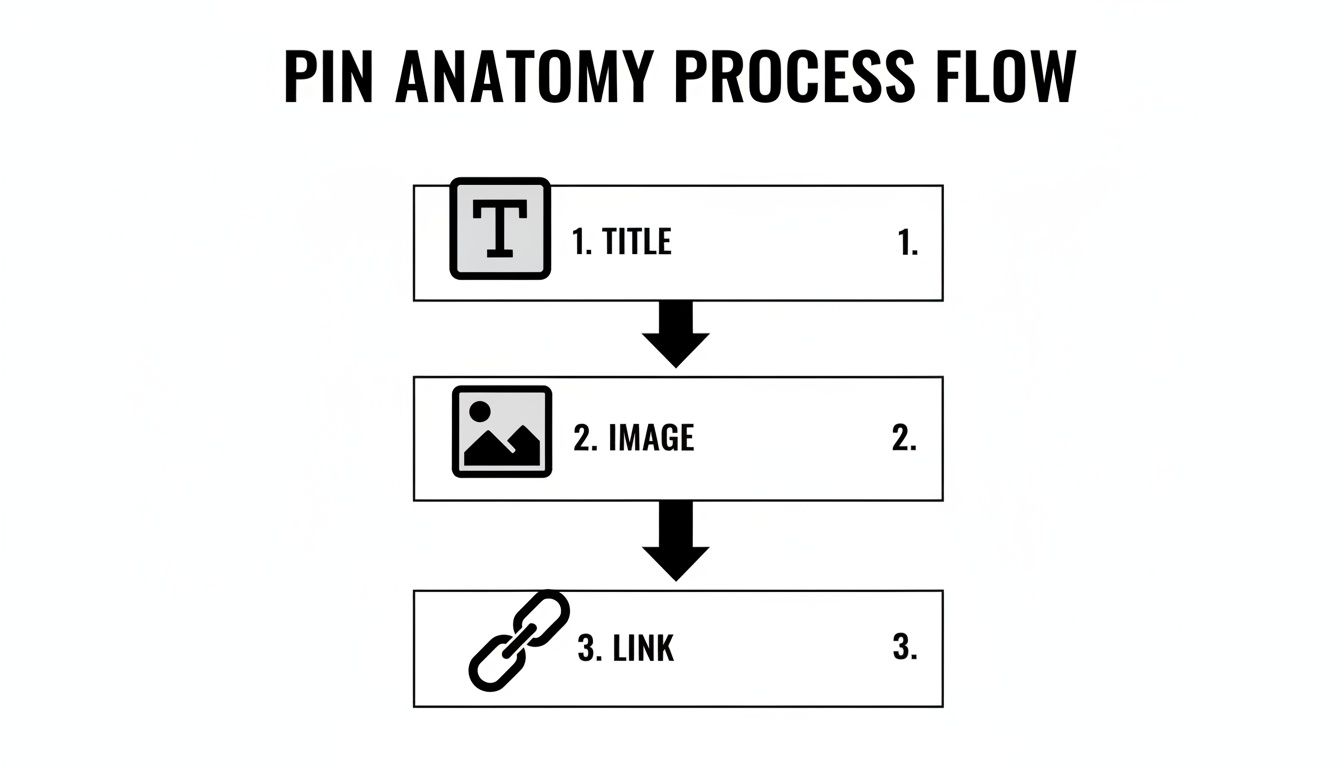
As you can see, a great Pin is more than just a pretty picture—it's a complete package with a catchy title, a great visual, and a clear call to action through its link.
From Media Folder to Published Pin
Okay, so you've got your media. Now it's time for the fun part: rapid-fire creation. With a folder full of high-quality assets, you can quickly test different Pin formats to see what your audience loves. The key is to make the most of all that variety you just downloaded.
- Your Classic Image Pin: Grab the best lifestyle photo from the bunch, upload it, and craft an optimized title and description. This is your bread and butter, the foundational Pin for any product.
- A Scroll-Stopping Video Pin: Use that short product video you just saved. Videos are fantastic for showing a product in action and explaining its features in a way a static image can't.
- The Interactive Carousel Pin: Does the product come in multiple colors or styles? Perfect. Use those variant images to build a carousel. This lets you show off the entire product line in one engaging Pin.
By getting all your media ready in one go, you turn content creation from a painful chore into a smooth assembly line. You can batch-create several unique Pins for a single product in the time it used to take to make just one.
This whole process is about working smarter, not harder. You move seamlessly from sourcing your media to hitting "publish," which makes it so much easier to post consistently. And as any Pinterest pro will tell you, consistency is everything for growing your presence and driving real sales from the platform.
Scheduling Pins and Analyzing Performance
Creating and optimizing your Pins one by one is a great first step, but if you want to see real, long-term growth on Pinterest, the name of the game is consistency. The algorithm loves active creators, and just showing up here and there isn't going to move the needle. This is where you need to start working smarter, not harder, to scale up your e-commerce strategy.
The real trick is to shift from posting manually every day to building out a planned content calendar. Scheduling not only frees up a huge amount of your time but also guarantees your Pins are published during those peak hours when your audience is scrolling and ready to engage.
Mastering Pinterest's Native Scheduler
You don't need a fancy, expensive tool right out of the gate. Pinterest has a simple, built-in scheduler that's incredibly handy. It lets you schedule a single Pin up to 30 days in advance, which is more than enough to plan your content for the coming weeks.
When you're creating a Pin, instead of mashing that "Publish" button, just look for the "Publish at a later date" option. You can pick the exact day and time for it to go live. It’s a deceptively simple feature that completely changes how you manage your presence, freeing you from being chained to your desk. To get even more organized, you could also look into a dedicated Pinterest social media scheduler.
Pro-Tip: Batch your content creation. Spend one afternoon designing all your Pins for the week, then schedule them all in one go. This creates a super-efficient workflow and frees you up to handle other crucial parts of your business, like product sourcing and customer support.
Think about this for a second: every single week, Pinterest users are saving over 1.5 billion Pins. It’s a goldmine, especially for dropshippers showcasing AliExpress products they've sourced with tools like AliSave Pro. This isn't just about posting; it’s about creating visuals that make people need to save them. For anyone running a Shopify or WooCommerce store, that massive number should tell you everything you need to know about the power of high-quality product images.
Diving Into Pinterest Analytics
Scheduling your content is only half the job. The other half is figuring out what's actually resonating with people. Pinterest Analytics is your command center for making data-driven decisions. It’s where you stop guessing and start knowing what your audience craves.
To get there, just click 'Analytics' in the top menu and select 'Overview'. Don't let the charts and numbers intimidate you. For an e-commerce seller, only a few key metrics really matter:
- Impressions: The total number of times your Pins were on screen. This tells you about your overall reach.
- Saves: How many times people saved your Pin to one of their boards. This is a massive signal that your content is hitting the mark.
- Outbound Clicks: For sales, this is your holy grail. It tracks how many people clicked through from your Pin to your website.
Check your analytics regularly to spot trends. Are your video Pins driving more traffic? Do Pins with a certain color palette get more saves? Use these little nuggets of information to double down on what works and create more content that drives real traffic and sales. If you're wondering when to post, our guide on the best times to post on Pinterest can help you dial in your timing. This is how you transform Pinterest from just another social platform into a dependable sales machine for your business.
Your Top Pinterest Posting Questions, Answered
If you’re just getting started on Pinterest, you’re not alone in feeling a bit stuck. Many sellers and creators hit the same roadblocks. Let's walk through the most common questions I hear and get you some clear, practical answers so you can keep your momentum going.
How Often Should I Be Pinning?
Forget the old advice about pinning dozens of times a day. Consistency truly matters more than sheer volume.
A solid goal to aim for is 3-5 new, unique Pins per day. This is a sweet spot that tells the Pinterest algorithm you're a consistent creator worth showing to more people, without leading to burnout.
And notice the keyword there: "new." Pinning the same exact image with the same link over and over again won't do you any favors. The trick is to create fresh graphics for the same product. Use different product photos, try a new text overlay, or feature a lifestyle shot instead of a plain white background.
This is where having a deep library of images and videos for your products is a lifesaver. For example, a tool like AliSave Pro can pull every photo and video from a single product page. Suddenly, you have a dozen unique assets to create Pins from, all without needing to do a new photoshoot.
Can I Just Repost My Instagram Content?
I see this all the time, and while it's tempting for efficiency's sake, it's a strategy that almost always falls flat. Think about why people use each platform. Pinterest is a visual search engine for planning future purchases and projects. Instagram is a social feed for what's happening right now.
Posting a square Instagram photo on Pinterest just doesn't work. It gets awkwardly cropped in the feed, and the caption you wrote for Instagram doesn't have the keyword-rich detail needed for Pinterest SEO.
The smarter move is to repurpose the core idea but create a totally new asset. Always design a dedicated vertical Pin—the 2:3 aspect ratio is your best friend—and write a detailed description packed with terms people are actually searching for.
Why Is No One Seeing My Pins?
Staring at zero views can be frustrating, but the reason usually comes down to one of a few things.
First, take a hard look at your visuals. Are your images high-quality, bright, and vertically formatted? Dark, blurry, or horizontal images get scrolled past in a heartbeat.
Next, check your keywords. Are you using the language your target customer uses? Think like them. What would they type into the search bar to find what you're offering?
And finally, remember that Pinterest is a marathon, not a sprint. A Pin can simmer for weeks or even months before it suddenly takes off. Patience and consistency are your biggest allies here.
Tired of scrambling for product photos and videos? Streamline your entire content process. You can download AliSave Pro for free from the Chrome Web Store and see for yourself how easy it is to grab all the media you need with a single click.
Head over to https://alisavepro.com to get started.