

Getting more views on eBay really boils down to how well you speak the language of its search engine, Cassini. It's all about crafting keyword-rich titles, diligently filling out item specifics, and writing clear descriptions. When you get this right, you're essentially telling eBay's algorithm exactly who to show your listing to, making it easy for them to connect you with the right shoppers.
1. Master eBay SEO to Climb the Search Rankings
Think of eBay not just as a marketplace, but as its own massive search engine. With over a billion listings, you can't just post an item and hope for the best—that’s a surefire way to get lost in the noise. The secret to standing out is understanding the basics of eBay SEO. This isn't about trying to trick the system; it's about giving eBay's algorithm the clean, structured information it needs to do its job.
When a buyer searches for something, Cassini sifts through millions of listings to find the best match. It zeroes in on your title, item specifics, and description. Nailing these three areas dramatically boosts your chances of landing on the first page, which is where almost all the action happens.
It All Starts with Keyword Research
Before you even think about writing your listing, you need to get inside your buyer's head. What words are they actually typing into that search bar? This is the bedrock of good eBay SEO. Don't guess.
A great starting point is to type a general term for your product into eBay's search and see what it suggests. Those auto-fill options come directly from real, popular searches. For a deeper dive into finding terms that actually lead to sales, this guide on ecommerce keyword research is an excellent resource. Your goal is to come away with a solid list of high-intent keywords to build your listing around.
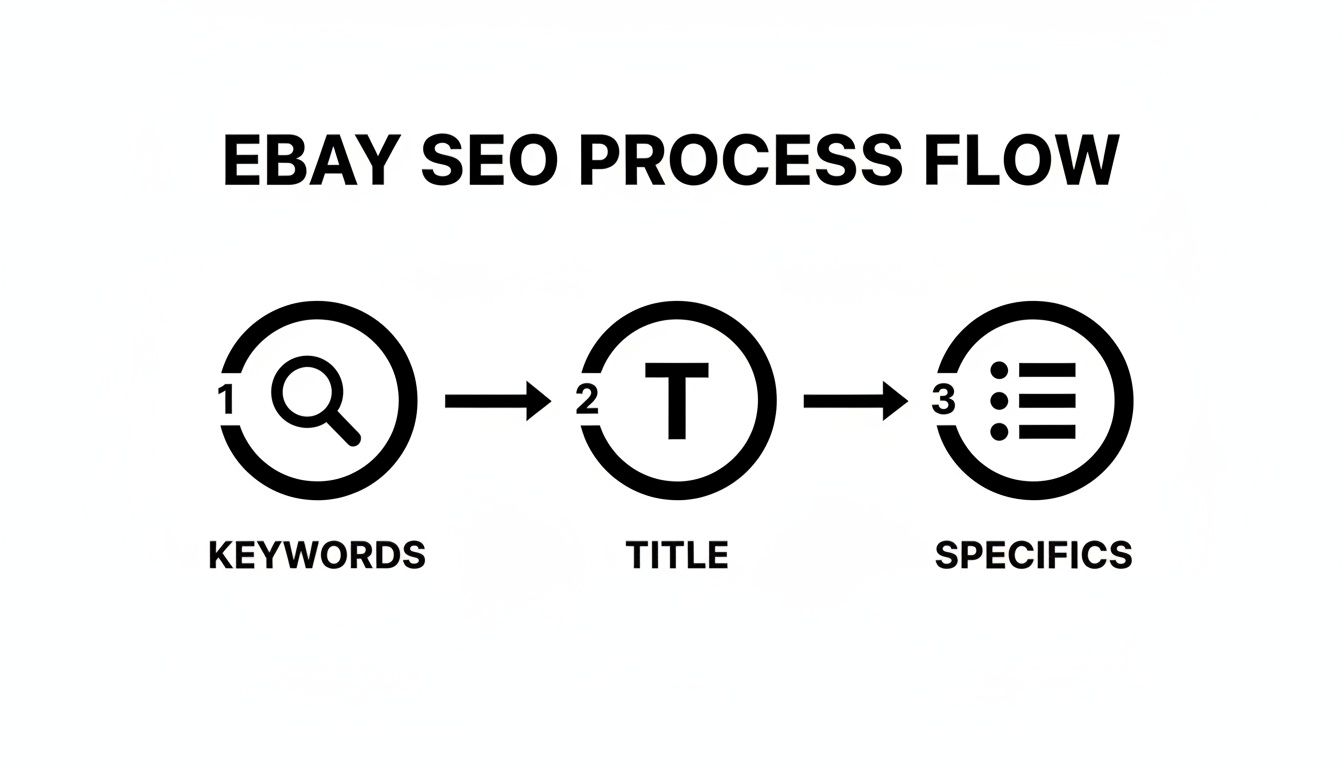
As you can see, the whole process flows from finding the right keywords. Those keywords then become the building blocks for both your title and your item specifics, which work together to get you seen.
Crafting a Killer 80-Character Title
Your title is the most valuable piece of real estate on your entire listing. You have 80 characters to convince both buyers and the search algorithm that your item is the perfect match. The trick is to load it with essential keywords without making it sound like a robot wrote it.
I've found this simple formula works wonders:
Brand + Model/Style + Key Feature 1 + Key Feature 2 + Size/Color
Let's see it in action. Say you're selling a used Apple Watch.
- Weak Title: Smart Watch For Sale (Too vague, misses everything a buyer needs to know.)
- Winning Title: Apple Watch Series 8 GPS 45mm Midnight Aluminum Case with Sport Band – M/L
The second title is a keyword powerhouse. It includes "Apple Watch Series 8," "GPS," "45mm," and "Midnight Aluminum"—all terms a serious buyer would search for. It answers their most pressing questions upfront, making them far more likely to click.
My biggest tip: Front-load your title with the most important keywords. eBay's algorithm pays more attention to the words at the beginning, and on a mobile phone, those first few words might be all a shopper sees while scrolling.
Don't Sleep on Item Specifics
If your title gets you found in a general search, your item specifics get you discovered by serious buyers using filters. You know that sidebar on the left of the search results? When a buyer clicks "Brand," "Color," or "Size," eBay only looks at your item specifics to decide if your listing should appear.
Leaving these fields blank is like hiding your product from your most motivated customers. It’s a huge mistake.
Go through and fill out every single relevant item specific eBay offers. The more data you provide, the more confident Cassini is in matching you to a buyer's filtered search. This is absolutely non-negotiable for getting more views. This kind of detail-oriented work is at the heart of any solid listing strategy. You can find more on this in our deep dive on eBay listing optimization.
To clarify how these two crucial elements work together, here's a quick breakdown:
eBay SEO Checklist Title vs Item Specifics
This table shows you the different jobs your title and item specifics do, and how to get the most out of each one.
| SEO Element | Primary Purpose | Optimization Tactic | Example |
|---|---|---|---|
| Title | Capture initial search queries and attract clicks. | Pack the first 40-60 characters with top keywords (Brand, Model, Type). | Sony WH-1000XM5 Wireless Noise Cancelling Headphones – Black |
| Item Specifics | Appear in filtered searches and provide detailed product data. | Fill out 100% of relevant fields, especially UPC, Brand, and Model. | Brand: Sony, Color: Black, Features: Noise Cancellation |
By optimizing both, you cover all your bases—attracting broad traffic with the title and converting detail-oriented shoppers with the specifics.
This focus on organic SEO is more critical than ever. After eBay's "any-click attribution" change jacked up the cost of promoted listings, some sellers who relied too heavily on ads saw their sales plummet by up to 24%. This was a wake-up call, forcing a return to basics. Now, out of 2.4 billion listings, we're seeing that stores with strong organic optimization are recovering impressions 2-3x faster than those that used ads to mask weak SEO.
5. Create Visually Irresistible Listings with High-Quality Media
Once you've nailed your titles and item specifics, the next battle is fought with visuals. In a sea of text-based listings, professional, high-quality media isn't just a nice-to-have; it's the single most powerful tool for stopping a buyer mid-scroll. Your images and videos are your digital handshake, your storefront, and your silent salesperson all rolled into one.
Think about how you shop online. What’s your first reaction when you land on a product page with blurry, dark, or generic stock photos? You probably question the item's quality and the seller's credibility before hitting the back button. Your buyers are doing the exact same thing. Crisp, clear, and detailed visuals build instant trust and can directly increase how much a buyer is willing to pay.
Your Photo Gallery Is Your First Impression
Your photo gallery is much more than just a collection of pictures—it's a visual story. eBay gives you up to 24 free photo slots for every listing, and you should use every single one. Each image needs to have a purpose, working together to answer any question a potential buyer might have before they even think to ask it.
You’re essentially trying to replicate the in-store experience. A buyer can't pick up your item, turn it over, or feel its texture. It's up to your photos to do all that heavy lifting for them.
This is absolutely critical if you're dropshipping. When multiple sellers are all offering the same product from a supplier like AliExpress, the one with the best photos almost always wins the click and the sale. You simply can't afford to use the same low-res, watermarked supplier images that everyone else is using.
Pro Tip: Treat every photo slot as a chance to build confidence. A full, detailed gallery signals professionalism and tells buyers you're proud of what you're selling. This small effort can be the deciding factor between a view and a sale.
Sourcing and Optimizing Media for Maximum Impact
For dropshippers, getting great media can feel like a huge chore. Manually saving images from AliExpress is slow, tedious, and you often end up with low-quality files. This is where a good tool becomes a necessity for creating listings that actually get views on eBay.
A tool like AliSave Pro was built to solve this exact problem. It lets you download all the product photos, variant images, and even videos from any AliExpress page with a single click, neatly packaging them into a ZIP file. This workflow is a complete game-changer, turning what could be an hour-long task into a matter of seconds.
Beyond just the main supplier photos, hunt for these assets to really make your listings stand out:
- Variant Images: Don't just list color options; show them. Have a high-quality picture dedicated to every single color, style, or size you offer.
- User-Submitted Photos: Photos from real customer reviews are marketing gold. They show the product being used in the real world and provide powerful social proof that builds a ton of trust.
- Instructional Media: Use images or short clips to demonstrate how to assemble or use the product. This clears up confusion before it even starts.
Once you have your images, you need to get them ready for your listing. While high-resolution is important, huge file sizes will slow down your page load time, which frustrates buyers. For a full rundown on balancing quality with performance, check out our guide on how to optimize images for the web.
Why Video Is Becoming Non-Negotiable
Video isn't a novelty anymore; it's an expectation. Adding a short product video to your listing is one of the smartest things you can do to boost engagement and, as a result, your search visibility. The eBay algorithm loves listings that keep users on the page longer, and nothing holds attention like a well-made video.
A simple 30-60 second clip can:
- Demonstrate the product in action, giving a dynamic view that static images can't.
- Showcase the product's scale and features in a much more tangible way.
- Answer common questions visually, cutting down on buyer hesitation and potential returns.
The numbers don't lie. In the crowded eBay marketplace, which hosts over 2.3 billion live listings, standing out is a fierce battle. Mobile users, who drive 52% of site visits, spend just 6.8 minutes per session on average, scanning 9-11 listings in that time. Your product has literal seconds to make an impression. Listings with 12+ clear photos and a video see significantly higher engagement because they meet the modern buyer's expectation for rich, detailed media, mimicking the image-heavy standards set by other major platforms.
Smart Pricing and Shipping: The Final Conversion Triggers
So, you've nailed your title, item specifics, and photos. Fantastic. But now comes the moment of truth for a potential buyer: the price and shipping cost. These two numbers are what stand between a "view" and a "sale." Getting them right is non-negotiable, and it's not just about making a profit—it's about influencing how eBay's algorithm sees your listing in the first place.
Think of it this way: eBay wants to show its users deals they'll actually buy. A competitively priced item with attractive shipping is exactly that.
Your price tag tells a story. Price it too high, and you'll scare off anyone looking for a good deal. Go too low, and people might wonder what's wrong with it. Your job is to find that sweet spot where you look like a great value without sacrificing your profit margin. This is especially true if you're dropshipping, where every penny counts.
Find Your Competitive Pricing Edge
Pricing shouldn't be a guessing game. The biggest mistake I see sellers make is pricing based on what they paid for an item, with no regard for what the market is actually paying. You have to do your homework.
The absolute best way to do this is to check what similar items have actually sold for on eBay—not just what people are asking. Sold listings are your crystal ball; they show you precisely what real buyers were willing to pay. To see how to do this step-by-step, check out our guide on how to find sold listings on eBay. This simple research tactic takes the emotion out of pricing and replaces it with cold, hard data.
Once you know the going rate, you can fine-tune your price based on a few other things:
- Your Seller Reputation: A Top-Rated Seller with a stellar feedback score can often ask for a bit more than a brand-new account. Trust is a valuable asset.
- Listing Quality: If your photos are professional, your description is flawless, and your item specifics are maxed out, you've earned the right to price at the higher end of the spectrum.
- The Shipping Offer: A $25 item with free shipping often looks way more appealing than a $20 item with $5 shipping, even though they cost the same. It's all about perception.
The Undeniable Power of Free Shipping
Let's be blunt: free shipping is one of the most powerful conversion tools on eBay. It's not a perk anymore; for millions of buyers, it's a baseline expectation.
So many shoppers immediately filter their search results to only show items with free shipping. If you're charging for it, your listing is completely invisible to that massive group of buyers. They won't even get a chance to see your great photos or keyword-rich title.
You're not just losing a sale by charging for shipping; you're losing the view itself. Your listing effectively doesn't exist for a huge chunk of your potential audience.
Of course, shipping isn't really "free." You have to build that cost into your item's price. But the psychological effect is huge. Buyers love a simple, all-in-one price. It removes the nasty surprise of getting to checkout and seeing an extra fee. It’s a proven strategy to get more clicks and, ultimately, more sales.
When Other Shipping Methods Make Sense
Okay, so free shipping isn't a silver bullet for everything. It's just not practical for heavy, bulky, or fragile items where the cost can swing wildly depending on the buyer's location. In those cases, you have other smart options.
Here’s a quick look at the main alternatives:
- Flat Rate Shipping: You set one price for shipping, no matter where the buyer lives. This works perfectly for things with predictable shipping costs, like a video game or a t-shirt. Simple for you, simple for the buyer.
- Calculated Shipping: This is the fairest method for both parties when dealing with heavier items. You enter the package's weight and dimensions, and eBay calculates the exact shipping cost based on the buyer's zip code. No more guessing and potentially losing money on a cross-country shipment.
Choosing the right shipping strategy is a critical piece of the puzzle. It makes your listing more attractive, protects your margins, and is a foundational step in figuring out how to get more views on eBay.
Using Promotions to Amplify Your Reach
Alright, you've done the hard work. Your listing is optimized, your photos are sharp, and your title is packed with the right keywords. Now what? You could wait for organic traffic to trickle in, but if you want to get eyeballs on your products right now, it's time to put eBay's promotional tools to work.
Think of these tools as a way to jump the line. They're designed to give your listings an immediate boost, placing them right in front of shoppers who are ready to buy. And no, they aren't just for mega-sellers with deep pockets. Even a small, strategic promotional push can make a huge difference in your views and, ultimately, your sales.
Getting Started with Promoted Listings Standard
The easiest place to dip your toe into eBay advertising is with Promoted Listings Standard. I love this tool because the model is simple and low-risk: you only pay when it works. You're only charged a fee if someone clicks your promoted ad and buys your item within 30 days. No sale, no fee. It's that simple.
When you promote a listing, eBay showcases it in some prime real estate—like the top of search results or even on a competitor's product page. You control the cost by setting an "ad rate," which is just a percentage of the item's final selling price.
Now, eBay will suggest a "trending rate" to you, and it can be tempting to just accept it. Don't. That trending rate is based on what other sellers are doing, and it has no idea what your profit margin is. Before you do anything, figure out your break-even point. Then, you can set a rate that's competitive but still leaves you with a healthy profit.
My Advice: Start low. Try an ad rate just 1-2% over the minimum eBay allows. Let it run for a week and watch your numbers. Are you getting more impressions and sales? If not, nudge the rate up a tiny bit. Keep tweaking it until you find that perfect balance between getting seen and staying profitable.
Encouraging Bigger Carts with Discounts and Offers
Paid ads are great, but they're not the only game in town. Some of the most powerful promotional tools are designed to do one thing: get people to buy more stuff in a single transaction. Creating special offers can build a sense of value and urgency, turning a casual browser into a customer who fills their cart.
You can find all of these options under the "Marketing" tab in your Seller Hub. They're fantastic for bumping up your average order value.
Here are the ones I use most often:
- Order Discounts: This is your classic "buy more, save more" deal. You can set up rules like "Save 20% when you buy 3 or more" or "Buy one, get one 50% off." This works incredibly well for things people tend to buy in multiples, like crafting supplies, phone cases, or t-shirts.
- Volume Pricing: This one is super straightforward. It lets you set tiered pricing right on the listing (e.g., 1 for $10, 2 for $18, 4 for $32). It spells out the savings for the buyer, making it an easy decision to add an extra one or two to their cart.
- Sale Events + Markdowns: Who doesn't love a good sale? Using the Markdown Manager, you can knock a percentage or a flat dollar amount off your items. This slaps an eye-catching "SALE" tag on your listings and often gives them a little bump in search results, as eBay's algorithm tends to favor items on promotion.
The real beauty of these strategies is that they have a ripple effect. A shopper might click on one of your sale items, but then they'll start browsing the rest of your store to see what else they can get a deal on. Suddenly, one promotion is driving views across your entire inventory.
Analyzing Your Performance to Drive More Traffic
Getting your listings dialed in isn't a "set it and forget it" task. If you really want to figure out how to get more views on eBay, you have to treat it as a constant process of tweaking, testing, and learning from the results. The good news is that all the data you need is already waiting for you inside your Seller Hub.
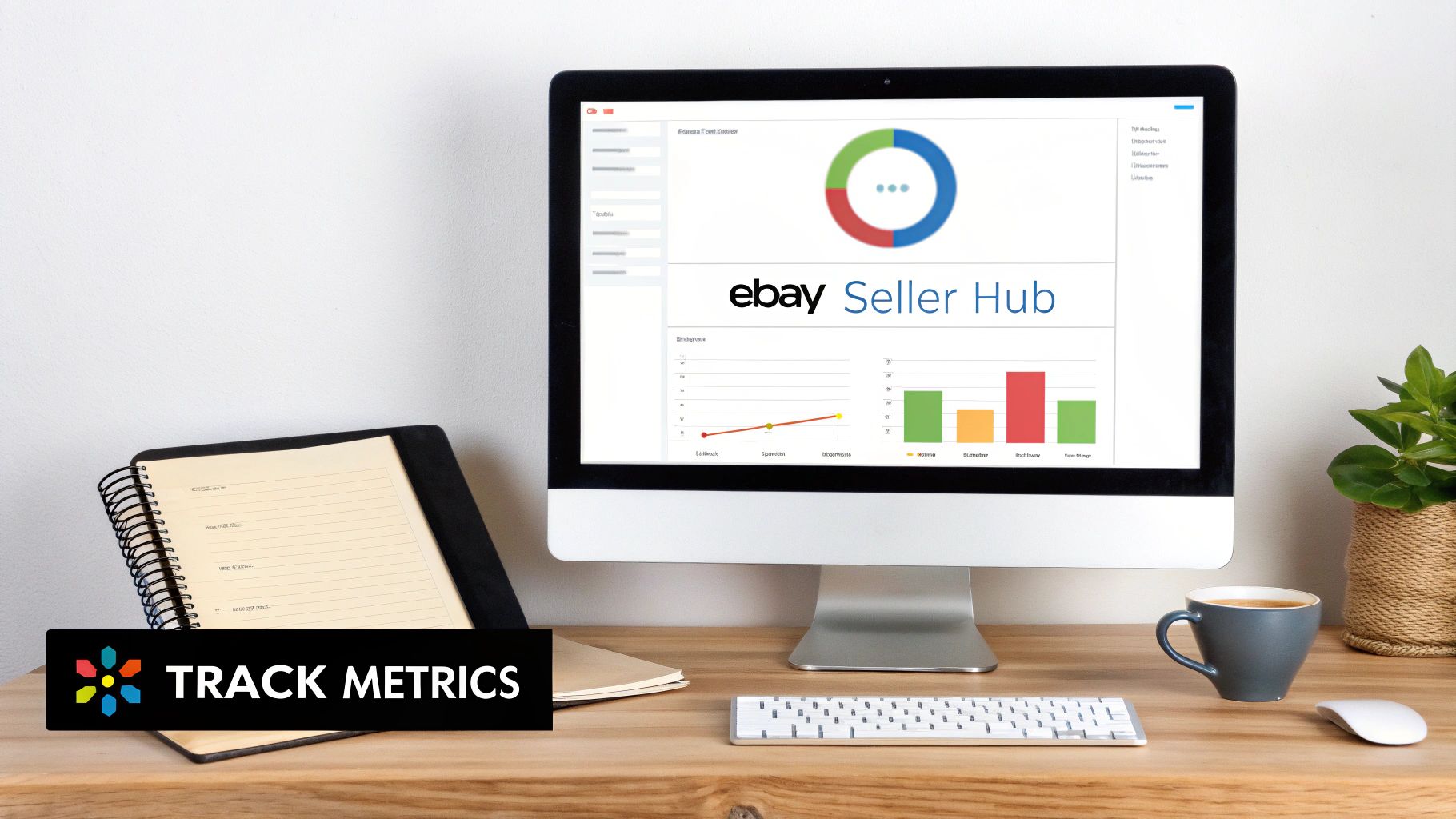
Making changes without measuring the impact is like flying blind. Think of the Performance tab in your Seller Hub as your cockpit—it’s where you can stop guessing and start making strategic, data-backed decisions. This is how you find out what's really working.
Decoding Your Key Performance Metrics
Jumping into your analytics for the first time can feel like a lot. Don't try to track every single number. Instead, just focus on the three core metrics that tell you the most important story about your listing's health.
These three numbers show you the entire customer journey, from when a shopper first sees your item to the moment they decide to buy:
- Impressions: This is simply how many times your listing showed up in someone's search results. If you have high impressions, it means your keywords and category choices are on point.
- Click-Through Rate (CTR): This is the percentage of people who saw your listing (an impression) and actually clicked on it. A good CTR tells you that your main photo, title, and price are doing their job and grabbing attention.
- Sales Conversion Rate: This is the big one—the percentage of views that turned into a sale. A high conversion rate means the entire listing is compelling enough to close the deal, from your description and photos to your shipping costs and seller reputation.
By keeping an eye on these three metrics, you can diagnose problems with incredible accuracy. Low impressions? It's an SEO issue. Low CTR? Your "curb appeal" is weak. Low conversion rate? Something inside the listing is turning buyers off.
Running Simple Tests for Big Wins
Once you know your baseline numbers, you can start experimenting. The key is to run simple A/B tests: change just one thing at a time, then watch your metrics for a week or two to see what happens. This is the absolute fastest way to learn what your specific audience responds to.
Let's say your impressions are in the basement. This almost always points to your title keywords.
- Test Idea: Find a secondary keyword in your title and swap it for a different one you found during your research. Give it a week. Did impressions climb? You just found a more valuable search term.
If your CTR is the problem, the culprit is usually your main photo or title.
- Test Idea: Change your main picture to one with a cleaner background or a more dynamic angle. A great photo can seriously boost clicks, even if you don't touch the price.
And if your conversion rate is lagging, the issue is somewhere within the listing details.
- Test Idea: Try knocking a dollar or two off the price. Or, if you're charging for shipping, try baking that cost into the item price and offering "free" shipping instead. Sometimes a small tweak is all it takes to convince a hesitant buyer.
Driving External Traffic to Your Listings
While getting found in eBay's search results is your top priority, don't forget there's a whole internet out there. Driving traffic from outside the platform not only brings in new eyeballs but also sends a strong positive signal to eBay's Cassini algorithm that your item is popular.
This doesn't have to be some complex marketing campaign.
For example, if you sell anything visually appealing—like vintage clothing, home decor, or handmade jewelry—Pinterest can be a goldmine. Create a beautiful Pin using one of your best product photos and link it directly back to your eBay listing.
You can also tap into niche online communities. If you sell specialized tools, for instance, sharing a link in a relevant hobbyist forum could bring in highly motivated buyers. Just make sure you read and respect the community's rules on self-promotion so you don't come off as spammy.
Your Top eBay Views Questions, Answered
Getting the hang of eBay's algorithm can feel like a bit of a guessing game. Let's clear up some of the most common questions sellers have when they're trying to figure out how to get more eyes on their listings.
How Long Does It Take to See More Views After I Tweak My Listing?
You'll want to have a little patience here, but the good news is you won't be left in the dark for long. After you make changes to your listing, you might see small bumps in views within 24-48 hours. This happens as eBay's search engine, Cassini, gets around to re-indexing your updates.
For the real, meaningful growth, though, think in terms of weeks, not days. Give it about 1-4 weeks to see a stable increase. Building solid SEO is a long game. Sticking with it and consistently improving your titles, photos, and item specifics is what gets you lasting results.
For More Views, Should I Use an Auction or Buy It Now?
For almost everything you sell—and especially if you're dropshipping products from a platform like AliExpress—go with "Buy It Now." It's the hands-down winner for getting consistent, long-term views.
Here’s the simple breakdown:
- They Stick Around: "Buy It Now" listings can stay live for a long time, giving them a chance to build up sales history and search authority.
- They're Stable: You get a steady, predictable spot in the search results without the rollercoaster of an auction.
- Shoppers Like It: Most buyers just want to click and buy. They prefer the certainty of a fixed price over waiting out an auction.
Auctions can create a nice little burst of excitement for rare or one-of-a-kind items, but they’re over so quickly that they just can't build up any real ranking power.
The Bottom Line: If you want sustainable traffic, 'Buy It Now' is the way to go. The longer your listing is live and optimized, the more Cassini will trust it, and the more consistent your views will become.
Does Having an Older eBay Account Actually Help Get More Views?
It sure does. An established eBay account that's been around for a while and has a solid track record of positive feedback and sales definitely has a leg up. The algorithm already trusts you, which can give your new listings a bit of an initial boost right out of the gate.
But don't worry if you're just starting out. You can build that same level of trust pretty quickly by just doing things the right way. Focus on following all the best practices, shipping your orders on time, and earning that great feedback.
Is It Better to Relist an Item or Use the "Sell Similar" Option?
This is a big one, and a tactic that a surprising number of sellers miss. Always, always use the "Sell Similar" feature when an old listing has gone stale.
When you use "Sell Similar," eBay creates a completely fresh listing with a new item ID. This triggers a "newly listed" boost in the search results that you simply don't get from a standard relist. Just make sure you use it as a chance to make improvements—tweak the title, swap in a better main photo, or adjust the price before you send it live.
Ready to create visually stunning listings that stop buyers in their tracks? AliSave Pro lets you download all the high-resolution images, videos, and review photos from any AliExpress page in a single click. Elevate your media game and start getting the views your products deserve. Download the free Chrome extension and see the difference.