
The best reseller apps aren't just one single piece of software. Instead, think of them as a hand-picked toolkit, with each tool designed to automate a specific, crucial part of your e-commerce business. The best ones usually tackle product sourcing, listing creation, and media management, though your perfect setup will depend on whether you’re a marketplace seller or a dropshipper.
What Are Reseller Apps and Why They Matter
Picture your reselling business as a high-performance race car. You're the driver, calling the shots and steering the strategy, but you can't win the race on your own. Reseller apps are your expert pit crew, working tirelessly behind the scenes to refuel, change tires, and tune the engine for peak performance.
They are essentially digital assistants built to handle the repetitive, time-sucking tasks that slow you down. Without them, you're stuck doing everything by hand—a surefire way to get lapped by the competition. These tools are designed to break through the most common bottlenecks sellers face, turning manual drudgery into smooth, automated workflows.
Automating the Grind to Fuel Your Growth
When you offload the repetitive work to your app stack, you free up your time to focus on the things that actually move the needle, like killer marketing campaigns and top-notch customer service.
Here's a quick look at what they can take off your plate:
- Product Sourcing: Discovering hot products before everyone else does.
- Listing Creation: Getting product details, descriptions, and specs onto multiple platforms without mind-numbing copy-pasting.
- Inventory Syncing: Keeping your stock levels accurate across all channels automatically, so you never have to deal with an angry "out of stock" customer again.
- Media Management: Downloading high-quality product images and videos in just a few clicks.
This kind of automation isn't just a "nice-to-have" anymore; it's essential for anyone serious about competing. The explosive growth of the global dropshipping market, which leans heavily on these tools, proves just how critical they've become.
The market hit a staggering $301.11 billion in 2024 and is on track to balloon to $476.1 billion by 2026. That kind of growth is only possible because of the efficiency and automation modern e-commerce tools provide.
This massive surge is powered by sellers who use the best reseller apps to build and run their businesses at scale. The right software doesn't just save you a few hours here and there—it gives you a real competitive edge. You can list faster, price smarter, and market better than anyone still stuck doing things the old-fashioned way. For more eye-opening e-commerce trends, check out the stats on Bloggingwizard.com.
The 6 Key Categories of Reseller Apps
Trying to find the right reseller app can feel like wandering through a massive, disorganized workshop. There are tools for everything. But once you understand the landscape, you'll see that most of them fit neatly into six core categories, each built to solve a specific problem in your business.
Knowing these categories is the first step to building a smarter, more profitable reselling operation. It's about picking the right tool for the right job.
This map gives you a bird's-eye view of how these apps plug into your day-to-day workflow—from finding products to automating the busywork and managing your store.
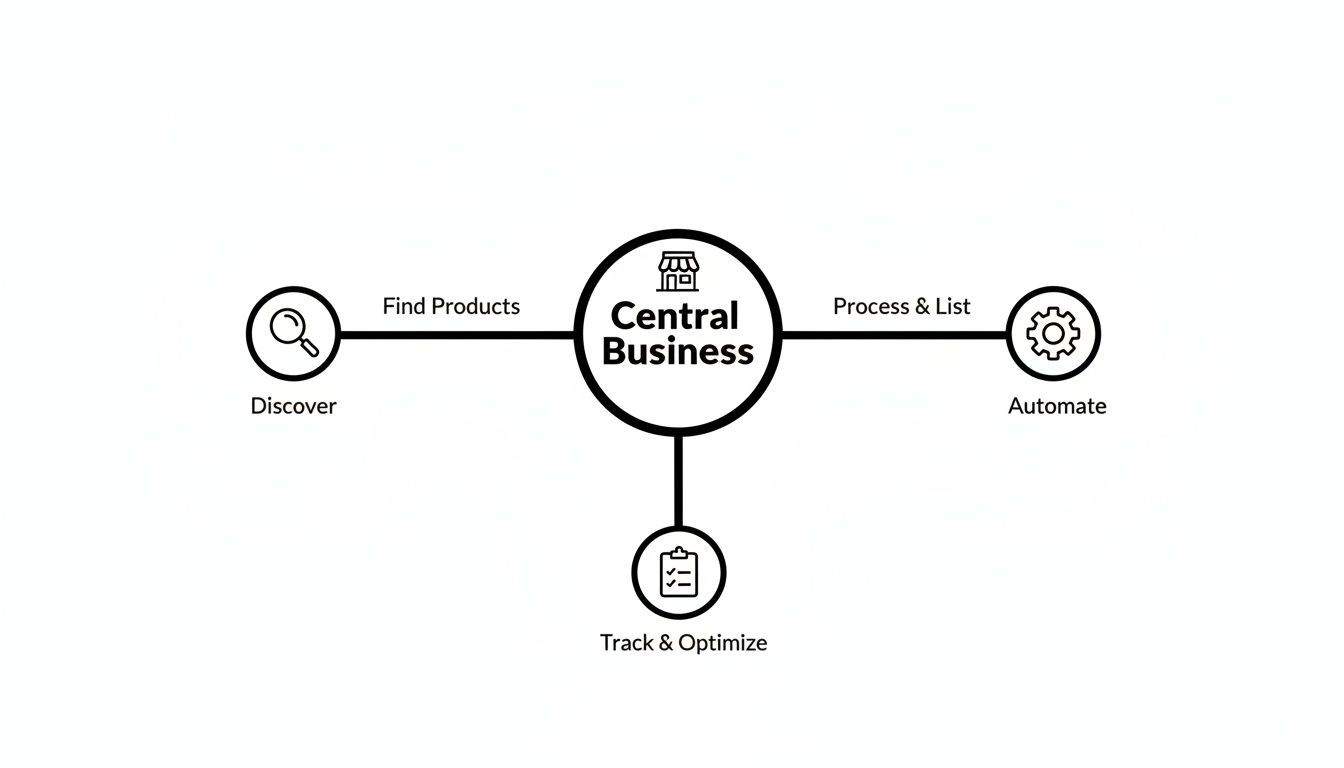
As you can see, the most successful sellers don't rely on just one tool. They create a "stack" of apps that work together across the entire lifecycle of a product. Let’s break down what each category does.
Sourcing And Research Apps
You can't sell what you can't find. Sourcing and research apps are your digital treasure maps, pointing you toward high-demand products before everyone else piles on.
These tools dig into market data, spy on competitor sales, and spot profitable niches. They essentially replace guesswork with data, giving you the confidence to invest in inventory that you know will actually sell.
Listing And Cross-Posting Tools
Once you've got your product, you need to get it in front of buyers. Manually creating listings for eBay, then Poshmark, then Facebook Marketplace is a massive time-suck.
Listing and cross-posting tools solve this. You create one master listing and then blast it out to multiple platforms with just a few clicks. This is one of the most important categories of reseller apps because it helps you continually optimize Amazon product listings and stay consistent everywhere you sell.
Inventory Management Systems
Selling out is a good problem to have. Overselling what you don't have is a complete nightmare that leads to canceled orders and angry customers.
Inventory management apps act as your central command center, syncing your stock levels across every channel automatically. When an item sells on one marketplace, the app instantly updates your inventory everywhere else. This is the key to preventing stockouts and ditching manual spreadsheets for good. For a closer look at how this works, check out our guide on https://alisavepro.com/dropshipping-automation-tools/.
To give you a quick overview, here's a table summarizing how each app category fits into a reseller's workflow.
Key Reseller App Categories and Their Core Functions
| App Category | Primary Function | Solves This Problem |
|---|---|---|
| Sourcing & Research | Identifies profitable products and analyzes market demand. | "What products should I sell?" |
| Listing & Cross-Posting | Publishes product listings to multiple marketplaces at once. | "Manually listing products everywhere takes too much time." |
| Inventory Management | Syncs stock levels automatically across all sales channels. | "I keep overselling items and disappointing customers." |
| Dynamic Pricing | Adjusts prices based on competitor actions and market changes. | "My prices are either too high to compete or too low to profit." |
| Media Downloaders | Grabs all product images and videos from a supplier page. | "Saving every product photo and video one-by-one is tedious." |
| Marketing Automation | Schedules social media posts and sends automated emails. | "How do I promote my products without spending all day on it?" |
Each category tackles a specific bottleneck, helping you build a more efficient and scalable business.
Here's a little perspective: stores that adopt reseller apps see an average revenue bump of 32%. Some automation-heavy sellers fulfill nearly 1,000 orders every month without lifting a finger. Think about the scale—in just one year, Shopify sellers dropshipped 532,185 clothing items. That kind of volume is only possible with the right tools.
Dynamic Pricing And Repricing Apps
The e-commerce world moves fast. A price that was competitive yesterday might be leaving money on the table today. Dynamic pricing apps are your 24/7 market analyst, automatically adjusting your prices based on competitor moves and rules you set.
This keeps you in the sweet spot—priced to win the sale but never so low that you kill your profit margins.
Media Downloaders
Great photos and videos sell products. Period. But manually saving every single image from a supplier's page is mind-numbing.
Media downloaders like AliSave Pro solve this workflow killer. With one click, you can grab all the product media you need—main images, variant photos, customer review pictures, and promo videos—and get them in a neatly organized folder, ready for your listings.
Marketing Automation Platforms
Last but not least, marketing apps help you find new customers and keep the old ones coming back. These platforms can put critical tasks on autopilot, like:
- Email Campaigns: Sending welcome messages, abandoned cart reminders, and special offers.
- Social Media Posting: Scheduling your content weeks in advance to drive consistent traffic.
- Ad Creation: Using the high-quality media you downloaded to build ads that actually convert.
How to Choose the Right Reseller Apps for Your Business
With so many apps out there, picking the right ones can feel like a shot in the dark. But the best tools aren't always the ones with the flashiest features. They're the ones that are secure, dependable, and actually fit the way you work. If you focus on a few core principles, you can build a set of tools that truly supports your business instead of fighting it.
Think of it like hiring staff. You wouldn't bring someone onto your team without checking their references to make sure they're trustworthy and efficient, right? The same exact logic applies to the apps you plug into your store. A bad app isn't just a waste of money—it can be a serious security risk.
Speed and Reliability
Your business is always on, 24/7, and your apps need to be able to keep up. A tool that constantly crashes, lags, or goes down for "maintenance" creates bottlenecks that cost you real time and money. Always look for apps with a solid track record for uptime and performance.
Dig into user reviews and look for complaints about bugs or slow processing. If an app is supposed to automate a task in seconds but takes minutes just to load, it’s completely missing the point. Speed is a feature, not just a nice-to-have.
Privacy and Security
When you integrate a third-party app, you're often giving it access to sensitive information about your store and your customers. That's a huge responsibility. Before you even think about installing a new tool, you have to vet its security standards and privacy practices.
Make it a rule to only download apps from official marketplaces, like the Google Chrome Web Store or the Shopify App Store. These platforms have review processes designed to weed out malicious software. And take a minute to actually read the app's privacy policy. If it’s vague about what data it collects or how it uses it, that's a massive red flag.
Trust is the currency of e-commerce. Never compromise your business's or your customers' security for a convenient feature. A data breach can destroy the reputation you've worked so hard to build.
Cost vs. Return on Investment
Free tools are tempting, but you often get what you pay for. Instead of getting stuck on the price tag, think about the return on investment (ROI). Ask yourself: how much time will this app realistically save me every week? If a $10 per month subscription saves you five hours of tedious manual work, that’s an incredible win.
To figure out if an app makes financial sense, run through a quick mental checklist:
- Time Saved: How many hours of manual work does this tool actually eliminate?
- Increased Revenue: Will it help me list more products or price my items more competitively?
- Error Reduction: Does it prevent costly mistakes, like selling out-of-stock items?
This simple framework helps you see apps as investments, not just expenses. As you think about your toolset, you might find our guide on the best Shopify app for dropshipping helpful for making smart decisions.
Ease of Use and Integrations
At the end of the day, the best reseller apps are the ones you'll actually use. A confusing interface or a steep learning curve often means the tool will just sit there, unused. Look for apps with an intuitive design, clear instructions, and responsive customer support.
On top of that, make sure the app plays nicely with the platforms you already use, whether that’s Shopify, eBay, or WooCommerce. A tool that doesn’t integrate smoothly creates more problems than it solves, leaving you with a clunky, disconnected workflow. Your apps should work together like a well-oiled machine.
Building Your Perfect Reseller Workflow
Think of individual reseller apps as specialists on a team. One's an expert at finding killer products, another is a pro at grabbing all the best media. They're useful on their own, but the real magic happens when you get them working together in a seamless workflow.
This is how you build an automated system that saves you a ton of time, cuts out silly mistakes, and ultimately, helps you scale your profits.
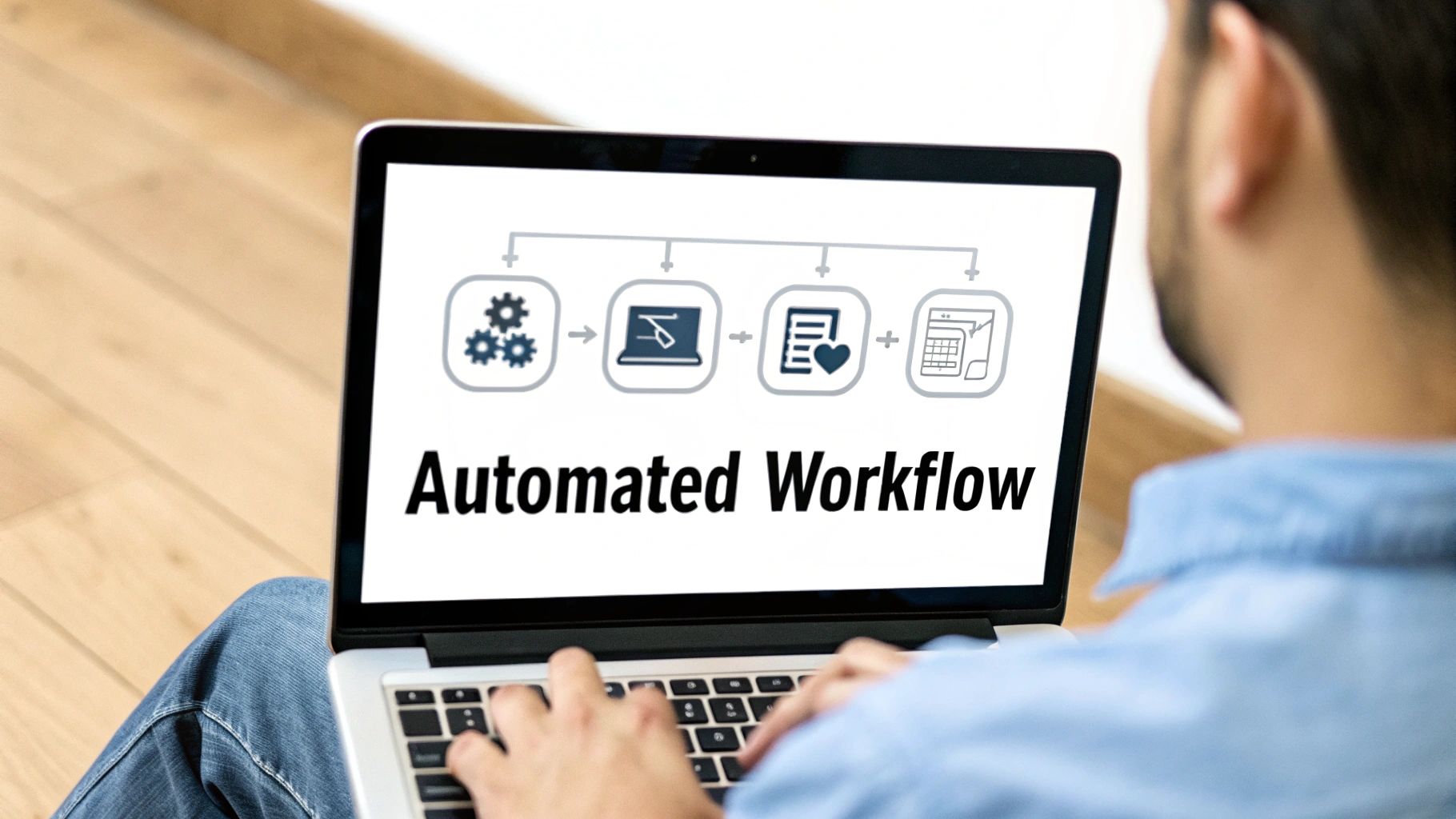
When you design a workflow that fits your business, data and media just flow from one step to the next. What used to be a bunch of manual, repetitive tasks becomes a smooth, profit-generating machine. Let’s look at how this plays out for two common types of sellers.
The AliExpress Dropshipper Workflow
If you're a dropshipper, you know that speed is the name of the game. The whole point is to find a winning product, get it listed with amazing pictures and videos, and start running ads before the trend dies. A clunky, disconnected process just bleeds money and time.
An optimized workflow, on the other hand, is like a super-efficient assembly line for launching new products.
Here’s what that looks like, step-by-step:
- Find the Product: Kick things off with a sourcing app to pinpoint a trending item on AliExpress. You're looking for high demand and a supplier with great ratings. The app gives you all the starter data and the link.
- Gather the Media: This is where so many people get bogged down. Instead of manually right-clicking and saving a dozen blurry images, you use a dedicated media downloader like AliSave Pro. With just one click, you get every single high-resolution photo, all the product variants, and any videos, all bundled neatly into an organized ZIP file.
- Create the Listing: Now that you have a folder full of crisp, professional media, you fire up your listing tool. This app takes the product details and your amazing images and pushes them directly to your Shopify or WooCommerce store, practically building the listing for you.
- Launch the Ads: Finally, grab those professional videos and photos you downloaded and feed them into a marketing automation tool to whip up some eye-catching social media ads.
This connected sequence transforms hours of frustrating manual labor into a slick process you can knock out in just a few minutes.
The Marketplace Seller Workflow
For sellers on platforms like eBay, Poshmark, and Facebook Marketplace, the challenges are a bit different. They’re often managing their own physical inventory, so maximizing visibility and keeping inventory counts accurate across multiple channels is everything.
A huge headache for marketplace sellers is "inventory drift." This is when an item sells on one platform but stays listed on others, leading to you accidentally selling something you no longer have. An integrated workflow completely solves this problem, protecting your seller ratings and keeping customers happy.
Their workflow is all about cross-platform consistency and tight management.
- Step 1 – Listing Creation: The process starts with a cross-posting tool. The seller creates one "master listing" for a new item, getting all the details just right.
- Step 2 – Cross-Platform Push: With a click, the app blasts that master listing out to eBay, Mercari, and Poshmark simultaneously. Titles, descriptions, and photos are perfectly consistent everywhere.
- Step 3 – Inventory Sync: A dedicated inventory management app connects to all the marketplaces. The moment the item sells on eBay, the app automatically de-lists it from Mercari and Poshmark. No more overselling.
By connecting these specialized apps, both dropshippers and marketplace sellers can build an automated system that works for them, not against them. If you want to take it a step further, consider incorporating AI content optimization for e-commerce into your workflow to really make your listings shine. It's all about making your tools work together to build an unstoppable operation.
Spotlight on Your Media Workflow with AliSave Pro
Great product photos and videos are what sell products online. Simple as that. But getting all that media from your supplier's page to your own store is a soul-crushing, time-sucking task. For every amazing product you discover, you're faced with the tedious chore of right-clicking and saving dozens of images, dealing with weird file names, and maybe even getting stuck with watermarked junk.
This is exactly where so many sellers get bogged down, losing precious time and momentum.
This is the problem AliSave Pro was created to fix. It's a fast, free, and secure Chrome extension that completely changes how you collect product assets. Forget spending an hour saving files one by one; AliSave Pro gets the job done with a single click.
One Click to Perfect Product Media
Think about it: you find a potential best-seller on AliExpress. Instead of a long, frustrating session of manual downloads, you click one button. Seconds later, a neat little folder appears on your computer with every single piece of media you need.
That's the magic of AliSave Pro. It grabs everything:
- Main Product Photos: All the high-quality hero shots for your listings.
- Variant Images: Every color, size, and style variation, so your customers know exactly what they're buying.
- Product Videos: Those engaging videos that are proven to increase conversion rates.
- Customer Review Pictures: Real-world photos from actual buyers that build instant trust and credibility.
All these files are downloaded into a clean, organized ZIP file, ready for you to upload to Shopify, WooCommerce, or use in your next ad campaign. The process is instant. If you’re curious about other methods, we have a handy guide on how to download images from websites.
Here’s a look at what the tool can do for your media gathering process.

As an official Chrome extension, it’s trusted by over 20,000 users and has been verified by Google for security and privacy, so you know it’s safe.
Direct Benefits for Your Reselling Business
Plugging a tool like AliSave Pro into your daily routine offers some seriously tangible benefits. This isn't just about saving a bit of time; it's about building a better, faster, and more professional-looking business from the ground up.
You'll get new product listings live in a fraction of the time, which means you can test more products and find your next big winner that much faster. Plus, with a complete library of high-quality images and videos at your disposal, creating eye-catching ads for Facebook, Instagram, or TikTok becomes a breeze. This is what makes AliSave Pro one of the best reseller apps out there for anyone who knows that good visuals are the key to making sales.
Ultimately, it helps you build and manage your product catalog like a pro, giving you a real competitive edge.
Common Questions About Reseller Apps
Jumping into the world of reseller apps is exciting, but it’s totally normal to have a few questions. In fact, it’s smart to be skeptical about the tools you plug into your business. Let's tackle some of the most common concerns I hear from sellers, so you can build your toolkit with confidence.
My goal here is to cut through the noise and give you practical, straightforward answers.
Are Free Reseller Apps Actually Safe to Use?
This is probably the most important question to ask, and the honest answer is: it all depends on where you get them from.
A so-called "free" app from some random, sketchy website? That’s a massive red flag and a risk you don't want to take. On the other hand, many fantastic and reputable reseller apps, including tools offered on official platforms, are completely safe and can be game-changers for your business.
The golden rule is to stick to trusted sources. For browser tools, that means only downloading extensions from official marketplaces like the Google Chrome Web Store. These platforms have security checks in place to weed out malicious software.
Before you install any app—free or paid—do these quick checks:
- Scan the Privacy Policy: Look for clear language. A trustworthy app will tell you exactly what data it collects and why. If the policy is confusing, vague, or missing entirely, walk away.
- Check the Permissions: When you install an extension, it asks for certain permissions to function. Do they make sense? A media downloader, for example, has no business asking for access to your contacts.
- Read the User Reviews: See what other sellers are saying. A long history of positive reviews from a large number of people is a great indicator that the tool is reliable and safe.
How Many Apps Are Too Many?
There's no magic number. The right number of apps isn’t a specific count—it’s about efficiency. The aim is to build a smooth, integrated workflow, not a bloated system where tools are constantly fighting each other.
Think of it like building a championship sports team. You don't want ten players all trying to be the quarterback. You need a well-rounded roster where each player excels at a specific, crucial role.
Your app stack should solve distinct problems without creating new ones. If you have two different apps trying to manage your inventory or three tools that overlap on listing creation, you're likely creating more work for yourself. The best strategy is to have one primary tool for each core function: sourcing, listing, inventory, media, and marketing.
Can Reseller Apps Guarantee I’ll Make More Sales?
Let's be real: no single app can "guarantee" sales. Your success will always boil down to your product selection, your marketing skills, and the quality of your customer service.
But the right apps are powerful force multipliers. They handle the tedious, time-sucking tasks that bog you down, freeing you up to focus on the things that actually make you money.
For instance, a great media downloader won't close the sale for you, but it gives you the high-quality images and videos you need to build stunning ads and professional product pages that actually convert. A repricing tool won't find winning products for you, but it will make sure your prices stay competitive around the clock.
The best reseller apps don't replace your business strategy; they execute it faster and more efficiently than you ever could on your own. They give you the leverage to compete, test more products, and scale your business far beyond what’s possible doing everything by hand.
Ready to streamline your media workflow and create stunning product listings in a fraction of the time? AliSave Pro is the fast, free, and secure Chrome extension trusted by over 20,000 sellers to download all product media from AliExpress in a single click. Start building your store faster and smarter today.