
For most small business owners, the choice often boils down to two heavyweights: Shopify for its incredible ease of use, or WooCommerce for its limitless customization on WordPress. The right decision really depends on what you value more—simplicity and speed, or total creative and technical control.
Choosing Your Foundation for Online Success
Picking the right ecommerce platform is one of the most foundational decisions you'll make for your small business. Think of it less as a technical choice and more as building the digital headquarters for your brand—it impacts everything from customer experience to your day-to-day workflow.
With online sales projected to hit a staggering $7.5 trillion by 2025, having the right storefront is your ticket to tapping into that massive market. To get started, it helps to get a feel for the different types of e-commerce CMS platforms out there. Each one offers a unique approach, from fully guided setups to open-source playgrounds.
Quick Guide to Top Ecommerce Platforms
To help you get your bearings, this quick guide breaks down the top contenders. Think of it as a starting point to see which platform’s philosophy best matches your business needs and your comfort level with technology.
| Platform | Ideal For | Starting Price | Key Strength |
|---|---|---|---|
| Shopify | Beginners & rapidly growing businesses | $29/month | All-in-one ease of use and scalability |
| WooCommerce | WordPress users & content-heavy brands | Free (hosting costs vary) | Unmatched customization and flexibility |
| BigCommerce | Businesses with large, complex inventories | $29/month | Powerful built-in features, no transaction fees |
| Wix | Visually-driven brands & service businesses | $27/month | Simple drag-and-drop design tools |
Platforms like Shopify are known for their clean, intuitive dashboards that make getting started feel effortless.
This user-friendly design is a huge part of why so many entrepreneurs can launch their first store and start selling in just a weekend.
The right platform should feel like a business partner, not a technical hurdle. It should support your daily operations, from managing inventory to launching marketing campaigns, without requiring a steep learning curve. The goal is to spend more time selling and less time troubleshooting.
Comparing the Core Platform Differences
Choosing the right e-commerce platform for your small business is about more than just a feature checklist. It’s about digging into the core architecture of each option to see how it lines up with your business goals, your comfort level with technology, and where you see your company heading.
Let's break down what really separates the top players in the game.
This visual gives you a quick snapshot of where each major platform shines and what they’re known for.
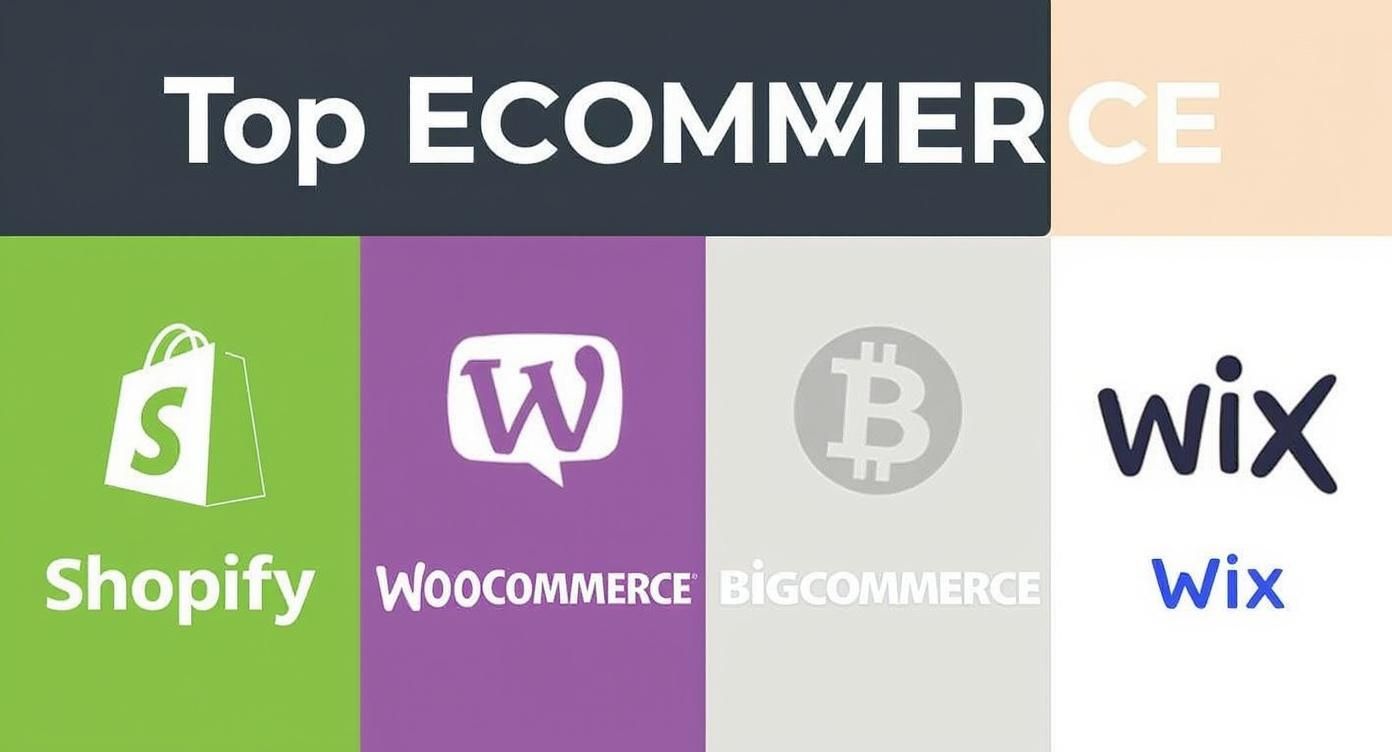
As you can see, Shopify is all about providing a clean, all-in-one experience. On the other hand, WooCommerce is built for deep customization, which means they appeal to two very different kinds of business owners.
Ease of Use and Initial Setup
For any small business owner, time is your most precious asset. How quickly and easily you can get your store live is a huge deal—it directly affects your launch date and, frankly, your stress levels.
Shopify is the undisputed champ when it comes to being user-friendly. Its setup process is like having a guide hold your hand, walking you through everything from adding your first product to connecting your payment processor. Because it’s a fully hosted, all-in-one solution, you never have to think about security patches, server maintenance, or software updates. It’s all done for you.
WooCommerce is a different beast entirely. It’s a powerful plugin that runs on WordPress, the most popular content management system on the planet. This setup gives you amazing freedom, but it also puts a lot more responsibility on your plate. You’ll be in charge of finding your own web hosting, installing WordPress, adding the WooCommerce plugin, and handling all security and updates yourself.
Key Takeaway: If you want to get online fast with the least amount of technical hassle, Shopify is the clear winner. If you're already familiar with WordPress and want total control over your hosting and site structure, WooCommerce offers a more hands-on but incredibly flexible path.
Pricing and True Cost of Ownership
When comparing costs, you have to look past the sticker price. The "true cost of ownership" is what really matters, and that includes transaction fees, must-have app subscriptions, and theme costs that can really change the financial picture.
Shopify uses a simple subscription model with plans like Basic, Shopify, and Advanced. It’s predictable, but you’ll also pay transaction fees on every sale unless you use their in-house gateway, Shopify Payments. Need more advanced features like complex product options or subscription billing? You'll likely need paid apps, which can tack on anywhere from $20 to $200+ per month to your bill.
WooCommerce itself is free, open-source software. But you absolutely have to pay for:
- Web Hosting: A reliable plan will run you from $10 to $50+ per month.
- Domain Name: This is usually around $15 per year.
- Premium Plugins: Many essential features, like specific payment gateways or advanced shipping rules, require paid extensions that often come with annual renewal fees.
This à la carte approach can seem cheaper at first, but the costs can creep up quickly as you add more functionality.
Scalability and Performance
A platform that works for ten products needs to work just as well for a thousand. Scalability isn't just about handling more inventory; it's about keeping your site fast and responsive as your traffic and sales numbers grow.
Shopify was built from the ground up to scale. As a hosted platform, its infrastructure is designed to handle huge traffic spikes—think Black Friday sales—without you having to lift a finger. That reliability is a massive selling point for any brand that’s planning for serious growth.
With WooCommerce, how well you scale is directly tied to the quality of your hosting provider. A cheap, shared hosting plan will buckle under any real traffic. To grow, you have to actively manage and upgrade your hosting to something like a VPS or a dedicated server, which means more technical know-how and a bigger budget.
Ecosystem and App Marketplace
No single platform does everything perfectly right out of the box. That’s where the app marketplace comes in. The quality and variety of available apps determine how easily you can add new features to meet your unique business needs.
The Shopify App Store is a well-curated ecosystem with over 8,000 apps. These integrations are typically easy to install and come with solid support, covering everything from email marketing and dropshipping to advanced analytics. Shopify's strict review process also ensures a certain level of quality and security.
The WooCommerce ecosystem is absolutely massive, with tens of thousands of plugins to choose from. This gives you an unparalleled level of choice, but it also comes with some risk. Plugin quality can be a mixed bag, and you can run into compatibility issues between different plugins that might require a developer to sort out.
For businesses built on a subscription model, picking the right platform is even more critical. It’s worth exploring the best subscription ecommerce platforms for businesses to see which ecosystems are truly built for recurring revenue. Your choice will impact everything from how you manage customer relationships to how you handle billing cycles, so it pays to weigh your options carefully.
Which Platform Wins for Your Business Model
A long list of features doesn't mean much without real-world context. The best ecommerce platform for a small business isn't the one with the most bells and whistles; it's the one that fits your specific business model like a glove. Let's get past the generic spec sheets and figure out which platform really shines for different kinds of entrepreneurs.
By matching a platform's strengths to how you actually run your business, you'll be able to make a much more intuitive and confident choice.
For The Artisan Creator Selling Unique Goods
If your business is all about craftsmanship, visual storytelling, and one-of-a-kind products, you need a platform that acts as a stunning digital showroom. You're not just moving inventory; you're selling a story, a specific aesthetic, and your personal brand.
For this kind of business, Wix and Shopify are the clear front-runners. Wix really delivers with its drag-and-drop design freedom. It lets you build visually rich product pages and galleries that put the unique details of your work front and center. Plus, its built-in tools for booking appointments or selling services are a huge win if you offer custom commissions or workshops.
Shopify, on the other hand, is a powerhouse for visual merchandising, thanks to its massive theme marketplace and app ecosystem. Its integrations with social channels like Instagram and Pinterest are incredibly smooth, making it almost effortless to turn your social feed into a direct sales channel—a crucial edge for any brand driven by visuals. A deeper look at platform differences, like in this Ecwid vs Shopify comparison, can shed more light on which ecosystem truly fits your sales strategy.
Key Takeaway: Go with Wix if you want maximum design flexibility and need to sell services alongside your products. Choose Shopify if your main goal is powerful social commerce and access to a massive ecosystem of marketing apps built to showcase unique items.
For The Ambitious Dropshipper
The dropshipping model is a game of volume, efficiency, and speed. Your success hinges on having seamless integrations with sourcing apps, automated order fulfillment, and the agility to test new products without getting bogged down by manual work.
In this arena, Shopify is the undisputed champion. Its deep, native-level integration with major dropshipping apps like DSers (for AliExpress) is a core part of its DNA. This connection gives you one-click product importing, automated order processing, and real-time inventory syncing. The entire workflow is engineered from the ground up to handle high-volume, low-margin sales with almost no friction.
WooCommerce is another solid option, offering a ton of flexibility through plugins like AliDropship. But, be warned, this path requires a more hands-on approach. You’re on the hook for making sure your hosting can handle traffic spikes and that all your plugins play nicely together, which can sometimes slow down a fast-moving operation.
BigCommerce also makes a strong case, especially for dropshippers looking to scale. This screenshot shows its clear focus on multi-channel selling and powerful back-end features.

The platform's built-in features for managing huge product catalogs without needing third-party apps can become a major advantage as your business expands.
For The Niche Brand Driven by Content
For a lot of small businesses, content is what drives commerce. If you pull in customers with in-depth blog posts, expert guides, tutorials, or a thriving community, your store needs to be tightly woven into your content—not just tacked on as an afterthought.
This is exactly where WooCommerce shines brightest. Because it’s built right on top of WordPress, the world's most popular content management system (CMS), the connection between your blog and your store is absolutely seamless. You get total control over SEO, can create custom post types for product showcases, and build a fluid user journey from a blog post straight to a product page.
- Total Content Control: You can embed products and "buy now" buttons anywhere you want inside your articles.
- Unmatched SEO Power: Take advantage of legendary WordPress SEO plugins like Yoast to optimize every single page, post, and product for search engines.
- Design Freedom: Build a completely unique user experience that blends content and commerce in a way that feels authentic to your brand.
Shopify has definitely upped its game with its blogging features, but it still feels like a store with a blog attached. In contrast, WordPress with WooCommerce feels like a powerful content hub that has a store built directly into its core. That fundamental difference makes it the best choice for any brand where content is king.
Thinking Ahead: Features That Fuel Long-Term Growth
Picking an e-commerce platform isn't just about getting your store online today. It's about choosing a partner for the long haul. Your success in year two, three, and beyond hinges on features that help you grow, market effectively, and run your operations without a hitch. If you don't think about these needs now, you could be looking at a painful and expensive platform migration down the road.
A great online store is more than a product catalog; it's a marketing machine. The right platform should have a solid foundation of tools to help customers discover you in the first place. This is where you need to look past the marketing fluff and really dig into the specifics of SEO tools and marketing integrations.

SEO and Marketing Tools
Every platform will tell you they're "SEO-friendly," but what that means in practice can vary wildly. Shopify gives you a fantastic out-of-the-box SEO setup that’s perfect for anyone just starting out. It takes care of the technical stuff like sitemaps and SSL certificates for you, so you can just focus on your content and keywords. The one small catch is its rigid URL structure—things like /collections/ and /products/ are baked in, which isn't ideal for advanced SEO tactics.
On the other hand, WooCommerce, being a WordPress plugin, offers a playground of SEO possibilities. With a tool like Yoast SEO, you get total control over every tiny detail of your on-page optimization, from custom URLs to intricate schema markup. It’s definitely a steeper learning curve, but for a brand built on content and aiming to dominate search results, that level of control is priceless.
Key Differentiator: Shopify makes it simple to nail the SEO basics, offering peace of mind and reliability. WooCommerce hands you the keys to the entire SEO engine, giving you ultimate power if you're willing to learn how to use it.
Payment Gateways and Transaction Fees
How you get paid is a huge deal, and the hidden costs can really eat into your profits. While every platform works with major players like Stripe and PayPal, their fee structures are surprisingly different. Getting a handle on these numbers is non-negotiable for smart financial planning.
Shopify really nudges you toward its own Shopify Payments. If you use it, they waive their own transaction fees, and you just pay the standard credit card processing rates. But if you opt for an external gateway, Shopify will tack on an extra fee of 0.5% to 2.0% on every sale. For most Shopify store owners, this makes using their native payment system a no-brainer.
BigCommerce takes a different approach that many merchants love. It charges 0% transaction fees across all its standard plans, no matter which payment gateway you use. This gives you the freedom to shop around for the best processor without getting penalized. WooCommerce is similar; it doesn't charge any transaction fees itself. Your only costs are whatever your chosen payment provider charges.
Customer Support and Community Resources
When your website breaks at 10 PM on a Friday, the kind of support you can get is everything. This is one of the clearest dividing lines between hosted platforms and open-source software.
With hosted solutions like Shopify and BigCommerce, you're paying for 24/7 dedicated support. You can get an expert on the phone, in a live chat, or via email anytime. For entrepreneurs who aren't super technical, this direct line for help is an invaluable safety net.
WooCommerce operates on a community-based support model. There's no single number to call. Instead, you rely on a massive ecosystem of documentation, forums, and direct support from your hosting company or the developers of the specific plugins you use. The community is incredibly knowledgeable, but it means you have to be ready to do a bit more digging to find your own answers.
The e-commerce world is tough. While Amazon holds a commanding 37.6% of the U.S. online market, smaller businesses on platforms like Shopify and WooCommerce make up a combined 47.5% share. This stat, highlighted in research on the US ecommerce market share on linkmybooks.com, shows just how vital it is to have robust features for inventory and fulfillment. Managing operations, especially shipping, is a make-or-break factor, and our guide on the best shipping solutions for small businesses can help you navigate those choices.
Making Your Final Platform Decision
So, after weighing all the pros, cons, and specific scenarios, it's time to make the call. The truth is, there’s no single “best” ecommerce platform for every small business. The right choice is the one that fits your business like a glove—your budget, your tech skills, and your vision for the future.
This decision really boils down to what you value most. Do you want to get a store up and running this weekend with zero technical drama? Or is having absolute, granular control over your brand's online presence a deal-breaker? Nailing down these priorities is how you find a platform that feels like a powerful partner, not a frustrating roadblock.
A Quick Recap For Your Final Choice
To help you zero in on the best fit, let's distill it down one last time based on the most common business needs.
For All-in-One Simplicity and Growth: Shopify is the undisputed champ here. Its hand-holding setup, rock-solid reliability, and enormous app store make it perfect for founders who want to spend their time selling products, not troubleshooting servers.
For Ultimate Customization and Content: WooCommerce is in a league of its own. If your business thrives on content marketing and you need total freedom to build your site within the WordPress ecosystem, look no further.
For Complex, Large Inventories: This is where BigCommerce really pulls ahead. Its robust, built-in tools for handling thousands of product variations—plus its zero transaction fees—make it a powerhouse for growing B2C and B2B stores.
For Visually-Driven Brands: Wix delivers incredible design freedom. Its drag-and-drop editor is a dream for artists, designers, and any business where the look and feel of the site are just as important as the products themselves.
Your ecommerce platform isn't just a piece of software; it's the very foundation of your customer's experience. Picking the right one smooths out your day-to-day operations, while the wrong one can become a constant source of friction that pulls you away from what matters: growth.
Key Questions to Guide Your Decision
Before you pull the trigger, run through these final questions. Your answers should make the best path forward crystal clear.
- What’s my real budget for the next 12 months? Go beyond the monthly fee. Think about themes, must-have apps, payment processing fees, and any developer help you might need.
- How much technical work do I really want to do? Be honest with yourself. Does the idea of tweaking code excite you, or does the thought of handling security updates and plugin conflicts give you a headache?
- Where will most of my sales come from? If your strategy is built around Instagram and TikTok, a platform with seamless social integrations like Shopify is vital. If you're banking on organic search traffic from a blog, WooCommerce is practically designed for it.
At the end of the day, picking your platform is just step one. The real work begins when you start turning that traffic into paying customers. You can learn more about how to improve ecommerce conversion rates in our detailed guide.
Got a Few More Questions?
Even after diving deep into features and pricing, you probably have a couple of lingering questions. Let's tackle some of the most common "what ifs" that pop up when small business owners are on the verge of making a decision.
Can I Switch Ecommerce Platforms Later On?
Yes, you can definitely switch platforms down the road, but it's not a walk in the park. Think of it less like flipping a switch and more like a full-scale business move. You're migrating your entire operation—product data, customer lists, order histories—from one digital storefront to another.
The whole process usually involves special migration tools or bringing in an expert to make sure no critical data gets lost in translation. You also have to brace for a possible (though usually temporary) dip in your SEO rankings while Google figures out your new site structure.
The bottom line: Switching is always an option if you outgrow your first choice. But it costs time and money. Do yourself a favor and pick a platform that feels like it can handle your growth for the next two to four years. You'll save yourself a major headache.
Do I Need to Know How to Code to Use WooCommerce?
Absolutely not, at least not to get started. You can build a great-looking, fully functional WooCommerce store without writing a single line of code. Modern themes and page builders like Elementor have made it a simple drag-and-drop process.
But the real magic of WooCommerce is how much you can customize it, and that's where a little technical skill comes in handy. If you want to make small design tweaks your theme doesn’t offer or add a unique feature, you might need to dabble in some simple CSS or hire a developer for the heavy lifting.
Here’s a more realistic way to think about it:
- Getting your store live: No coding needed.
- Making small visual changes: A bit of HTML/CSS knowledge goes a long way.
- Building truly custom features: It’s probably time to hire a freelance developer.
It’s like the difference between putting together IKEA furniture and building custom kitchen cabinets. You can handle the first with good instructions, but the second requires a pro.
How Can I Keep Transaction Fees from Eating My Profits?
Transaction fees are one of those sneaky costs that can slowly chip away at your margins. The good news is you have more control than you might think. It just takes a bit of strategy.
First, know that you're usually dealing with two separate fees: the payment processor's cut (from companies like Stripe or PayPal) and the platform's own transaction fee. Some platforms, like BigCommerce, charge 0% platform fees, so you only pay the processor. Others, like Shopify, will waive their fee, but only if you use their own gateway, Shopify Payments.
Here are a few practical ways to lower your costs:
- Use the In-House Gateway: If you're on Shopify, using Shopify Payments is almost always the smart move. It saves you from paying their extra percentage on every sale.
- Negotiate Your Rates: Once you're consistently pulling in good revenue (think over $10,000/month), don't be afraid to reach out to your payment processor. You might be able to negotiate a better rate.
- Offer a Bank Transfer Option: For big-ticket items, offering customers a small discount to pay via ACH or bank transfer can save you a ton on credit card processing fees.
- Shop Around for Gateways: With a platform like WooCommerce, you're not locked into one system. You can shop around for the payment gateway that offers the absolute best rates for your business model.
By thinking through your platform and payment choices, you can cut down on overhead and keep more of the money you earn. Choosing the right ecommerce platform isn't just about the monthly price tag; it's about these long-term operational costs, too.
Ready to streamline how you gather product images and videos for your store? With AliSave Pro, you can download all AliExpress product media—including high-resolution images, videos, and customer reviews—in a single click. It's the perfect tool for getting your products listed faster on Shopify, WooCommerce, or any other platform.