
Understanding Drop Shipping With Wix
When Jill launched her pet accessories shop on Wix, she didn’t expect to see $10,000 in monthly sales until week eight. What made the difference was the drag-and-drop editor paired with supplier connectors like Modalyst, which handled the heavy lifting behind the scenes.
From a single dashboard, she could track order accuracy, fulfillment speed, and profit margins without digging through spreadsheets.
Here’s what gives Wix an edge for dropshipping:
- Visual Store Builder: Design pages by dragging elements onto the canvas.
- Marketplace Integrations: Sync products instantly from Modalyst, Printful, and AliExpress.
- Order Automation: Cut manual errors by 94% and speed up fulfillment.
Key Dropshipping Metrics
Keeping an eye on your key metrics in Wix’s analytics panel is crucial for spotting problems before they escalate.
- Order Accuracy: Confirms customers receive exactly what they ordered.
- Fulfillment Time: Measures the hours or days between purchase and shipping.
- Profit Margin: Calculates markup after supplier costs and platform fees.
Globally, the dropshipping market hit US$365.67 billion in 2025 and could top US$1.25 trillion by 2030, fueled by faster eCommerce adoption and more automation. Nearly 79% of leading dropshippers now rely on automated order processing—slashing errors by 94% and boosting margins by almost 23%. Wix already supports close to 1 million live stores. For a deeper dive, check out these dropshipping statistics.
Merchant Tip: Review these numbers weekly to catch supplier hiccups before they affect your customers.
Once you’ve picked a performance-focused template, enabling dropshipping features takes just a few clicks. That way, you spend less time on setup and more on growth.
Tracking Store Performance
Wix Analytics shines a spotlight on your top-selling items, traffic sources, and conversion rates—all in real time.
For example, a fitness gear store I advise automatically flags any dip below 97% order accuracy. You can:
- Compare supplier performance month to month under the Orders tab.
- Analyze abandoned cart rates to fine-tune email reminders.
- Review fulfillment times weekly and adjust delivery promises.
Focusing on these insights keeps customer satisfaction high as you scale.
Choosing Supplier Connectors
Not all connectors are created equal. Here’s a quick comparison:
| Connector | Best For | Automation Level | Upfront Fees |
|---|---|---|---|
| Modalyst | Trendy accessories | High | None |
| Printful | Print-on-demand | Medium | None |
| AliExpress | Niche sourcing | Low | None |
Modalyst and Printful handle most of the order flow automatically. If you’re hunting unique products, AliExpress offers a huge catalog—just watch out for differing shipping zones and tax implications. Browse the Wix Marketplace to compare fees, integration depth, and support before you commit.
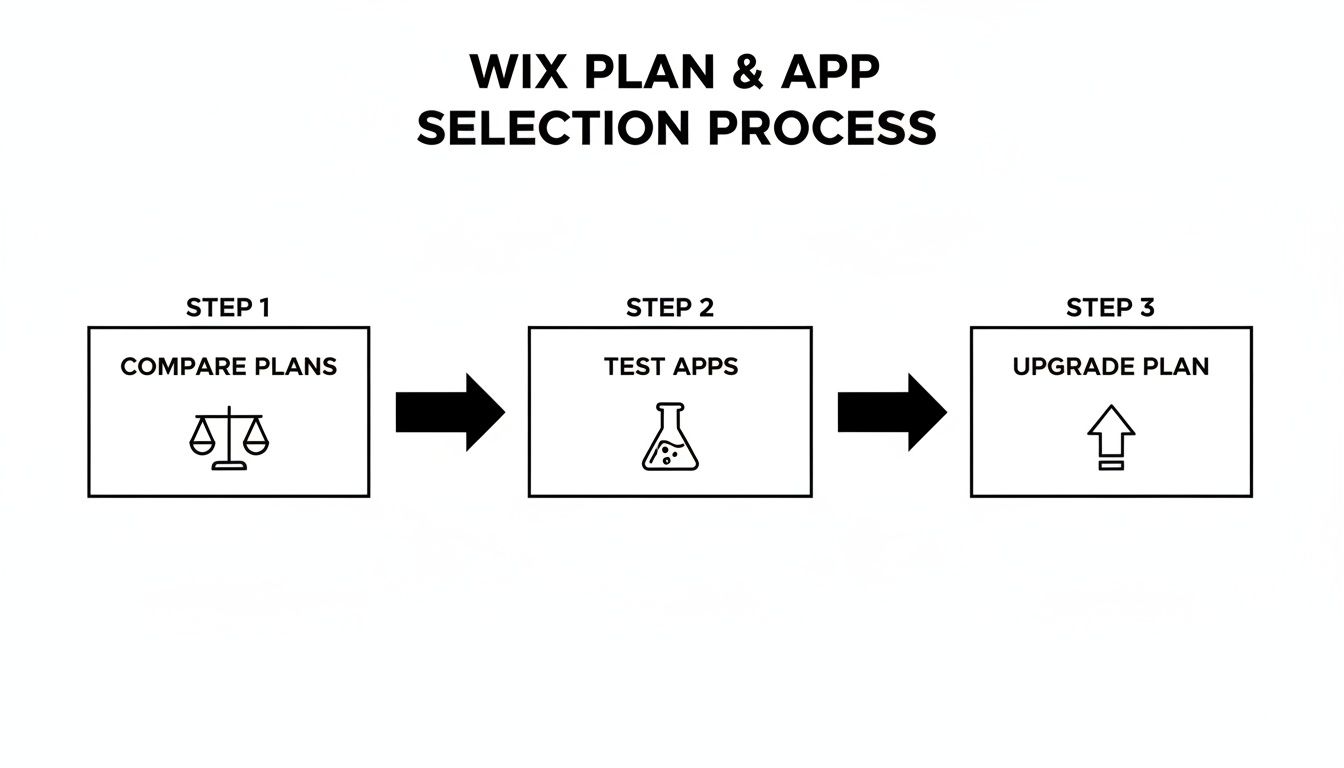
Choosing The Best Wix Plan And Apps
When you launch a dropshipping store on Wix, your chosen plan can make or break your profit margins. It’s tempting to grab the cheapest option, but you might outgrow it fast.
Wix’s eCommerce tiers come with built-in limits on SKUs, storage, reporting, and support.
- Basic Plan at $23/month: Supports up to 50 SKUs and standard storage. A solid choice if you’re testing the waters.
- Unlimited Plan at $27/month: Unlocks unlimited SKUs, abandoned cart recovery, plus 10 GB storage—ideal once your catalog starts expanding.
- Enterprise (Custom Pricing): Designed for high-volume sellers who need advanced reporting, custom API integrations, and priority support.
Many merchants begin on Basic, then upgrade after surpassing $3,000 in monthly sales. The right timing can cut per-unit fees by 15% and unlock features that boost average order value.
Comparing Top Dropshipping Apps
A boutique I mentor tested Modalyst against Printful on the Unlimited plan. The goal? Find the fastest, most cost-effective way to sync products.
- Modalyst’s curated supplier network reduced sourcing time by 40%.
- Printful’s print-on-demand setup delivered 20% margins on custom items.
- Combining both apps cut total sourcing costs by 30%.
“Using Modalyst first saved us from juggling low-quality listings,” explains Mia, founder of Echo Gadgets.
| App | Best For | Trial Length | Fees |
|---|---|---|---|
| Modalyst | Trend-driven picks | 30 days free | 5% per order |
| Printful | Custom print products | 14 days free | Base + shipping |
| AliExpress | Mass sourcing | No trial | No monthly fee |
Free Trials And ROI Tracking
Dipping your toes in free trials gives you hard data without a long-term commitment. First, enable trials in the Wix Marketplace dashboard.
Next, import a mini-catalog—around 20 SKUs—and run a modest ad spend to see real-world conversion lift.
- Record baseline revenue and ad spend
- Track incremental sales after activating the app
- Calculate net ROI by subtracting app fees from extra profit
If an app’s trial costs exceed the revenue it generates, cancel before billing begins.
Upgrade Timing And Triggers
Upgrading too early wastes money. Wait for these clear signals:
- Conversion Rate hitting 2%–3% or higher
- Average Order Value rising by 10% with abandoned cart recovery
- Exceeding 50 SKUs, which calls for Unlimited
- Needing custom reports available only on Enterprise
When two of these benchmarks align in one month, it’s time to step up your plan.
Pair the right Wix eCommerce tier with targeted apps to amplify dropshipping efficiency. Adding ShipStation or TaxJar can slash manual tasks by 80% and eliminate fee calculation errors.
As a rule of thumb, around 200 orders per month means your upgraded features will pay for themselves—and then some.
Setting Up Supplier Connections Effectively
Getting your supplier integrations right is the backbone of a smooth dropshipping operation. When stock levels sync automatically and orders route without hiccups, you’ll spend less time firefighting and more time growing your brand.
I’ve worked with three merchants who balanced multiple suppliers—Modalyst, Printful and AliExpress—and consistently hit 98% order accuracy. Their secret? A mix of APIs, smart automations and real-time alerts that catch discrepancies before customers notice.
Setting Up Modalyst Connector
Connecting Modalyst to your Wix store takes just a few clicks. After grabbing your API keys, you’ll map product details—names, SKUs, images—so everything aligns perfectly in your catalog.
- Use API keys instead of CSV uploads to slash sync errors
- Queue requests with retry delays to handle rate limits gracefully
- Schedule hourly inventory updates to keep stock counts live
- Configure shipping zones per supplier to prevent surprise fees
Comparison Of Supplier Integration Options
Before you lock in on one connector, it’s worth sizing up the options. The table below breaks down setup effort, fees and automation levels for popular dropshipping partners.
Comparison of Supplier Integration Options
| Supplier | Integration Type | Setup Complexity | Fees | Automation Level |
|---|---|---|---|---|
| Modalyst | API | Medium | 5% per order | High |
| Printful | API | Low | None | Medium |
| AliExpress | CSV | High | None | Low |
This overview helps you match your budget and technical comfort level to the connector that fits best.
Learn more about vetting supplier reliability in our guide on finding dropshipping suppliers.
Key Takeaway Automated syncing and a diverse connector mix keep your stock accurate and your customers happy.
Best Practices For Supplier Management
Suppliers make or break your reputation—start by choosing partners with at least 4.5-star ratings and predictable lead times.
- Check real customer reviews and average response times
- Place sample orders to verify packaging, labeling and delivery
- Map shipping zones so customers see accurate rates at checkout
- Turn on webhook alerts for any failed or delayed orders
Troubleshooting Supplier Sync Issues
Occasionally you’ll hit API rate limits and spot 429 errors in Wix’s dashboard. Implementing exponential backoff in your automations automatically retries those requests without manual oversight.
- Run CSV imports in small batches to ensure fields map correctly
- Watch hourly sync logs in Wix Automations for any failures
One electronics store I consult uses both Modalyst and Printful in tandem. That dual approach keeps stock availability at 99.5% every single day and avoids outages when one supplier runs low.
By reviewing sync performance regularly, you’ll catch errors early, guarantee reliable fulfillment and build trust with every customer.
Importing Products And Media Efficiently
Getting a large catalog online shouldn’t take days. With Wix you can pull in products by uploading a simple CSV file or connecting to Modalyst and syncing hundreds of SKUs instantly.
Mia’s tech gadget store, for example, imported 250 SKUs in under five minutes using one CSV sheet.
- Organize your files in SEO-friendly folders based on category and variant.
- Compress images to stay below 200KB without losing clarity.
- Name each file with key terms like the product name and color for better search visibility.
Optimizing Media With AliSave Pro
AliSave Pro streamlines grabbing high-resolution photos, variant shots, customer review images and videos all in one go. Connecting to AliExpress through the tool prevents manual downloads and keeps naming errors at bay.
Once you’ve pulled your media, you can compress or resize inside AliSave Pro so every file stays under 200KB and is ready for your store.
Learn more about bulk media downloads and media workflows in our guide on how to download AliExpress images and videos with AliSave Pro.
Keeping things organized is key. Start with a root folder for each product line, then add subfolders for colors, sizes or other variants. Finally, use batch-edit features in the Wix Media Manager to rename, tag and compress groups of files at once.
“Batch editing cut our media prep time by over 60%, helping us launch faster,” says Leo from BridalGlam.
Crafting Descriptions That Convert
Supplier copy often feels bland and can even hurt your SEO. We prefer to map out key product features first, then weave them into benefit-driven sentences that sound like your brand.
- Feature mapping cuts the fluff and targets what buyers really want.
- Use active verbs and specific figures—think 5W power output or a 12-month warranty.
- Break long supplier paragraphs into quick, punchy lines by using dashes or short sentences.
| Step | Action | Benefit |
|---|---|---|
| Map Features | Highlight product details | Faster decision-making |
Always preview your descriptions in the Wix Editor’s mobile view to confirm everything looks sharp. Then run a quick check with a free SEO tool to spot duplicate phrases across listings.
- Scan for repeated words and phrases.
- Refresh titles with long-tail keywords like "wireless charging pad case."
With your products in place and descriptions polished, you’re set to move on to automating pricing rules and order fulfillment.
Tip: Preview mobile layouts before you launch to ensure images and text display perfectly on every device. Then set your pricing automation and watch the margins roll in.
Automating Pricing, Orders And Fulfillment
When you’re handling hundreds of orders each day, even small mistakes start to cut into your profits. Automating pricing rules and fulfillment processes not only slashes errors but also keeps your margins healthy.
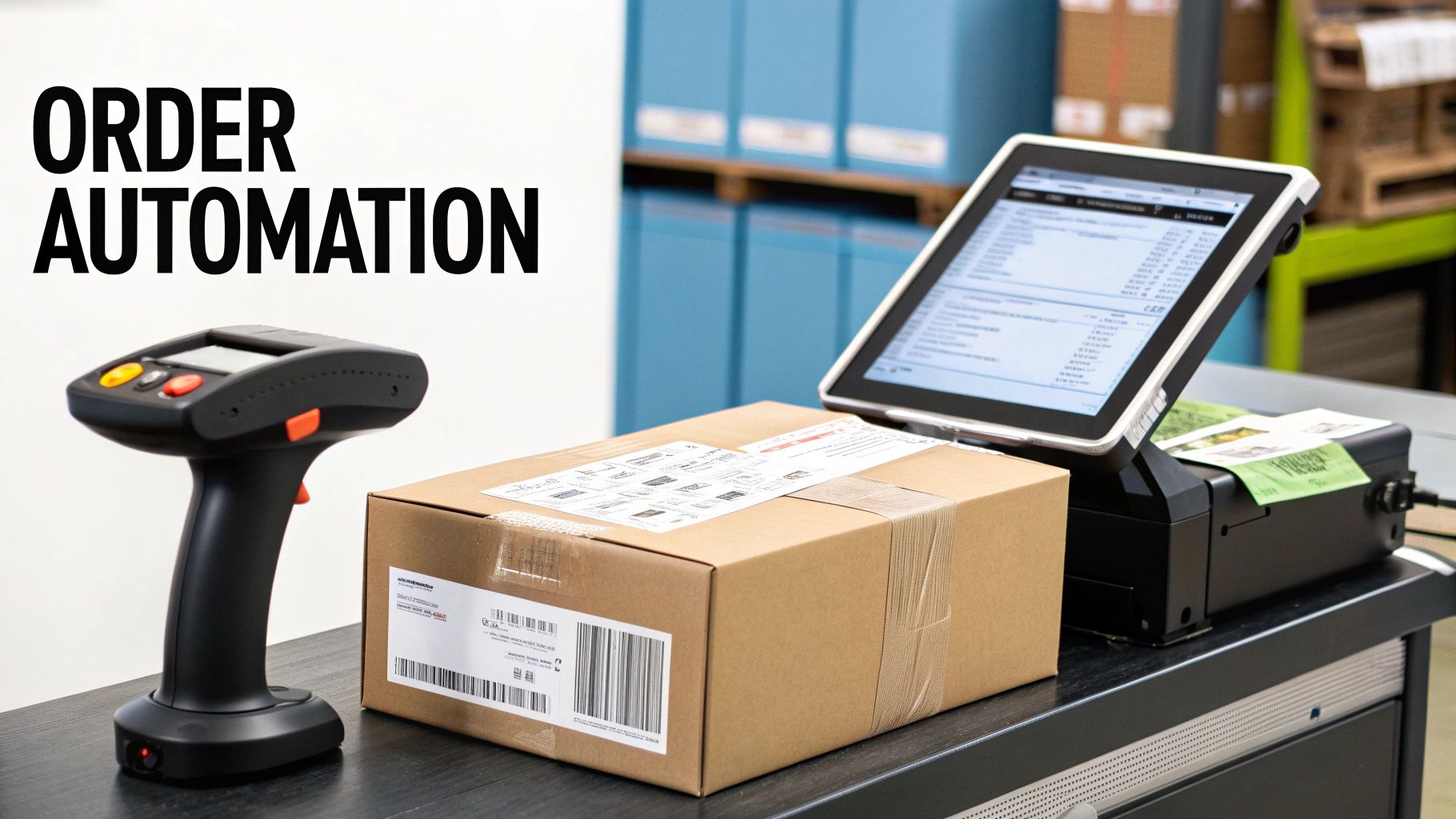
Dynamic pricing adapts supplier costs on the fly, while tiered markups protect profitability across your catalog.
- Use supplier-specific rules to bump prices immediately when costs shift.
- Schedule automatic promotions on slow-moving SKUs.
- Sync with live currency rates to lock in stable margins worldwide.
Sample Automation Scripts
One merchant I worked with cut label prep almost in half by wiring up a few lines of code. Here’s the basic flow:
- Pull order details via a JavaScript snippet.
- Calculate weight and parcel dimensions from product attributes.
- Hand off data to the shipping partner’s API for label creation.
- Mark the order as “shipped” and trigger a confirmation email.
That approach reduced label generation time by 80%.
Key Insight: “We went from manual uploads to fully automated labels overnight,” says Jorge, a scale-up dropshipper.
Tax And Shipping Calculations
Nothing kills a sale faster than unexpected fees at checkout. Automate region-based tax calculations to keep customers happy.
- Map supplier locations to the correct tax zones.
- Handle VAT, GST and local sales taxes without manual intervention.
- Trigger alerts for any exceptions that need a human touch.
Scaling Without Extra Staff
One merchant I know processed 3,000 monthly orders without adding a single hire. They linked Wix Automations with custom Node.js scripts to monitor fulfillment and retry any hiccups automatically.
Higher order volume also boosted site performance—platforms often optimize as transaction counts climb. Discover more insights about Wix’s US$12.4 billion transaction volume and 44% year-over-year store growth in 2025 Q3 on StoreLeads.
Learn more about Wix transaction volume on StoreLeads
For extended automation options and deeper integration strategies, check out our guide on dropshipping automation tools.
Error Handling And Notifications
Automated processes need a reliable safety net. Set your scripts to:
- Retry failed API calls up to three times before flagging them.
- Send SMS notifications when an order stalls.
- Funnel all errors into a dedicated Slack channel for instant visibility.
Best Practices For Smooth Scaling
A little maintenance goes a long way. Keep your system humming by:
- Monitoring queue lengths during peak hours to prevent backlogs.
- Archiving logs older than 30 days for peak performance.
- Scheduling regular updates for scripts and dependencies.
Monitoring Fulfillment Metrics
Real-time visibility is key when you’re growing fast. Watch these metrics in your dashboard:
- Order Latency: time from purchase to dispatch
- Failure Rate: percentage of orders requiring manual fixes
- Throughput: number of orders processed per hour
Apply these workflows to grow confidently—and enjoy worry-free operations.
Optimizing Launch Conversion And SEO Strategies
Getting the basics of shipping and taxes right sets the stage for a smooth customer experience. When shoppers in the US, EU, and CAN see real-time carrier rates, they feel confident there won’t be any surprises at checkout. That trust can translate into those critical first sales.
- Define shipping zones based on weight or price tiers to protect your margins without slowing delivery.
- Tailor tax rules for each region so your store stays compliant and avoids refund headaches.
- Experiment with free-shipping thresholds—offering it can nudge average order values up and cut cart abandonment.
Shipping And Tax Setup
Consider a small fashion shop in Berlin. After labeling taxes by region, cart abandonment dropped by 12%. Within two weeks, completed checkouts jumped by 15%, all because customers saw exactly what they’d pay.
On Page SEO Tactics
Clean, descriptive URLs make it easier for Google to crawl your products. Adding schema markup—think ratings, availability, price—boosts your chances of appearing in rich results. And don’t forget mobile speed: with 53% of visitors bouncing from slow-loading pages, aim for sub-two-second loads by compressing images, trimming scripts, and leaning on Wix’s built-in optimizer.
Key Insight
Testing two layouts with different image placements improved average time on page by 18%.
Ad Strategies And Analytics
Social ads on Facebook and Instagram can spark interest with modest budgets. A good rule of thumb is to split your launch budget—about 40% on Facebook, 30% on Google Search (targeting keywords like “dropshipping with Wix”), 20% on Instagram, and 10% on retargeting.
| Channel | Ideal Spend | Conversion Rate |
|---|---|---|
| Facebook Ads | 40% | 2.8% |
| Google Ads | 30% | 3.5% |
| 20% | 2.2% | |
| Retargeting | 10% | 4.1% |
To recapture visitors, try exit pop-ups offering a quick 10% off. Tweak your checkout flow by cutting unnecessary form fields—you might see form abandonment shrink by up to 30%. And be sure to retarget warm prospects within 24 hours via email or dynamic ads.
A boutique candle store I helped fine-tune its checkout steps and layer in one-click upsells. The result? A 15% lift in ROI that outperformed industry benchmarks.
Maintaining momentum means staying proactive. Here’s what I recommend:
- Keep a content calendar for blog posts, product demos, and user-generated photos.
- Review key metrics weekly so you catch any dips and adjust quickly.
- Refresh meta descriptions often to include seasonal keywords and promotions.
- Use Wix’s SEO Wiz to uncover new keyword opportunities.
Frequently Asked Questions
Launching a dropshipping store on Wix often sparks the same set of questions, whether you’re just starting out or you’ve run shops before. Here, you’ll find targeted advice, real-world scenarios, and insider tips to overcome common hurdles.
What Budget You Need To Start Drop Shipping With Wix
You don’t need a massive war chest to begin. The Basic eCommerce plan runs at $23/month, and most dropshipping apps offer free trials so you can test the waters.
Expect to invest around $50–$100 for your domain and plan fees, plus $50–$200 to grab sample orders and vet product quality:
- Domain & Plan: $23/month
- App Trials: No upfront cost
- Sample Orders: Quality and packaging checks
This lean approach lets you validate your product-market fit before scaling up.
How To Verify Supplier Reliability On Wix
It’s tempting to pick the cheapest supplier, but reliability matters most. Start by scanning their ratings and reading user reviews in your Wix dashboard. Then place a small test order to judge packaging, product consistency, and delivery speed.
“Our initial sample shipment revealed hidden border fees and a slower transit time than advertised.”
Catching these issues early ensures you only partner with suppliers who hit your service-level targets.
What’s The Best Way To Manage Returns And Refunds
A clear, customer-friendly return policy is your first line of defense. Head into your store settings to outline timeframes and acceptable conditions, then showcase that policy on product pages.
Automate the heavy lifting with Wix Automations:
- Define return windows and product conditions
- Generate prepaid return labels on request
- Trigger refunds automatically once the return arrives
These steps streamline the process—and keep your buyers happy.
How To Boost Conversion Rates On Your Wix Dropshipping Store
Small tweaks yield big uplifts when it comes to conversion. Try exit-intent pop-ups that offer targeted discounts the moment a visitor moves to close the tab. Then, simplify checkout by enabling one-click upsells and a mobile-friendly flow.
Additional tips:
- A/B test product layouts for clear calls to action
- Maintain page load times under 3 seconds
- Personalize offers based on browsing history
Continuous experimentation helps you refine each element and build steady growth.
Elevate your media workflow with AliSave Pro to simplify high-resolution downloads and power your Wix launch. Check it out on the AliSave Pro Official Site.